Inspiring
May 30, 2017
Answered

"Manually-created" cross-references not working in PDF

  • May 30, 2017
  • 1 reply
  • 2797 views

Hi all,

In instances where we wanted to have custom text act as a cross-reference link (i.e., not the destination's text, or a topic title, etc.), we created "gotolink" and "newlink" markers. The links work within Frame, but some are not working in the PDF output (some, however, are).

Any ideas?

Thanks

Using version 14.0.0361
This topic has been closed for replies.
Correct answer TMLTurby

I just tried it, and it works for me. This is how I did it:

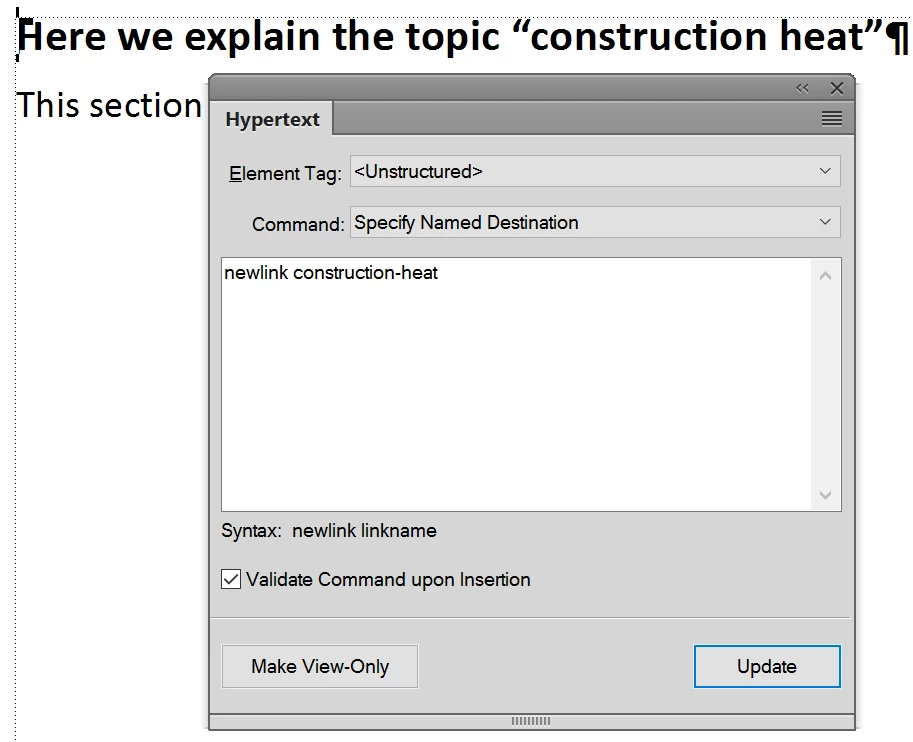
  1. Create a Hypertext marker with the command "Specify named destination" in the "target" paragraph.
    Content: newlink construction-heat

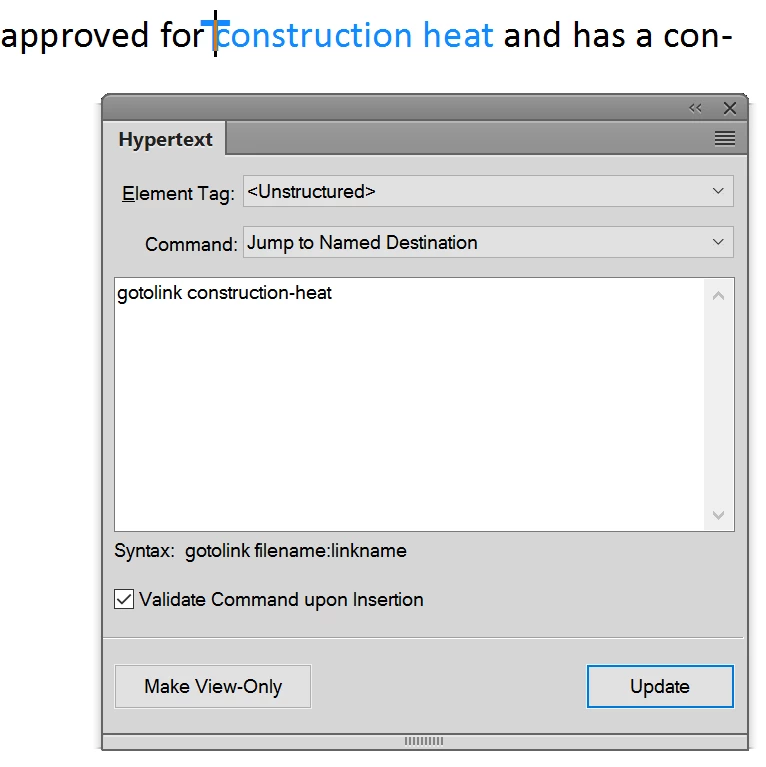
  2. Create a Hypertext marker in front of the "link text" with the content "gotolink construction-heat":

  3. Create a character style "hyperlink" and marked up both the link text and the marker with this character style. The important thing is, that the marker and the "link text" must have the same character style applied so that FM knows, they belong together.

When I create a PDF, it works as expected, and I can click anywhere on "construction heat" and it jumps to the paragraph where the named destination marker is.


Just to update:

We found inconsistencies between the "goto" and "new" links. The strange part is that these links still worked in Frame and were only broken in the PDF output. Which seems very strange.

1 reply

Community Manager
May 30, 2017

Try to put a character format (can be an "invisble" one) on the marker and all text after it that you want to include as a "link". Does that solve it?

TMLTurbyAuthor
Inspiring
June 1, 2017

Hi Stefan,

It didn't solve the problem.

Barb Binder
Community Expert
Community Expert
June 1, 2017

Then we'll need more details on how you set this up. You are calling them cross-references—are they actual cross-references (i.e., for more information, see. XXX on page X..) or are they navigational links?

If cross-reference, are you aware that you can reference a paragraph (i.e., a chapter title, subtitle, table title, figure title) or a cross reference marker that you insert where ever you like, that doesn't use the destination's text?

~Barb

~Barb at Rocky Mountain Training