



ddwhite
Known Participant
August 29, 2014
Question

Master Page Creation with special symbols

  • August 29, 2014
  • 2 replies
  • 394 views

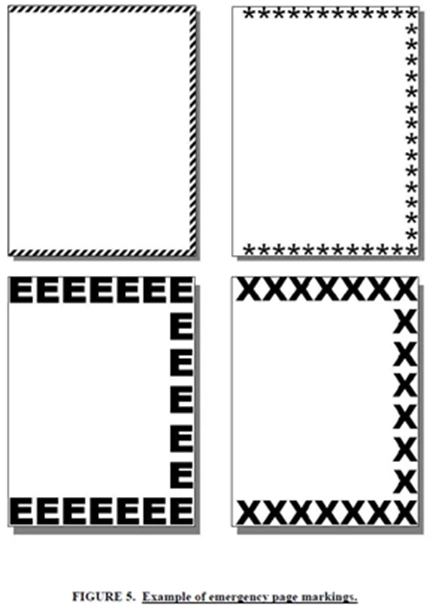
We have an instance using MIL-STD-40051 where we need to have a special page which contains X's around the border for an emergency WP, how difficult would it be to create such a page and if so can someone provide good instructions on how to do this? Attached is a sample of what we need to do.
This topic has been closed for replies.

2 replies

Inspiring
August 29, 2014

I can think of a couple of ways to do it. The most obvious is to draw

three background frames (i.e. no flow tag assigned) on the master page.

The top and bottom frames would be horizontal rectangles, and the side

frame would be a narrow, vertical rectangle. Type your Xs into them.

Then, anytime you assign that master page style to a body page, the rows

of Xs will be there on the page.

You could probably also use Silicon Prairie's wonderful AutoText plugin

to create your background text frames, then paste them in at will on a

body page with a couple of keystrokes.

Bob_Niland
Community Expert
Community Expert
August 29, 2014

You can also create a full page image in an external app like Illustrator, and import it into the custom L/R master pages. Turn off run-around. Send to back.

> ... assign that master page style to a body page ...

This is unstable if done manually, because the MP assignment doesn't stay with the content as entire pages of other content are added/deleted at previous pages.

It can be partially automated if the "WP" body pages have at least one unique paragraph format. Use Apply Master Pages (which, when run the first time, creates a Reference Page with an empty mapping table). Add your unique tag name and MP names to the table.