

Community Expert
September 3, 2022
Question

Missing files nightmares

  • September 3, 2022
  • 1 reply
  • 146 views

I am once again stuck with a document with lot and lots of missing files. The files can be found,  but they are distributed in a very large and seemingly random number of folders.

There is no easy way to "fix it all" in one take, but FrameMaker could certainly be more helpful.

So please vote for this suggestion! Let's have the missing files dialogue be selectable making i possible to copy/paste the missing file name and do a search on your drives.
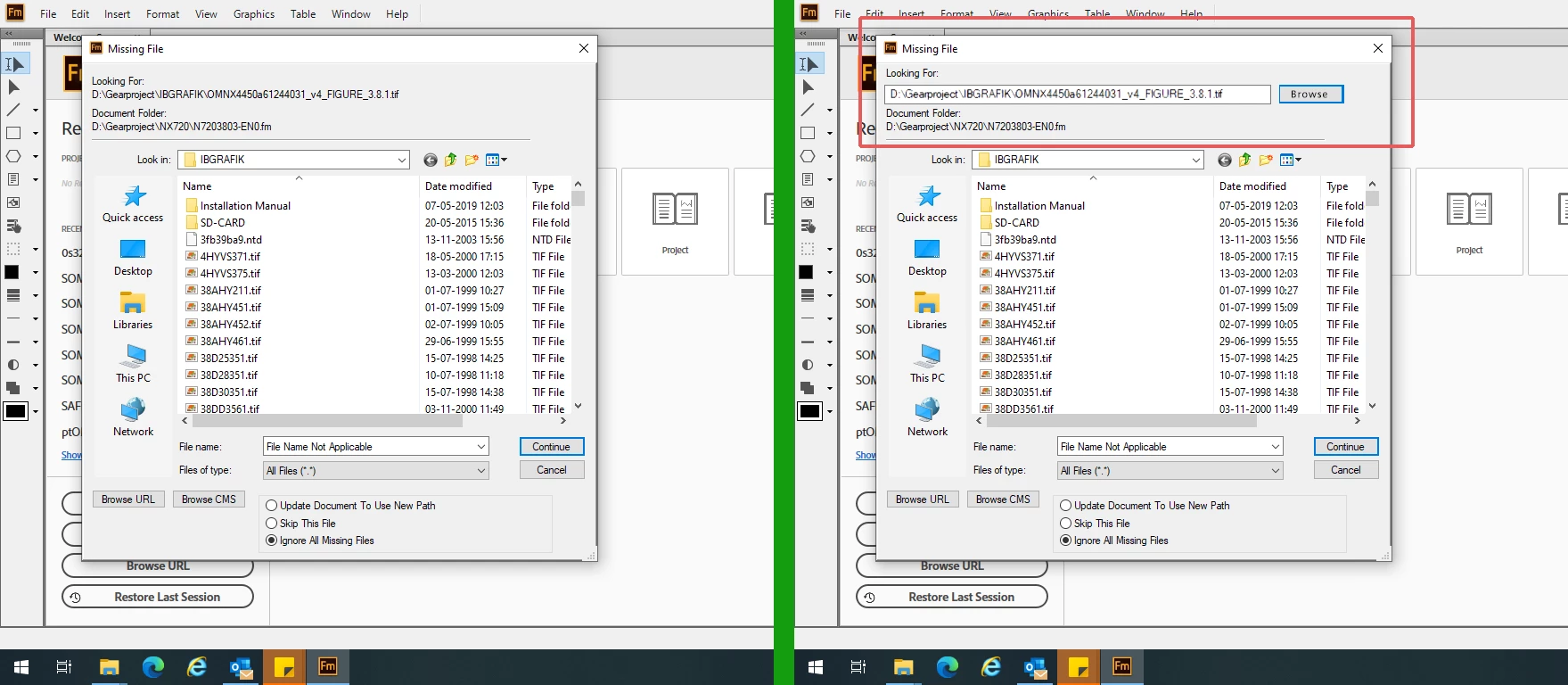
https://tracker.adobe.com/#/view/FRMAKER-11504


    This topic has been closed for replies.

    1 reply

    Bob_Niland
    Community Expert
    Community Expert
    September 3, 2022

    Given that any enhancement to FM on this won't be released by sundown, when I used to encounter it, there were two approaches I found useful:

    1. On the presumption that the document at one time worked correctly, try to figure out where it was at the time (in relation to the now-broken filepaths). Place an original copy of the .fm file(s) there. If it opens, re-save to the new location, and presto, all file paths are updated.
    2. Create a new ./imports/ dir under the current .fm file location. Copy or symlink all the know imports to there, and FM's "use new path" dialog should find them all on the first dialog pop.