

Vicki38950098ejye
Known Participant
August 28, 2024
Answered

named custom frames on Reference Page

  • August 28, 2024
  • 1 reply
  • 293 views

Good afternoon,

I created a named frame on the Reference Page.

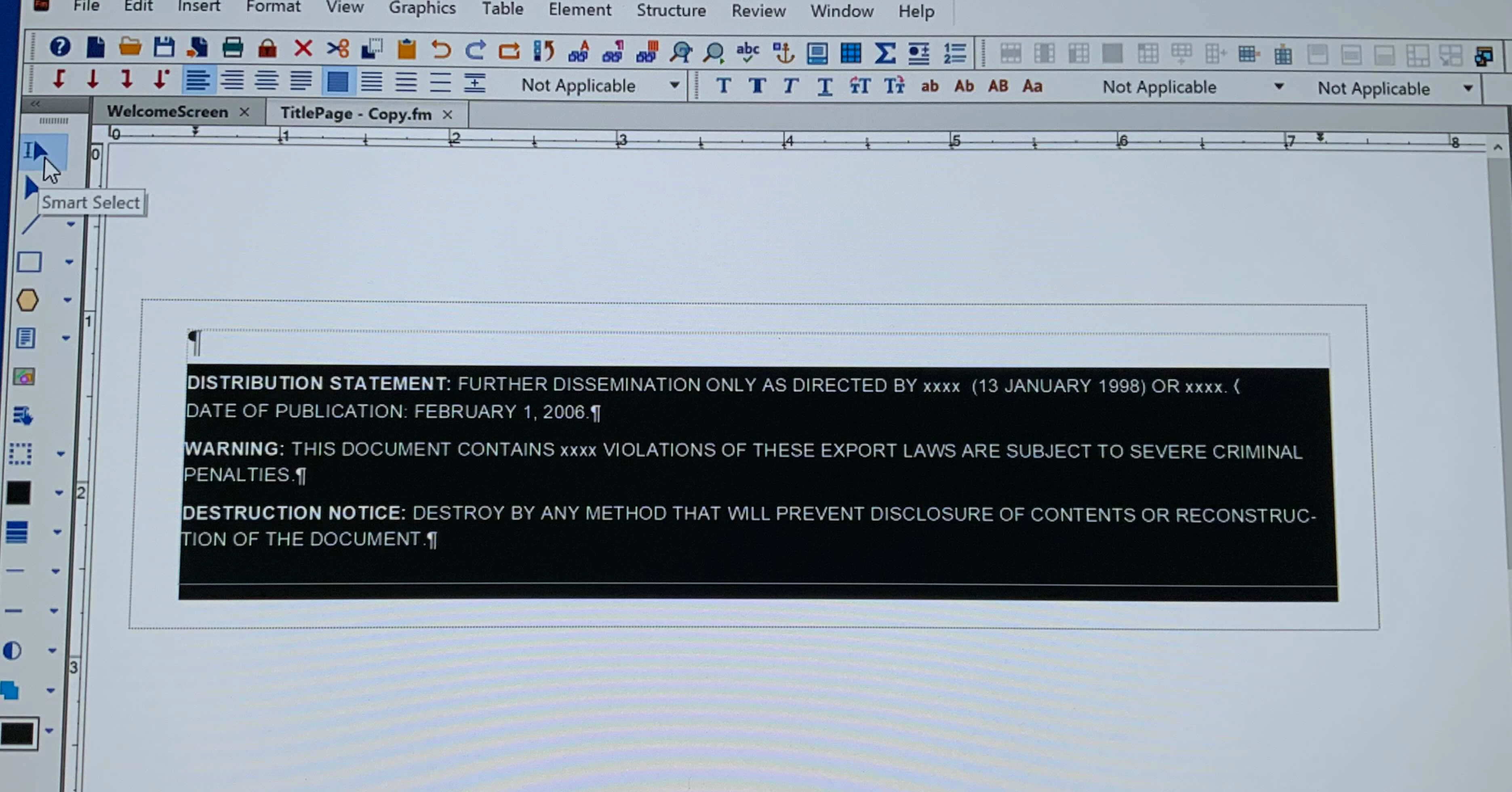
I added the graphic frame and named it. Then added a text frame inside of the graphic frame.
Content was put inside the text frame, from Word, using, File>Import>File.

Question is: Can I now change the (imported) text inside the text frame?

I am having trouble doing that. With Smart Select, I get a 'black frame,
and with Select Tool it is just activating the frame handles.

I can't seem to get into the text frame to edit it - I want to change the dates.

Thank you,  Vicki

 

    This topic has been closed for replies.
    Correct answer Dave Creamer of IDEAS

    Does the entire block highlight when you click on it? It appears as if it was imported by reference. Double click and if a dialog box appears, one button (I believe it is the second from the left) will convert the text to copied/embeded.)


    1 reply

    Dave Creamer of IDEAS
    Community Expert
    Dave Creamer of IDEASCommunity ExpertCorrect answer
    Community Expert
    August 28, 2024

    Does the entire block highlight when you click on it? It appears as if it was imported by reference. Double click and if a dialog box appears, one button (I believe it is the second from the left) will convert the text to copied/embeded.)


    David Creamer: Community Expert (ACI and ACE 1995-2023)
    Vicki38950098ejye
    Known Participant
    August 29, 2024

    David,

    Indeed the case!
    I am a new user, & that 'got-cha' has gotten me before.
    Thank you for you help.
    Vicki