
Question
Need help using Crop Marks FM 2019 Publish Pod STS
Hi,
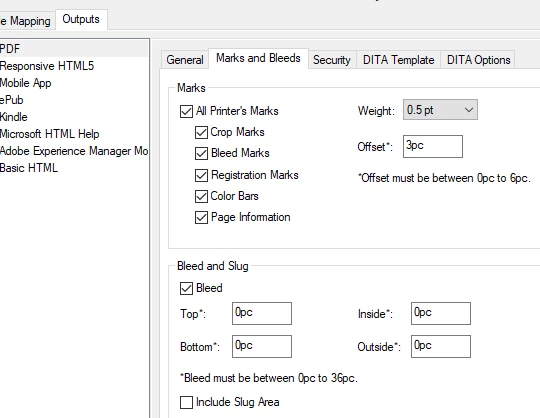
I can't get crop marks in my PDF from FrameMaker 2019 all patched up (Windows 10). I believe I have tried 99.99% of all permutations of the settings in the Marks and Bleeds tab of the Publish Pod.
My document is 5.5 x 8.5 inches. I can get FrameMaker to leave room for crop marks, but can't get the marks themselves. The online help is bloody useless (Adobe, call me).
Anyway, can anybody give me steps that would at least let me see crop marks in my PDF, including settings for the Marks and Bleeds tab?
Cheers,
Sean


 AdChoices