Known Participant
December 17, 2024
Question

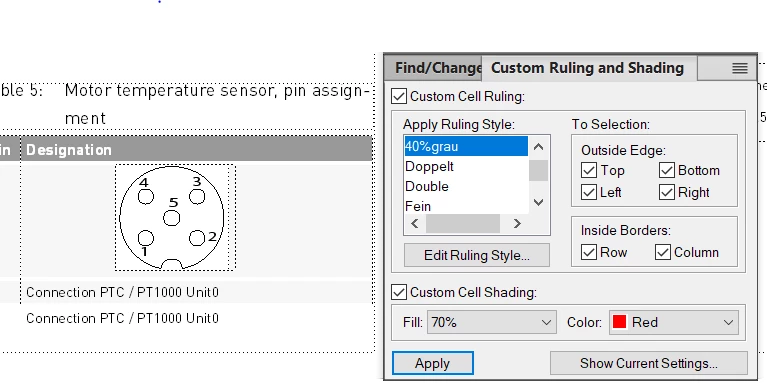
not able to apply color to the table row
  • December 17, 2024
  • 2 replies
  • 290 views

after click on apply, whole row is turned to white background i want red color over there isnted of white.

    This topic has been closed for replies.

    2 replies

    frameexpert
    Community Expert
    Community Expert
    December 17, 2024

    After applying the color, refresh the screen (Control + L).

    Community Expert
    December 17, 2024

    Hi,

    You have posted this question twice: here and from Anna Maria349004727hyz. Why?

    https://community.adobe.com/t5/framemaker-discussions/not-able-to-apply-a-color-to-table-row/td-p/15043139

    I will respond here.

    When you had selected Red and 70 %, then this should work. It does in my test file.

    What happens, when you select other colors and other fills?

    Which colour did you have, before you applied a custom shading? What is set in your table style?

    Best regards, Winfried

    Known Participant
    December 17, 2024

    it happens for all the colors


    Community Expert
    December 18, 2024

    Which colour did you have, before you applied a custom shading? What is set in your table style?

    In the Custom Ruling and Shading pod there is also a button in the lower right corner to show the current setting. What does this dialog show, before and after you had applied another colour?

    Do you use structured or unstructured FrameMaker?