

Numbered Steps in Frame 2020 to HTML5 - Format Issue
We are entering into the World of HTML5 with our Technical Manuals. Authoring in Frame 2020. There are numbered steps throughout our documents. Some steps go beyond 9 into two digits. In Frame, the decimal following each number is aligned above and below, regardless if the step number is a single digit or a double digit. However, in publishing to HTML5, the digits are all flush left. Decimals for single digits align; decimals for double digits align; but single and double digit steps do not align with each other. The left margins of the content of the steps also moves to the right for double digit steps. Is there a means to align all numbered steps to the decimal? Also, the wrapped send line of text in a double digit numbered step will not align with the first line. That will fall into place once I resolve the issue with decimal alignment.
FRAME:
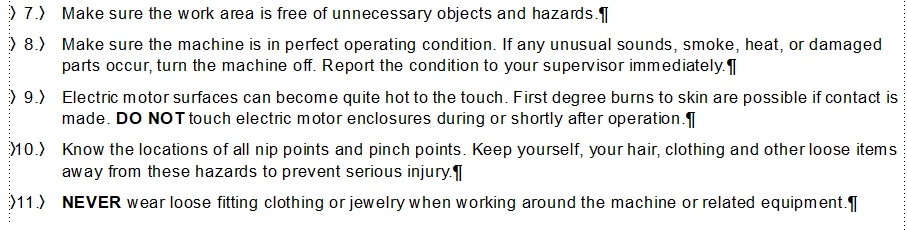
HTML5:



 AdChoices