


Inspiring
September 2, 2026
Answered

Object properties

  • September 2, 2026
  • 11 replies
  • 44 views

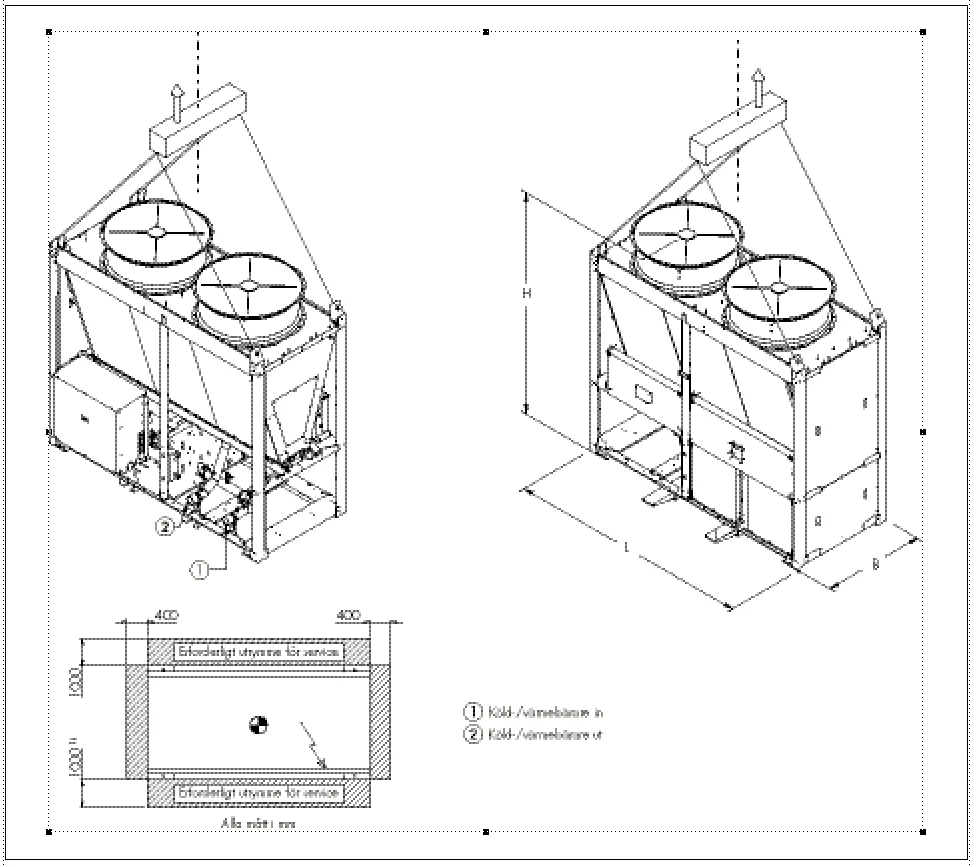
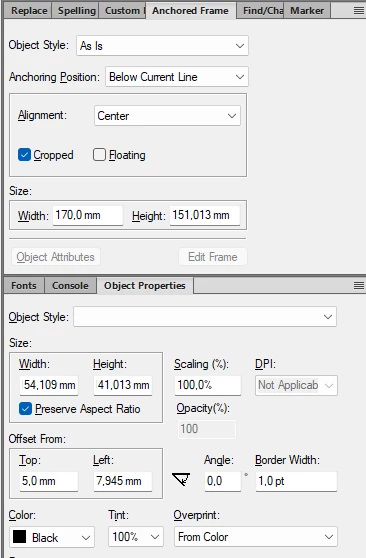
I have FM 2022. Look at the first picture. It’s an anchored frame with a drawing in it. In the first box below you can see the dimensions for the anchored frame. The frame is 10 mm higher than the drawing, so 5 mm space over and under it. We can see that the anchored frame is 151,013 mm high. BUT look at the box below. The width and heigh of the drawing is not at all true! How do I get the correct measurments? I imported the exact same drawing in FM 7 and got the width to 154,109 and height to 141,013.

At first I thought that the lower box was for something else, but if I click on the drawing and then on the icon for Object properties, this box opens.
 

    Correct answer Lena27020170w3wy

    I “solved” it myself. The squares where the width and height are given, are too narrow for all the numbers to show. The “1” are missing in 154,109 and 141,013.


    This must be a bug! I can’t change the width of the boxes. The sizes are probably just made for the US and other countries who uses inches. Not good at all!!

    11 replies

    Legend
    September 2, 2026

    Hi. You might consider my West Street Utilities plugin, which I’m fairly sure will solve this problem. It will also give you a wide variety of other graphics-related amenities, which I use all the time. It’s totally free.  http://www.weststreetconsulting.com/WSC_Utils.htm


    Russ

    Inspiring
    September 2, 2026

    Sounds interesting, but I have 2 questions: Will it work with comma in a number with decimals? Or just a period? 

    And mm is not possible?

    Legend
    September 2, 2026

    Hi, answers to your questions:

    • No, there was never any consideration for commas.
    • It supports units in points, inches, and centimeters.

    Both of your requests would be simple enhancements. If you install it and like it, I would consider adding those two things. I’m not really actively developing the software anymore, but some simple enhancements that make it useful for somebody would be reasonable.

    Russ

    Jeff_Coatsworth
    Community Expert
    Community Expert
    September 2, 2026

    Go right ahead - use the Tracker - https://tracker.adobe.com/ 

    Inspiring
    September 2, 2026

    Thank you, but I can’t find my version (Frame Maker 2022 17.0.9.866) or my Windows version (11). And I have no idea what to choose under Component.

    Bob_Niland
    Community Expert
    Community Expert
    September 4, 2026

    Lena: …but I can’t find my version (Frame Maker 2022 17.0.9.866)…

    Help🞃About Framemaker…
    {take notes; the pop-up won’t allow copy&paste}

    re: …or my Windows version (11).

    ⊞ Start
      ⚙ Settings
        ☐ System
          ⊞ Windows Info
            Edition, Version, OS Build

    Inspiring
    September 2, 2026

    Where can I report this bug?

    Lena27020170w3wyAuthorCorrect answer
    Inspiring
    September 2, 2026

    I “solved” it myself. The squares where the width and height are given, are too narrow for all the numbers to show. The “1” are missing in 154,109 and 141,013.


    This must be a bug! I can’t change the width of the boxes. The sizes are probably just made for the US and other countries who uses inches. Not good at all!!

    Jeff_Coatsworth
    Community Expert
    Community Expert
    September 2, 2026

    I suspect that the mask for that field is not optimized for that many decimals of precision (especially in mm!). What happens if you just use whole numbers?

    Inspiring
    September 2, 2026

    I haven’t given the numbers, they are the size of a drawing. Hard to make a drawing or picture that are just a whole number. I would have been OK with just one decimal, but I can’t find a setting for that.


    The funny thing is that all my measurments are in mm. But if I DON’T have a picture or drawing marked, it says 0.0”


    I would like to report this as a bug, but I can’t find where to do that.