Inspiring
May 12, 2020
Answered

Odd startup screen

  • May 12, 2020
  • 20 replies
  • 3602 views

Hi,

Any reason the startup screen suddenly looks like this in FM 2019?

Kind regards,

Mats
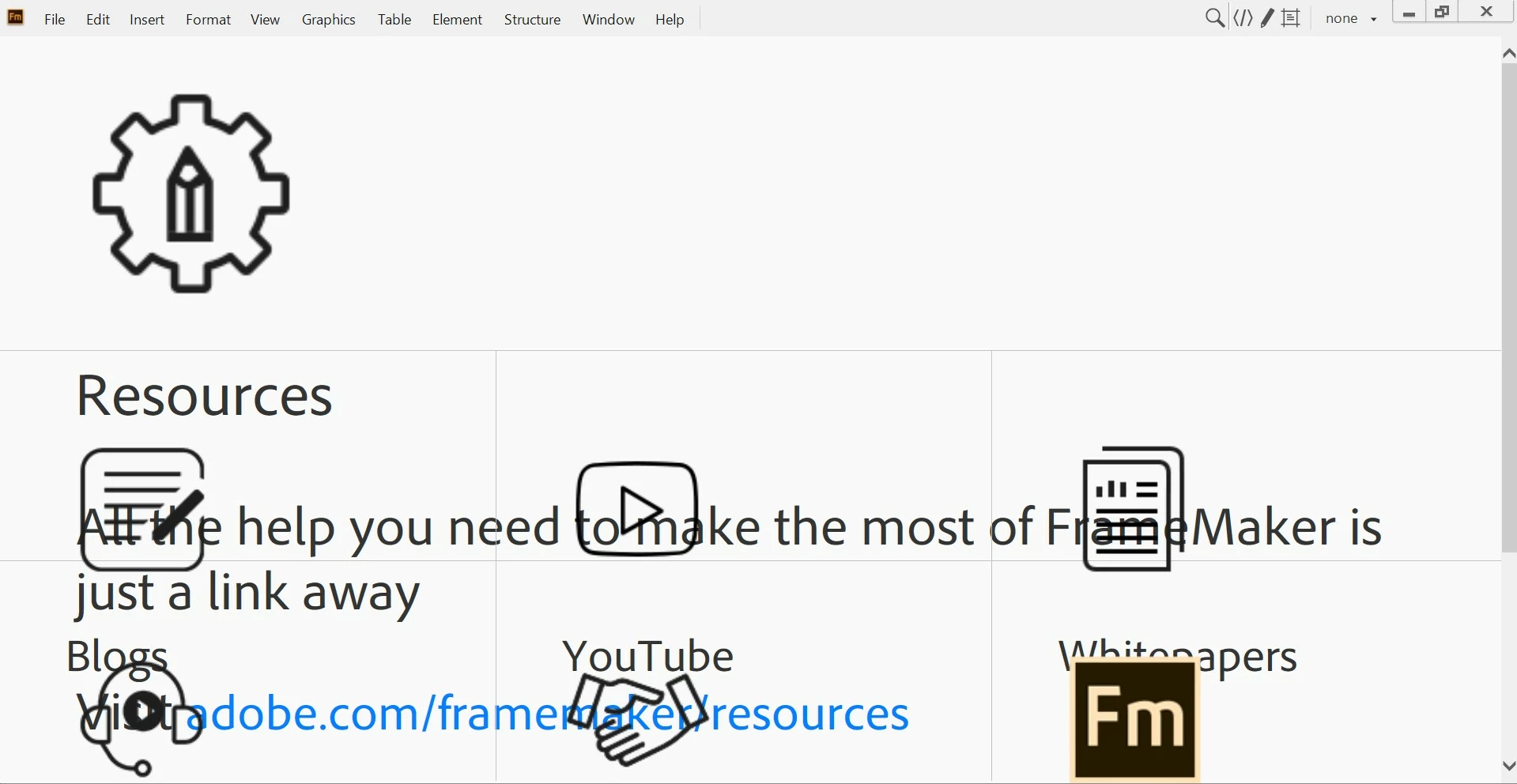
 

    This topic has been closed for replies.
    Correct answer Bill*n

    At our site we have this issue again – probably about the fourth time we've had it over the last two years.


    Don't hold your breath about Adobe fixing this 'redirection issue' with any great urgency, the problem at our site started (again) around February 17th!


    Note: As well as Shift+Scroll Wheel (mentioned by Matt S), you can also right click the Resources pane and select Back to 'readjust' the magnification of your Welcome screen.

    20 replies

    SecretOne
    Participating Frequently
    May 12, 2020

    Yep
    Mine is the same, I just click in the window and use shift mouse wheel to resize it.
    All my recent files etc. have gone.
    The Welcome screen HTML, CSS files, etc. do not exist now.

    So that is my thought on why we are getting this issue.
    I am going to look on my work PC to see if they exist as that will not have been updated yet.

    Update:-
    Files are now there and still the same.

    LinSims
    Community Expert
    Community Expert
    May 12, 2020

    Added note: all my pinned files and recent files are wiped from the Welcome screen, and when I open a book or a file, the "new" version reappears.


    This sucks.


    Edited to add: I've just sent an email to tcssup about this, including a link to this discussion.

    Participant
    May 12, 2020

    My pins are wiped but when I go FILE → OPEN RECENT I can find my recent files though no pins.

    Additionally if you go to the FrameMaker Icon on your task bar or in the start menu and right click it, you can pin documents there and that still works.

    LinSims
    Community Expert
    Community Expert
    May 12, 2020

    It's not just me, then?


    Good. I think. But this is terrible.

    Participant
    May 12, 2020

    Hi Mats,

    yesterday (2020-05-11) the welcome screen was OK. Today after updating to FM 2019  15.0.5.838 the behaviour was quite strange. The correct welcome screen is visible for < 1 s, then a windows similar to yours is shown.

    Wifi is OK, internet access is not blocked.

    Best regards,

    Sven

    Participating Frequently
    May 12, 2020

    Hi,

    Since today (everthing was OK previously), we have exactly the same problem with all six copies of FrameMaker 2019 in use at our company.

    A workaround is to right-click in white space in the "odd startup screen", and then select Back from the drop-down menu – this will take you back to the correct welcome screen.

    Regards,
    Bill.

    Klaus Göbel
    Legend
    May 12, 2020

    The only explanation for me is that this is related to the last Windows or dotNet update (once again)
    Because the welcome screen is also destroyed in FrameMaker 2017

    Inspiring
    May 12, 2020

    Guess FM uses some fallback resources if there's no connection, because offline it looks fine. When I connect and restart FM the odd startup screen appears again.

    Kind regards,

    Mats

    StefanGentz
    Adobe Employee
    Adobe Employee
    May 12, 2020

    I have seen this effect a few times when something like a firewall is blocking the internet access or when you are "somehow" offline ("somehow" like in "Connected to Wifi but not to the internet"). At least for me, it happens *only* when I'm connected to a wifi hotspot (like in a train, plane, or hotel), but only get to the portal login page of the hotspot but are not connected yet to the internet.
    If I remember right, there is already a ticket for this "bug" and afaik it will be fixed in the next release.

    K.Daube
    Community Expert
    Community Expert
    May 12, 2020

    No, that can't be the case: my connection is via Ethernet to the router and I'm here in the browser Firefox with the very same connection:

    IMHO something is damaged in the IE rendering machine which FM uses here.

    welcome.html is presented correctly in the browser, also in IE which still can be found on Win 10 - although not recommended any more by MS.

    There was no change in the OSbuild: it is still  10.0.18363.778 as it was yesterday, but at least 2 Security updates (Security Intelligence Update for Windows Defender Antivirus - KB2267602 (Version  1.315.430.0 yesterday 17.16, 1.315.471.0 today 09.08 and 1.315.501.0 today 21.03). IMHO only the last one yesterday is relevant here, although I did not notice this strange behaviour of the Welcome screen yesterday between 17.00 and 19.00 when I closed the system
    Edit

    Have now switched connection from Ethernet to WLAN - same behaviour of FM-15

    Inspiring
    May 12, 2020

    It was correct yesterday, incorrect today. Is that screen's resources partly fetched over the internet?

    Kind regards,

    Mats

    Community Expert
    May 12, 2020

    yep - all my machines look the same. Unfortunately.

    Bjørn Smalbro - FrameMaker.dk
    Community Expert
    May 12, 2020

    Hi Mats,


    I just noticed this myself. I thought that this is only on my laptop. Usually I have a desktop with two monitors. I do not remember, when this started.


    Best regards


    Winfried
