
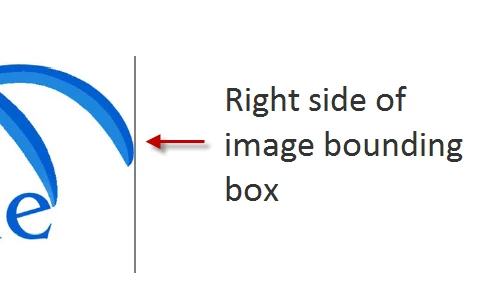
One side of bounding box showing on imported graphic
Hi.
I'm trying to import (copy into document) a logo. It goes in fine, but when I print it (Save as PDF or Print to the printer), one side of the bounding box appears as a black line. I don't see the line in FrameMaker, just when I print the file. I tried importing the graphic file by reference, with the same result.
I'm not sure whether this is an issue with FrameMaker or an issue with the image (this is the first time I've run into it when importing graphics into FM). The original graphic is in an EPS file. I converted it to .png to import it into FrameMaker. When I tried importing it as a GIF, the image was distorted with a black background in FrameMaker.
Are there any settings I should consider when converting an EPS file to PNG (or GIF, etc)? Are there any import settings in FM that I should look at? I played around with the object properties, but didn't come across anything that made a difference.
Other info: i'm importing at 300 dpi onto a Master Page.
Thanks,
Sam


 AdChoices