
Inspiring
April 3, 2023
Answered

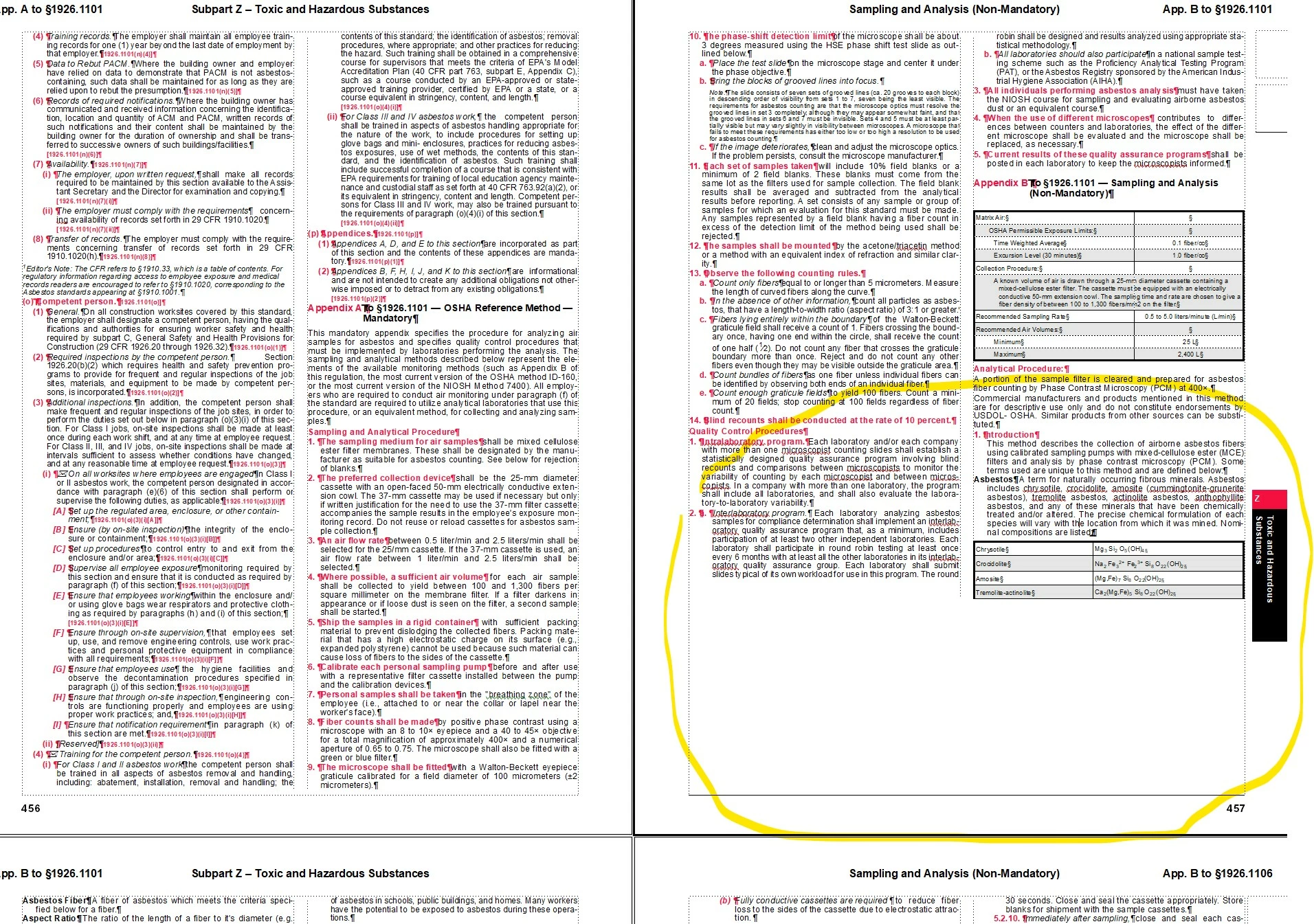
Overflow Text Box frustration; what's going on here?

  • April 3, 2023
  • 1 reply
  • 404 views

I have a page with overflow text, plenty of room, botht he problem box and the following box are set to autoconnect, none of the styles are set to keep with anything, no manual page breaks are active, I've tried messing with table keep with numbers, reapplying master pages, and a few other things. I'm stumped. Any ideas what is going on and how to fix it?
    This topic has been closed for replies.
    Correct answer Bob_Niland

    In Format » Page Layout » Column Layout
    is this set:
    ☑ Balance Columns
    If so, try unsetting it (and if that's what the problem was, be aware that unsetting it could cause layout issues elsewhere in the document).

    1 reply

    Bob_Niland
    Community Expert
    Bob_NilandCommunity ExpertCorrect answer
    Community Expert
    April 3, 2023

    In Format » Page Layout » Column Layout
    is this set:
    ☑ Balance Columns
    If so, try unsetting it (and if that's what the problem was, be aware that unsetting it could cause layout issues elsewhere in the document).

    Inspiring
    April 3, 2023

    Huh, that did fix it. How annoying!

    Bob_Niland
    Community Expert
    Community Expert
    April 3, 2023

    re: How annoying!

    That's just the BC feature operating normally. It apparently wasn't able to deal with those tables elegantly. BC is off by default, by the way, so some prior document steward must have turned it on, and may have had a reason for doing so.