
Page Numbering
Hi everyone! Recently, workig on a large manual I have encountered a problem with the page numbering in Framemaker. I am attaching example screenshots and link to file below.
Scenario: I have a book with childbooks inside, childbooks contain .fm files such as TOC and Chapter. I want my TOC to start with page 0, but each other chapter start with page 1 everytime. I have set numbering for the .fm files separately to start with desired pages, and then set numbering properties in a childbook to "read from file". The problem is when I update the parent (main) book, the page numbering resets to 1 for TOC and continues 2, 3, 4... in other chapters.
The intended result: 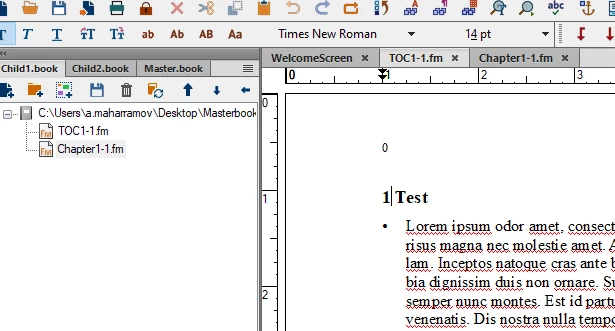
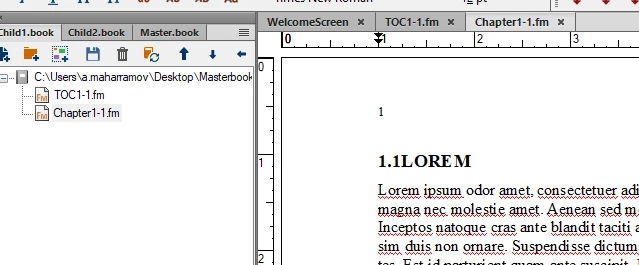
The PROBLEM:
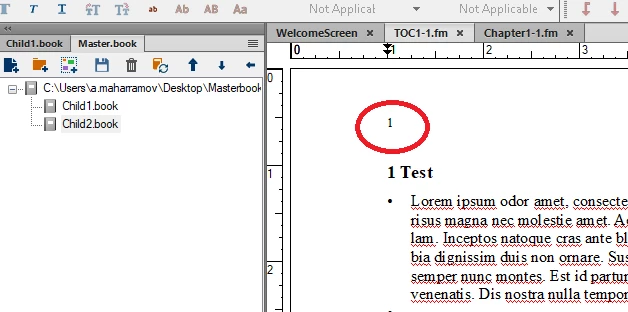
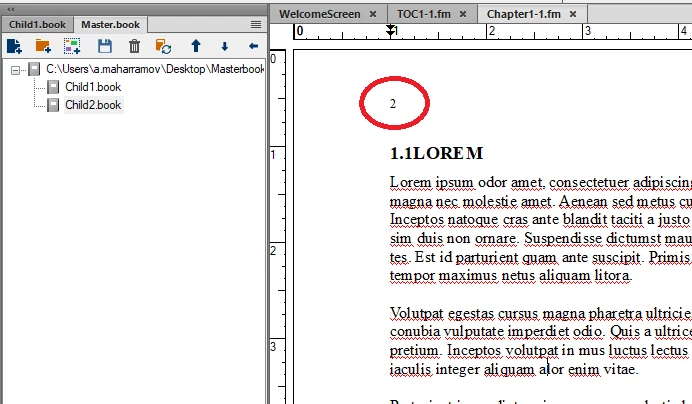
I would appreciate any help regarding the matter, thank you in advance.
Example file (I cannot share the actual project due to confidentiality): EXAMPLE RAR FILE


 AdChoices