
Inspiring
November 10, 2021
Question

Placement of DITA Hazardsymbol

  • November 10, 2021
  • 2 replies
  • 264 views

When I add a hazardsymbol element to a hazardstatement in Framemaker, this is the result (symbol below):
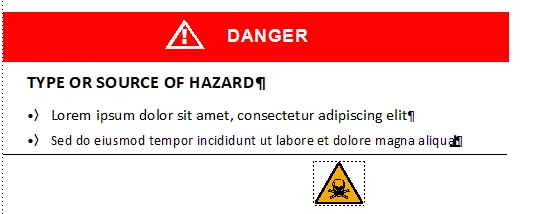
However, I want it to look like this, but I'd rather not use a table to achieve this formatting:
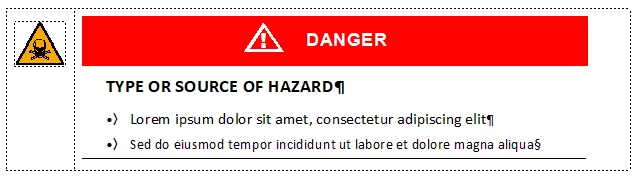
Our template does not have side heads, which I think would make this easier.

Does anyone have a suggestion how this can be handled or should I just use tables and forget about using the hazardsymbol element?


    This topic has been closed for replies.

    2 replies

    Community Expert
    November 11, 2021

    Hi,

    Generally anchored frames should be in their own paragraphs. When you place this paragraph before your other warning paragraphs, you could move the icon to the top left.

    A few years ago I tried to get the warning layout, which you show in your table, with indentation and space before/after settings. It worked, but not very well.

    It could be that this works better now. You might experiment with run-in pagination for the icon paragraph.

    Generally I find the table much more stable.

    Best regards

    Winfried

    Dave Creamer of IDEAS
    Community Expert
    Community Expert
    November 10, 2021

    I would build the top section--symbol and red bar--in one large parent frame. Then just set the type styles to have a first/left indent. (The frame above would be attached to the bold U/C head.)

    David Creamer: Community Expert (ACI and ACE 1995-2023)
    Dave Creamer of IDEAS
    Community Expert
    Community Expert
    November 11, 2021
    David Creamer: Community Expert (ACI and ACE 1995-2023)