

Plain HTML export (FM2019)
We use Structured FrameMaker with a custom EDD (no DITA). All our documents are in .fm format (not XML). We produce all our materials to PDF, which has been working great and we don't want to change any of that. Some of our content is also made available via our LMS. To retain the formatting, the content is rekeyed in the LMS platform in plain ("simple") HTML format.
For example, the following content in FrameMaker:
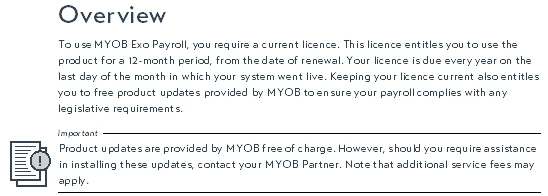
is rekeyed in the LMS in HTML:
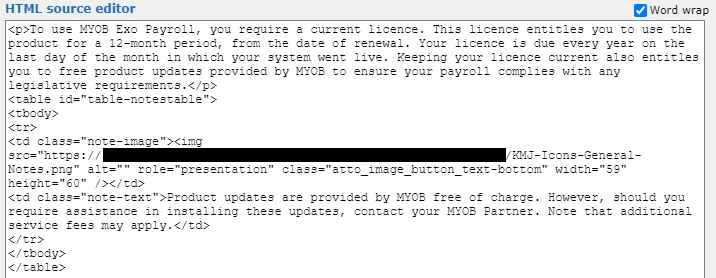
We're investigating whether it is posible to export the content from FM into "simple" HTML so that we can copy and paste the raw HTML into our LMS. We tried using the Basic HTML option from the Publish pod, but found that it contained a lot more than we need and would require a lot of "clearn-up" for it to be usable for our purpose.
Any suggestions from the community how we could achieve a "cleaner" HTML output without going down the XML/DITA route?


 AdChoices