
barbshoop
Participating Frequently
May 7, 2018
Question

Preview FrameMaker Thumbnails in Windows Explorer

  • May 7, 2018
  • 4 replies
  • 519 views

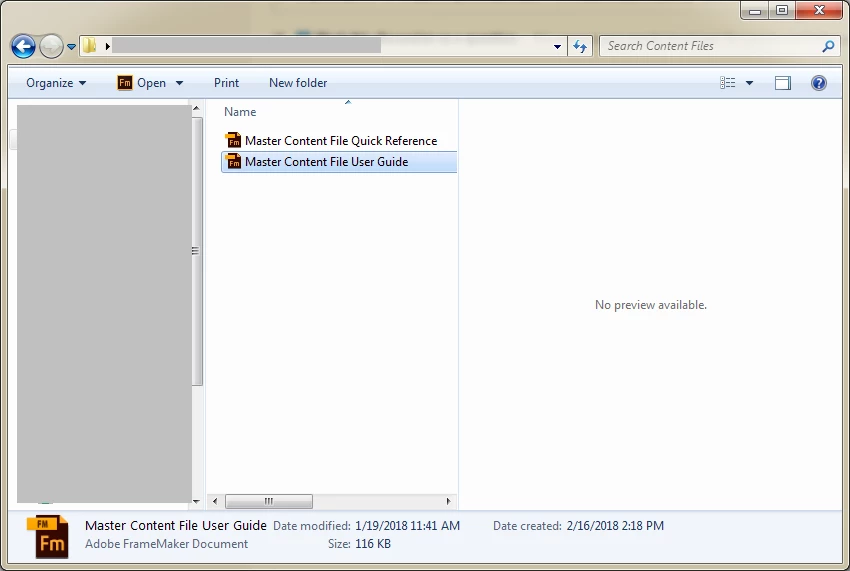
How do I preview FrameMaker thumbnails in Windows Explorer? We have a lot of text insets and need to preview them before we import them. Alt+P didn't work. Is there a setting somewhere? I can see Word, Excel and PDF previews, but not FrameMaker.
This topic has been closed for replies.

4 replies

barbshoop
barbshoopAuthor
Participating Frequently
May 9, 2018

Thanks for trying. I'll use the convert-to-PDF workaround. That works well enough.

barbshoop
barbshoopAuthor
Participating Frequently
May 9, 2018

I found this: Enable Previews for new file extensions | Annoying stuff I figured out (or am trying to)

It's a tutorial on how to change the registry files to recognize and preview .fm files. I can't say if it works because our Enterprise Security Office does not allow registry files to be changed. I'll report back if they reconsider. 

Jeff_Coatsworth
Community Expert
Community Expert
May 9, 2018

Just tried it with it set to "text" - that doesn't work because FM files are binary, but if you set the "PerceivedType" key to binary, I don't know what value you would assign the data...

Legend
May 9, 2018

No sign of a preview for anything except a few graphics formats on my Windows 7 machine at work, so you're already doing better :-} If you can preview .pdf, perhaps you could compromise by making a .pdf from each inset …

Matt-Tech Comm Tools
Community Expert
Community Expert
May 9, 2018

To build on FieryPantone's reply, you could also create (or contract to create) an ExtendScript to PDF everything in a given directory.

-Matt

-Matt Sullivan, FrameMaker Course Creator, Author, Trainer, Consultant
Jeff_Coatsworth
Community Expert
Community Expert
May 7, 2018

AFAIK there's nothing that will show that for you in Explorer.