
Participating Frequently
July 7, 2020
Question

Problem with Home page in .chm Help published from FrameMaker 2019

Hi, When I generate a Microsoft HTML Help file (.chm) from FrameMaker 2019, the Home selection from the Options menu.
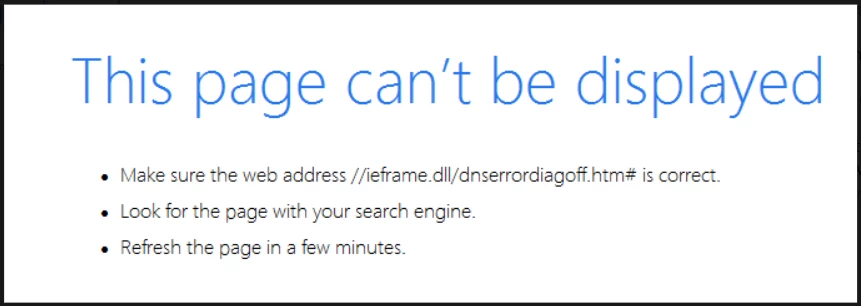
 

Is there any way to fix this within FrameMaker 2019. 

I know, .chm is an ancient relic and RoboHelp is a far more effective way to generate this archaic brand of help. But I am a temporary contractor working with the tools supplied by my client—only allowed to use in-house software.

Thanks

    Ce sujet a été fermé aux réponses.

    5 commentaires

    Jeff_Coatsworth
    Community Expert
    Community Expert
    July 10, 2020

    Give the FM folks a ping at tcssup@adobe.com & see what they have to say.

    hitch66Auteur
    Participating Frequently
    July 10, 2020

    Thanks, Jeff

    Jeff_Coatsworth
    Community Expert
    Community Expert
    July 9, 2020

    All I can suggest is trying a new set of FM dummy text files and creating a CHM and see if it behaves the same way - if it does, then you've probably found a bug; if it doesn't, then it's an indication of something in the misbehaving FM files. You might also try opening up the "bad" CHM with the HTML Help Workshop tool to see if it can straighten it out.

    hitch66Auteur
    Participating Frequently
    July 10, 2020

    Hi Jeff, 

    Unfortunately, I get the same result with all .chm files I publish from FrameMaker. And, I do not see any way that I can fix the problem using HTML Help Workshop.

    Jeff_Coatsworth
    Community Expert
    Community Expert
    July 8, 2020

    Also, according to Stackoverflow -

    "The problems can also occur if the CHM file name or the path to the file contains a number sign (#). If the CHM file name contains the # symbol, then the topics in the table of contents do not appear. If the path contains the # symbol, then you may receive an access violation error message. To work around this issue, remove the # symbol from the file name or from the path to the file."

    hitch66Auteur
    Participating Frequently
    July 9, 2020

    Neither the file name nor the path have an # character.


    Jeff_Coatsworth
    Community Expert
    Community Expert
    July 8, 2020

    Do you have IE installed on that machine where you're trying to view it?

    hitch66Auteur
    Participating Frequently
    July 8, 2020

    Hi Jeff,

    Yes, I have IE 11. So does the developer I am working with.

    Community Expert
    July 8, 2020

    Hi,


    First is to check your FrameMaker version. The newest one is 15.0.6.956.

    As far as I know the publishing engine in FrameMaker and RoboHelp is the same. Only the configuration might be simpler in RoboHelp. Therefore FrameMaker is fine.

    Where is your chm file stored? You get this kind of message, when the chm file is not on a local drive, but on a network.


    Best regards


    Winfried

    hitch66Auteur
    Participating Frequently
    July 8, 2020

    Hi Winifred,

    I am using version 15.0.6.956. The .chm file is on my local c: drive, yet I still get this error message when I select Home. Is there any way to fix this using FrameMaker 2019? Thanks, Rick