
Inspiring
July 18, 2023
Answered

problem with update

  • July 18, 2023
  • 6 replies
  • 366 views

Hello,

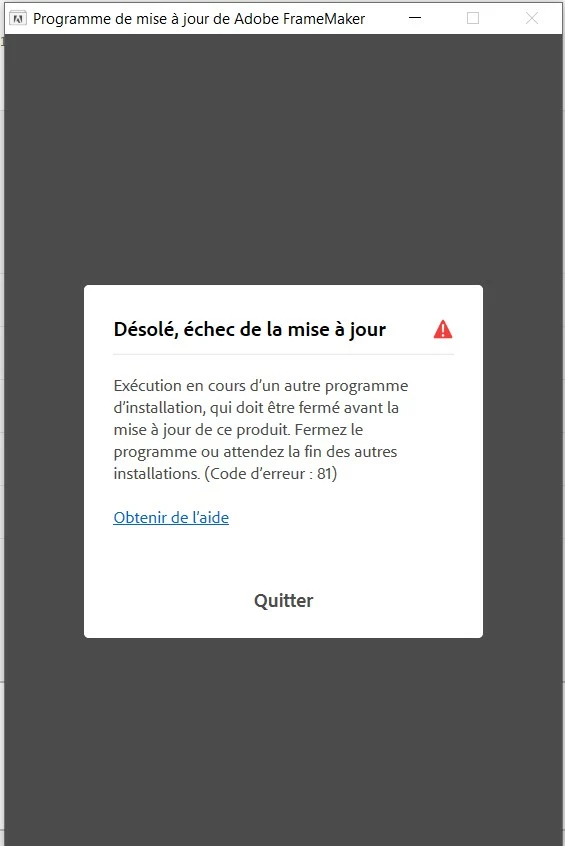
In Frame Maker I have made Help/Update, and I had this error message : "error 81 : Fail of the update : Another installer is in progress and must be closed before updating this product. Close the program or wait for other installations to complete" 
 

This topic has been closed for replies.
Correct answer Winfried Reng

You can also download the setup file and then try to install it, after you had restarted your computer and without starting FrameMaker.

Here is a link. I do not know which version you have.

https://helpx.adobe.com/framemaker/kb/framemaker-downloads.html

6 replies

Inspiring
July 19, 2023

I have first restarted my computer and uninstall Frame Maker + Preferences, then install it again and the update problem has disappeared (no error window) !

Inspiring
July 18, 2023

I have just contacted them.

Winfried RengCommunity ExpertCorrect answer
Community Expert
July 18, 2023

You can also download the setup file and then try to install it, after you had restarted your computer and without starting FrameMaker.

Here is a link. I do not know which version you have.

https://helpx.adobe.com/framemaker/kb/framemaker-downloads.html

Barb Binder
Community Expert
Community Expert
July 18, 2023

In that case, I think I'd reach out to Adobe TCS support at tcssup@adobe.com.


~Barb

~Barb at Rocky Mountain Training
Inspiring
July 18, 2023

I have no other install running in the background.

I have restarted my computer and make again Help/Update inside FrameMaker, but always this error message.

Barb Binder
Community Expert
Community Expert
July 18, 2023

Try restarting your computer, Pierre and then try again. Be sure to close FrameMaker after initiating the upgrade. 


~Barb

~Barb at Rocky Mountain Training
Jeff_Coatsworth
Community Expert
Community Expert
July 18, 2023

If you're not running an other updates, reboot your machine and try again.