

Problems converting FM files to PDF
1. I am using FM 9 and Adobe Acrobat 9 Pro Extended. Operating system is Windows 10.
2. Last week, FM files would no longer convert to PDF. I did some research and it seems that the latest update to OS10 created this problem. I was given a temporary solution that worked: uncheck the Convert CMYK Colors to RGB box. My first question is whether anyone knows if this bug is being addressed. I cannot find any indication on the Web.
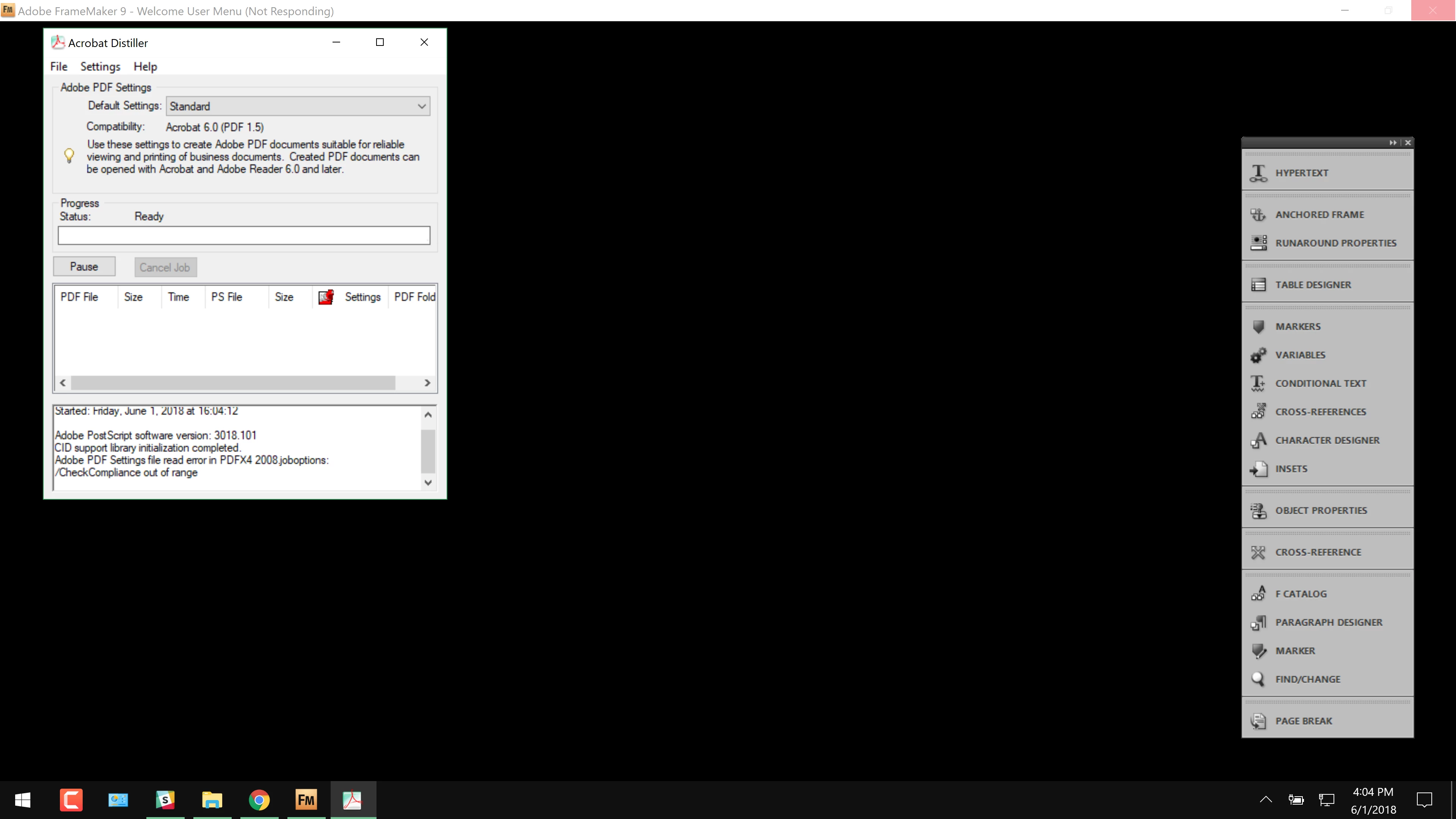
3. The next issue arose several days later and I'm not sure if it's related to the one above. When I try to convert book files, I get the error message: Setting file read error in PDFX4 2008 Joboptions/Check compliance out of range. (see attached screenshot). Any idea of how I can deal with this one? I tried recreating the book and I tried reloading Acrobat. Neither worked. I have not tried reloading FrameMaker. Individual files will convert but not book files.
Thanks in advance.
Mark


 AdChoices