


Inspiring
June 18, 2013
Question

Problems with table bullet import from Word

  • June 18, 2013
  • 1 reply
  • 2960 views

Hi all

Normally, when importing from Word to Frame, I copy the required text into Notepad to remove all vestiges of Word formatting, then paste into Frame.

However, this time, for some reason I skipped this step when doing tables.

I have now ended up with table bullets that just will not behave as expected.

How do I remove this formatting?

The first row below contains the highlighted TableBullet styles. As you can see, the style somehow overlaps the first column. I'm guessing this is because it has come in from Word.

The second row contains the highlighted TableBody style. It is correct, contained solely within the one column.
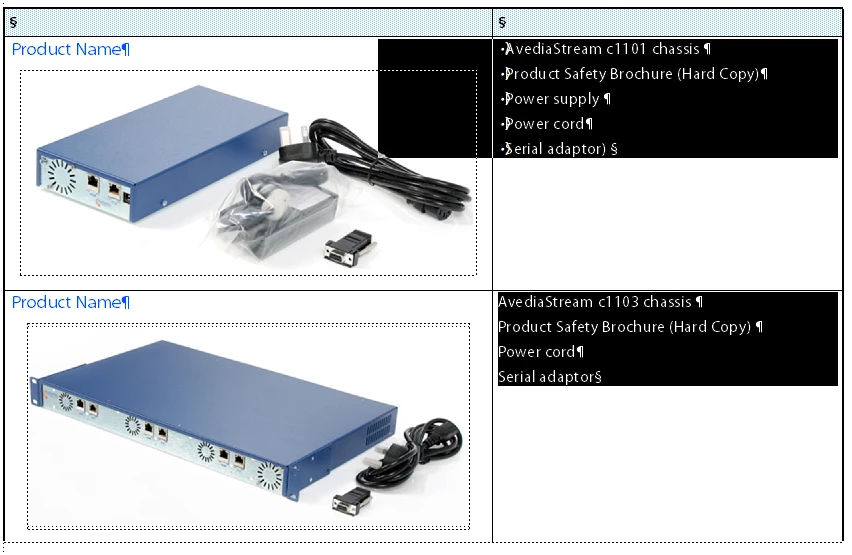
I have tried importing styles and other formats from the document itself (using Current in the Import Formats dialog), also tried importing from the template.

I have also tried deleting the style, creating temp styles, deleting the column, copying to Notepad and pasting, all to no avail.

All I really want to do is remove the rogue formatting. Has anyone got any suggestions?

Many thanks

Laura

    This topic has been closed for replies.

    1 reply

    Inspiring
    June 18, 2013

    Of course, as soon as I post, I manage to solve it.

    What I did was:

    1. Copy the second column of each table.
    2. Paste the contents into Notepad.
    3. Delete the second column.
    4. Add a second column to replace the deleted one.
    5. Very carefully create a new TableBullet style (with a slightly different name from the previous one that wasn't working)
    6. Paste in the text from Notepad.
    7. Then did  a global update of all rogue styles to the correct one.

    Hope this might help someone else.

    Jeff_Coatsworth
    Community Expert
    Community Expert
    June 18, 2013

    You can also adopt the old maker.ini tweak of placing TEXT at the beginning of the list of =

    Then your Word to FM paste drops plain text & minimal Word formatting artifacts.

    Inspiring
    June 19, 2013

    Jeff, can you tell me more about this? I didn't know of any maker.ini tweaks.

    Where exactly do I place the word TEXT?