Eleonore Bdoc
Inspiring
May 12, 2020
Question

Publishing FM to HTML5, wrong image inserted when from an inserted FM file

  • May 12, 2020
  • 4 replies
  • 1355 views

I use the same description in different documents. The description is in an FM file that I import in every file that needs it.

When I publish an FM file containing another FM file, the result in HTML5 is not good. Some images are replaced with another image that happens to be a part of the imported text (and that text is turned into an image!?).

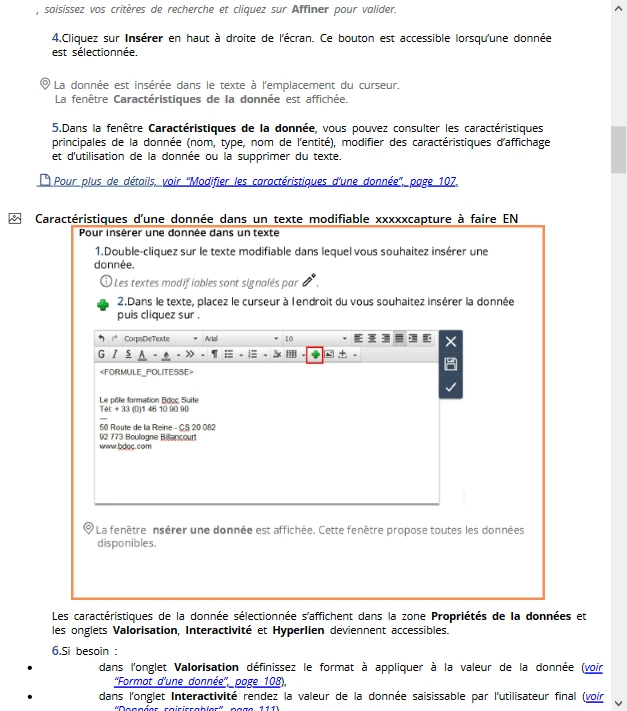
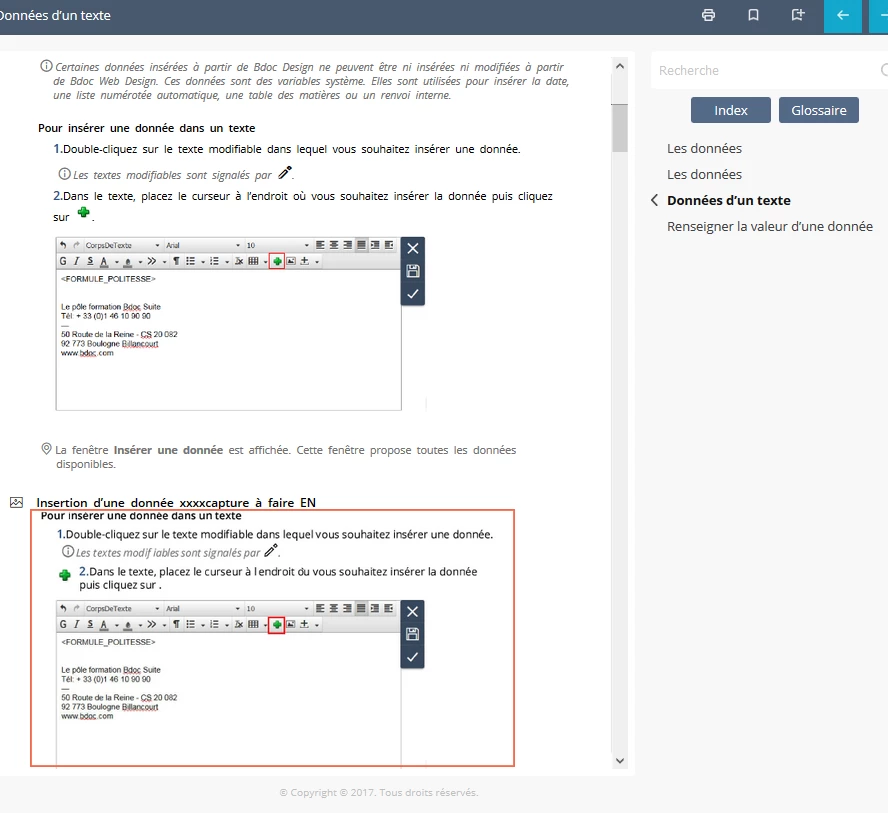
Here are screenshots of the rendering of the imported description in the HMTL5 output of an FM file containing that text. As you can see, the first image is correct but the following images are like a screenshot of the beginning of the imported description (text + image + a large blank space).

Do you publish HTML5 from FM files containing other FM files? Do you have that issue?

Do you have any clue on how to solve my issue?

Thanks!


(in the squares are the images in error)
This topic has been closed for replies.

4 replies

Community Expert
May 15, 2020

It is probably temporary files that are causing problems. Try:

1: Close the HTML5 project in the browser

2: Quit FrameMaker

3: Search your computer for *.tmp files and delete them. The files windows won't delete you merely skip

4: Change the name of the output folder to something else or output to a different folder.

5: Try running the process again. It is a known problem that FrameMaker can't figure out how to clean up its own temporary files and thus uses old files with the same name.

/Bjørn

Bjørn Smalbro - FrameMaker.dk
Eleonore Bdoc
Inspiring
May 15, 2020

Thanks for your explaination, this might be usefull!

But it didn't work in my case. My image has a pretty new and unique name. My issue title is not precise enough, it's not only the wrong image that is used, it is an image I don't have anywhere but that's created during the FM to hmtl5 conversion ! and it's like a screenshot of the content of the text inset, from it's beginning to the paragraph preceding the expected image.

Jeff_Coatsworth
Community Expert
Community Expert
May 15, 2020

I haven't used any Text Insets in any of my FM docs, so I'm not sure what I can contribute, but I think there are issues with using them - stuff like conditioning and maybe images. I'd do a search if the FM forum to see if you can get more of a handle on their issues - maybe one of them is applying to Publishing.

Somebody that might know is Matt Sullivan - @techcommtools.

Eleonore Bdoc
Inspiring
May 15, 2020

Thank you very much. I couldn't find any related discussion in the forum, but maybe I didn't use accurate keywords.

Jeff_Coatsworth
Community Expert
Community Expert
May 14, 2020

What version of FM are you running? Are you all patched up? Check Help > Updates to check.

Eleonore Bdoc
Inspiring
May 15, 2020

Sorry I forgot to mention the basics. I'm running FM2017 and when I check through FM, it's ok, it's been updated. It's version 14.0.4.511.

Jeff_Coatsworth
Community Expert
Community Expert
May 12, 2020

Are they Text Insets?

Eleonore Bdoc
Inspiring
May 13, 2020

That's the word I was looking for, thanks! Yes, they are.

I did File > Import > File to insert them.

They are listed in the Inset pod.