Inspiring
January 19, 2026
Answered

question about bullets and numbers

  • January 19, 2026
  • 4 replies
  • 390 views

Hello,

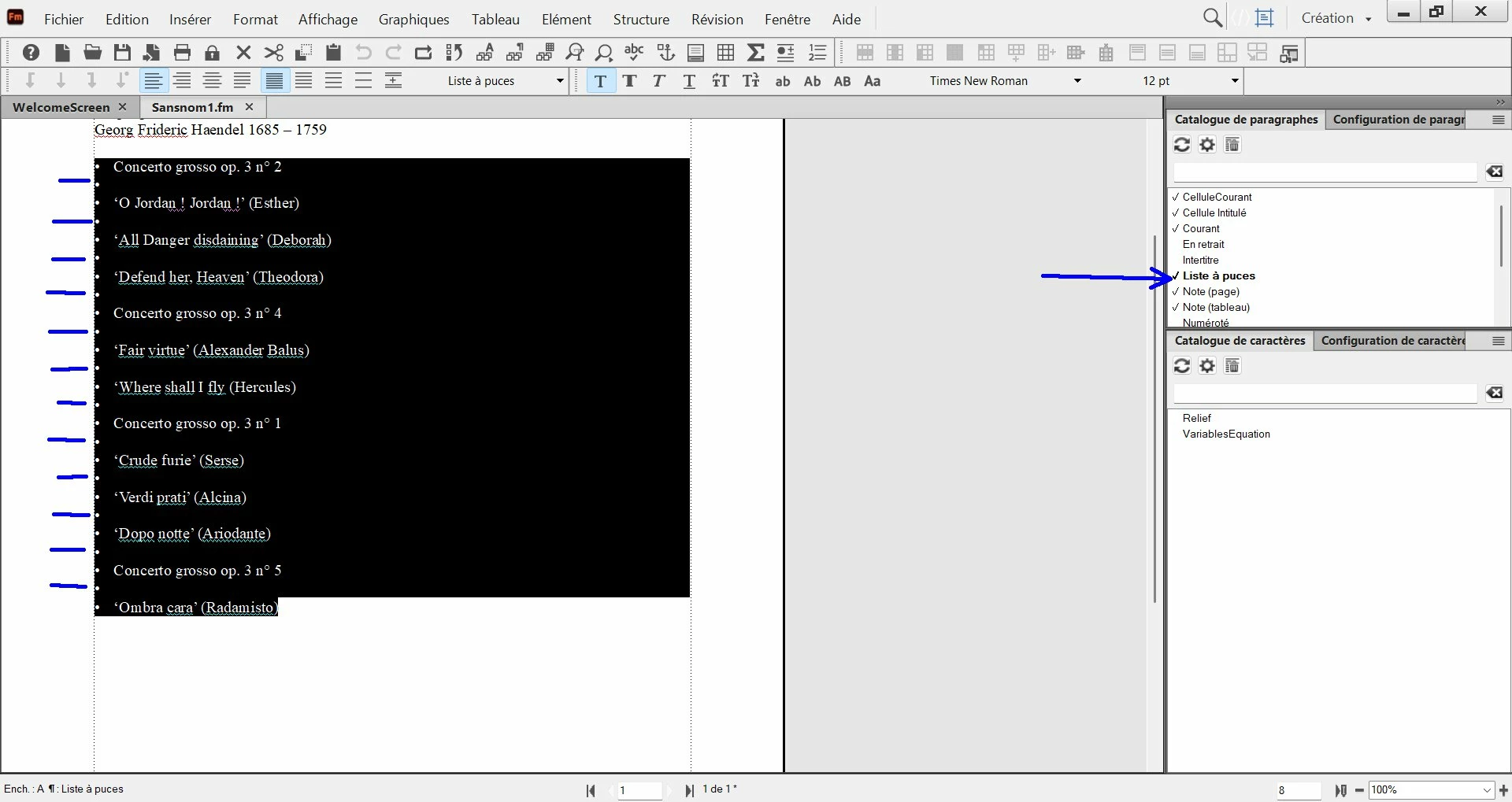
I have pasted this text from internet, and I have selected it then selected "bullets" at right (blue arrow). But at the blues lines at left it insert a bullet on each line (including the blank lines). I would like  :

1) create a paragraph designer where bullets are put only on lines containing text (not on blank lines).

2) idem, but with an ascending number at left (instead of bullets).


How to do it ?


screenshot-13-15-53.jpg

Correct answer Winfried Reng

Hi,

There are empty lines with bullets, because these are new paragraphs. All paragraphs have the same format with bullet, whether they are empty or with text.

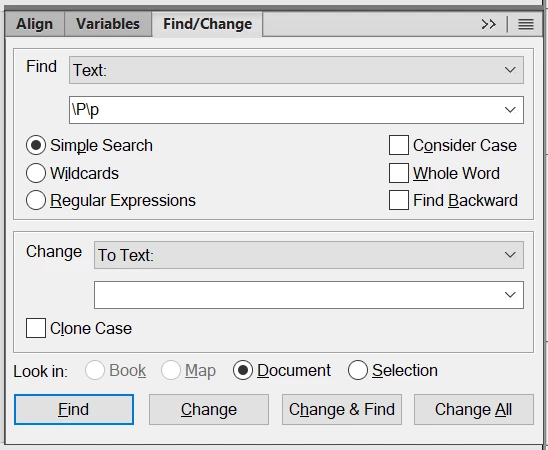
You can delete these empty paragraphs. In the Find/Change dialog enter this in the Find text box: \P\p

This means: paragraph begin and then paragraph end without anything in between.

In the Change text box enter nothing.

Then search for the empty paragraphs and delete with nothing.
WinfriedReng_0-1768826356676.png


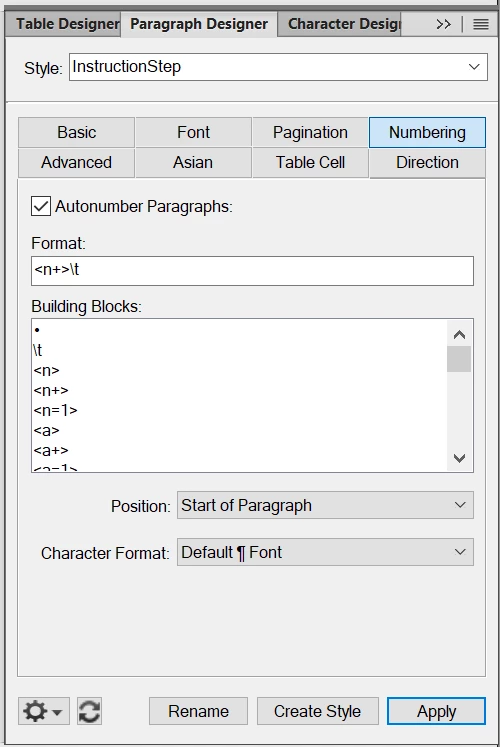
When you want to have ascending numbers instead of bullets, create a new paragraph format.

In the Paragraph Designer give your style a new name, e.g. InstructionStep.

Go to the Numbering tab.

Activate Autonumber Paragraphs.

In the Format text box enter <n+> and then a tab \t.

WinfriedReng_1-1768826551451.png

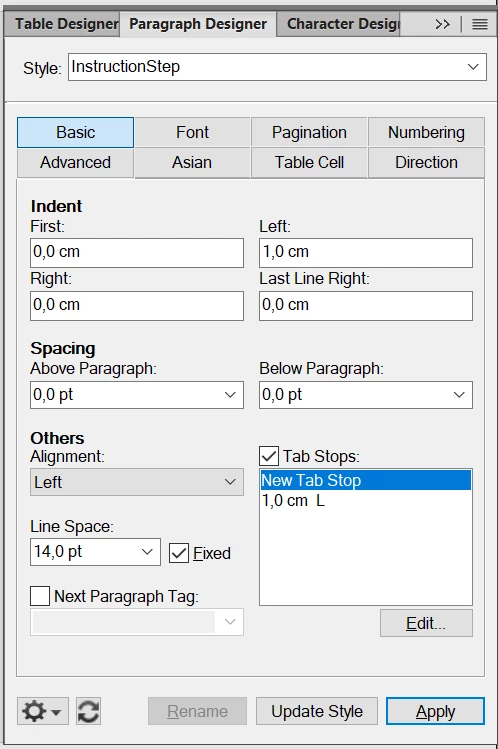
In the Basic tab edit the Tab Stops, so that after the numbering your text starts e.g. at 1 cm.

In the Indent Left text box enter the same value. Then the second and all other lines start also at this indentation.
WinfriedReng_2-1768826807130.png


Best regards, Winfried

4 replies

Inspiring
January 19, 2026

Actually, if I want to re-use the same paragraph catalog item I have created in one document, I do "File/Import/Format" and select the source file.

But is there another way to centralize all created paragraph catalog in order to re-use them without having to import them each time ?

Jeff_Coatsworth
Community Expert
Community Expert
January 19, 2026

If you import them into your source template files, then they will be present in any new docs you create.

Inspiring
January 19, 2026

how to import them in the source template file ?

Inspiring
January 19, 2026

I have tried also the find/replace tool with success, but I was wondering if there is a tool with these steps :

1) we select the full text where we want to remove the blank lines.

2) we use a FM tool that automatically removes all the blank lines in the selected text only.


WinfriedReng_0-1768826356676.png

Community Expert
January 19, 2026

Hi,

There isn't a tool which would automatically do what you want. Your requirement is special to your needs. You have to tell FrameMaker what it should do.

You can write an ExtendScript script or ask someone to write it for you. 

In FrameMaker you can run such a script via File | Script.

Best regards, Winfried

Winfried RengCommunity ExpertCorrect answer
Community Expert
January 19, 2026

Hi,

There are empty lines with bullets, because these are new paragraphs. All paragraphs have the same format with bullet, whether they are empty or with text.

You can delete these empty paragraphs. In the Find/Change dialog enter this in the Find text box: \P\p

This means: paragraph begin and then paragraph end without anything in between.

In the Change text box enter nothing.

Then search for the empty paragraphs and delete with nothing.

WinfriedReng_0-1768826356676.png


When you want to have ascending numbers instead of bullets, create a new paragraph format.

In the Paragraph Designer give your style a new name, e.g. InstructionStep.

Go to the Numbering tab.

Activate Autonumber Paragraphs.

In the Format text box enter <n+> and then a tab \t.

WinfriedReng_1-1768826551451.png

In the Basic tab edit the Tab Stops, so that after the numbering your text starts e.g. at 1 cm.

In the Indent Left text box enter the same value. Then the second and all other lines start also at this indentation.

WinfriedReng_2-1768826807130.png


Best regards, Winfried

Inspiring
January 19, 2026

Hi Winfried,

about acsending numbers / indentation, I have set a tab stop, but I have not set the left indent on the same value, and it worked. So, do I need to set the left indent with the same value as tab stop ?


screenshot-14-53-22.jpg

Jeff_Coatsworth
Community Expert
Community Expert
January 19, 2026

I think only if you have a numbered step that spills over onto multiple lines within the same point.

Jeff_Coatsworth
Community Expert
Community Expert
January 19, 2026

You need to clean up the source text first to remove the extra returns before pasting the result into FM.