Inspiring
Oct 29, 2023 10:38 AM UTC
Answered

question about table of contents

Hello,

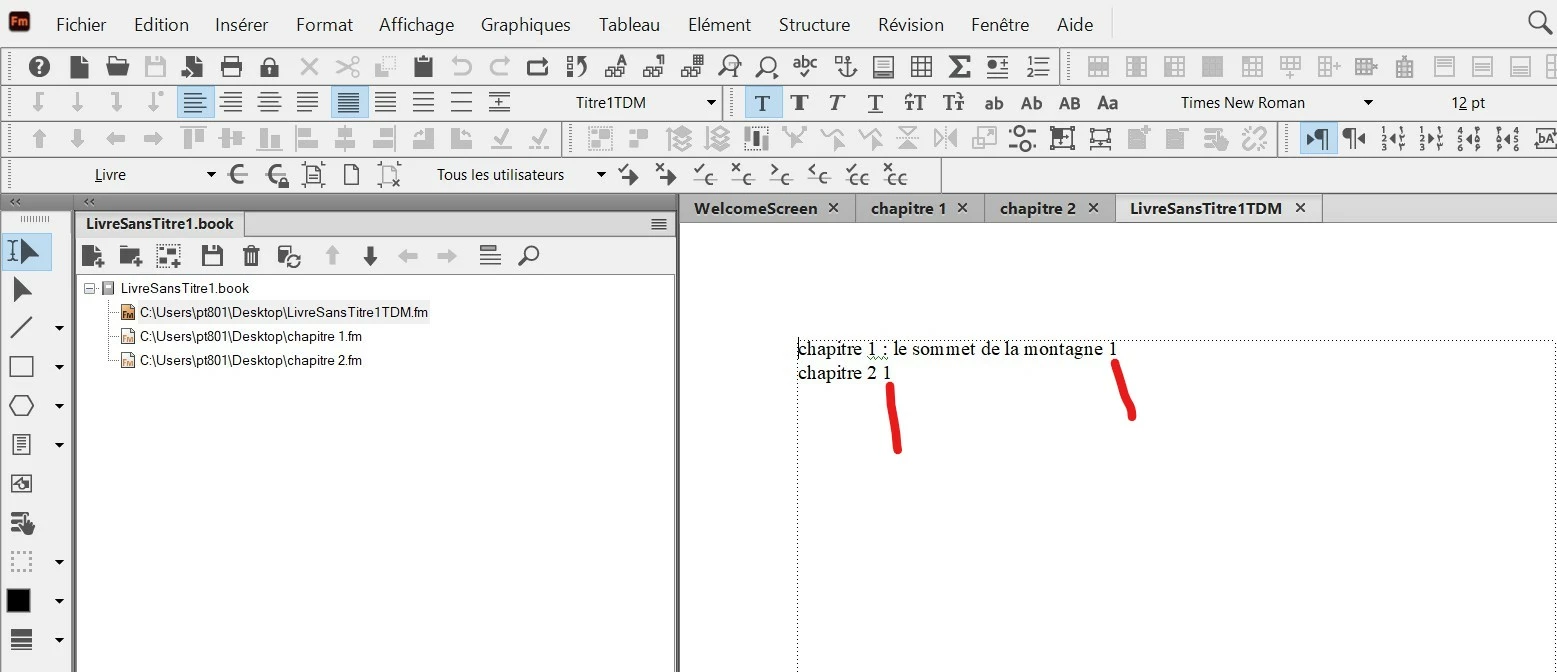
In a FM book I have succeeded to create a Table of Contents, but I see that in the generated TOC the page number (1) is next to the text (see red line in the screenshot).

I would like that FM automatically put the page number like this :

"chapter number .................................................................  page number"

So, I would like FM add automatically the "dots" and put the "page number" at the right. How to do this ?


This topic is closed to new replies. Start a new post to keep the conversation going.
Barb Binder
Barb BinderCorrect answer
Community Expert
Oct 31, 2023 6:03 PM UTC

Hi Pierre:


This is correct.


To add SECTION A above some chapter names, and presumably, SECTION B above others—a perfectly reasonable request—Fm needs to pull the words out of the document. You will need to add the words SECTION A someplace before Chapter 1 (or at the top of Chapter 1) and assign it a unique paragraph style so that Fm can pull the words into the TOC/TDM. If you want to add the section heads to the table of contents, but not to the page, you still have to add them to the page, but you can make them white or very small. Or both. That way they won't be visible to the reader on the page, but they will still be available to FrameMaker to call into the TOC/TDM.


Bob is also correct in his reply of course, but he is referring to something you are going to ask us soon—adding a title to the top of the TDM that likely says Table des Matières. This is also addressed on the list, as number 6.
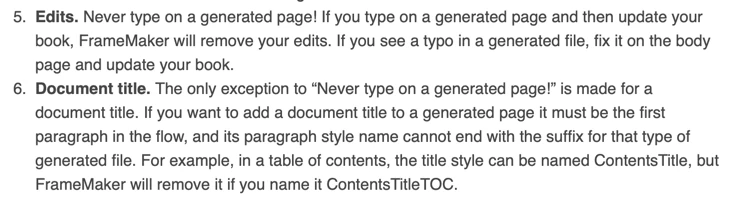
 

When are ready to add the title, you will have add it at the very top of the generated text. To be allowed to keep it after you update your book:

  1. Table des Matières must be the first paragraph in the flow, and
  2. Its style name cannot end in the suffix for that generated file.


For example, you could name it the French equivalent of Contents, as per Bob or ContentsTitle as per my post, but not ContentsTitleTDM because TDM is the suffix for a table of contents in your French version of FrameMaker. If you add TDM to the end of the style name, Fm will remove it when you update your book.


So many rules!


~Barb

~Barb at Rocky Mountain Training

39 replies

Inspiring
Nov 1, 2023 7:53 AM UTC

Hi Barb,

First I have put paragraph catalog on "courant" (current) and also character catalog on "default".

Then I created a new paragraph style (content title 2) and set it on "bold" and font size "36" and updated this paragraph style. And here is the result (it worked !) :


You are right : "Section" is using "Titre1TDM" (Title1TDM).  And you can notice that I have removed "pagenum" for "Titre1TDM".

Do you think all is OK for you ?

So thank you again Barb. I think I am OK now with Table of Content.

Translate
Barb Binder
Community Expert
Community Expert
Nov 1, 2023 12:22 PM UTC

Yes! I think it looks great. Nice work. 

~Barb

Translate
~Barb at Rocky Mountain Training
Inspiring
Oct 31, 2023 11:27 PM UTC

Hi Barb,

To respond to your questions :

1) About "Titre2TDM" (Title2TOC), you can see it here (see red line) :

Reference page :


Current page :


2) You asked me if all was OK. In fact, I have noticed a strange behaviour in current page : about the "content title" I have put at the top of the page (see red line), I have set this tag with a font size of 36, but on the current page, it does not seem to be a font size of 36, and whatever I choose for the font size, I have always the same size on the screen. Why ?

Translate
Barb Binder
Community Expert
Community Expert
Oct 31, 2023 11:58 PM UTC

Hi Pierre:


So the section heads are now Titre1?


Does Content Title have overrides? Select it and

  • Update the Paragraph style, Remove Overrides if asked.
  • Reassign Content Title from the Paragraph Catalog
  • Click on Default ¶ Style at the top of Character Catalog. 


If it still looks too small, you're welcome to send me that one file.


~Barb


Translate
~Barb at Rocky Mountain Training
Inspiring
Oct 31, 2023 7:17 PM UTC

Hi Barb, Hi Bob,

From what you have said, and also from this online help  : https://www.rockymountaintraining.com/adobe-framemaker-more-on-customizing-a-table-of-contents/

I have done this in TOC/TDM reference page (where I have Title1 and Title2) :


And here is the result on TOC/TDM curent page (where I put a Content title at the top) :


Is it correct for you ?

Translate
Barb Binder
Community Expert
Community Expert
Oct 31, 2023 9:45 PM UTC

Yes. It looks fantastic. Two questions:

  • Does it hold up after you update your book? If it does, then you are good to go.
  • You asked about including Titre2, but I don't see it on the reference or body page. Did you change your mind? Or are you out celebrating your Table of Contents success and will get to it tomorrow? 😉


~Barb

Translate
~Barb at Rocky Mountain Training
Inspiring
Oct 31, 2023 4:37 PM UTC

Hi Barb,

About the link you gave me concerning the generated files : https://www.rockymountaintraining.com/adobe-framemaker-what-to-know-about-working-with-generated-files/

I have read again it and found this :

"5. Edits. Never type on a generated page! If you type on a generated page and then update your book, FrameMaker will remove your edits. If you see a typo in a generated file, fix it on the body page and update your book."


So I cannot type in a generated TOC file. But the problem is that it prevent me to write myself this text in the generated TOC file : "SECTION A"   (ie : without pagenum).

Because, FM generate automatically a TOC always with "paratext" and "pagenum". So as you say, in the TOC /TDM, I cannot have this :

"SECTION A

paratext ........................................................................pagenum"

or by example :

"SECTION A

chapter 1 ............................................................. 1

chapter 2 ..............................................................10 "


Translate
Bob_Niland
Community Expert
Community Expert
Oct 31, 2023 4:54 PM UTC

re: Never type on a generated page! If you type on a generated page and then update your book, FrameMaker will remove your edits.

There is an exception on that. Any content above {preceding} the generated content is left unmolested.


For TOC, for example, this would typically be a Heading1.ngn saying Contents.
ngn?
It needs to be an H1 format name that is itself non-generated for list generation purposes, but might be used for page-mapping of TOC-specific Master Pages.

Translate
Inspiring
Oct 31, 2023 1:41 PM UTC

@Winfried Reng  Titre2 is corresponding to the Title2.


Hi Barb, Hi all,

Fisrt I right clicked on the TDM and chosen "setup TOC", then selected "Titre2"  :


And here is the result in TOC/TDM reference page (it created a "Titre2TDM" paragraph style for the first "paratext" "pagenum") :


Thank you Barb, and thank you to all for the help.


Translate
Barb Binder
Community Expert
Community Expert
Oct 31, 2023 2:53 PM UTC

Hi Pierre:


Great! So now you need to add the tab character to the top line and set the tab stop. Update the style and then update the book! 😊


~Barb

Translate
~Barb at Rocky Mountain Training
Inspiring
Oct 30, 2023 11:37 PM UTC

Now, in chapter 1 there was only "Titre1". So I added a "Titre2" in chapter 1. Then I updated the book, but the I cannot see the "Titre2" content in my existing TOC/TDM. Why ?

Translate
Community Expert
Oct 31, 2023 5:28 AM UTC

Hi Pierre,

Is titre2 the name of a paragraph format?

FrameMaker will only include paragraphs of those formats which are set up on the reference page.

Of course you can do this manually, but it's easier to set this up with the dialog in the File menu. I will look up the command later.

Best regards, Winfried

Translate
Inspiring
Oct 30, 2023 11:27 PM UTC

Hi Barb,

I have used the solution to create a character style. In this example, I have set it on "paratext" with bold+font size 14" :


Translate
Barb Binder
Community Expert
Community Expert
Oct 30, 2023 7:40 PM UTC

Hi Pierre:


You will first need to create a character style called Bold to use Rick's code, or create a character style that will assign bold and call it whatever you like, and assign it to <$paratext> on the TOC/TDM reference page through the Character Catalog. When you update your book, Fm will pick up the bold and assign it to the titles. 


However, your TOC/TDM is set up to include hyperlinks so that if you publish to PDF for example, someone can click anywhere on an entry and hyperlink to the page number with that entry.


If you add a character style, this is going to change that behavior: FrameMaker adds a hyperlink marker at the very beginning of every single entry on the first page. When you add the character style to the paragraph text, you are removing the ability to link from the page numbers. For someone to follow your hypertext link, they need to click on the bold text, and not on the leaders or on the page number. I'm showing this below with italics, since you don't yet have a Bold character style. The hyperlink markers are outlined in orange, though the reader won't see them. The reader will be able to click on anything that is italics and follow the hyperlink, but not the leader dots and not the page number.


~Barb


Translate
~Barb at Rocky Mountain Training
Inspiring
Oct 30, 2023 7:09 PM UTC

About the tag generated by FM (Titre1TDM), I have tried to change its paragraph style (in bold), and it works very well on all the line (paratext+dots+pagenum are bold). But I did not succeeded to make "paratext" only in bold. 

Translate
frameexpert
Community Expert
Community Expert
Oct 30, 2023 7:16 PM UTC

<Bold><$paratext><Default Para Font> <$pagenum>

Make sure you have a Bold character format in the Table of Contents.

Translate
www.frameexpert.com
Bob_Niland
Community Expert
Community Expert
Oct 30, 2023 7:28 PM UTC

Usually, it would be desired for the xyzTOC.fm file to have the same Character Catalog as the source abc.fm files, but as Rick hints, it can't be relied on by default.

Sometimes, omitting a particular Character Format is necessary (such as where a TOC link breaks at a ƒ boundary, and you'd rather lose the style than the hypertext range.

Translate
Barb Binder
Community Expert
Community Expert
Oct 30, 2023 5:12 PM UTC

Success! So glad you are back on track. 😊


~Barb

Translate
~Barb at Rocky Mountain Training