


Inspiring
May 9, 2026
Answered

regular expression with brackets / comma and space

  • May 9, 2026
  • 3 replies
  • 31 views

Hello,

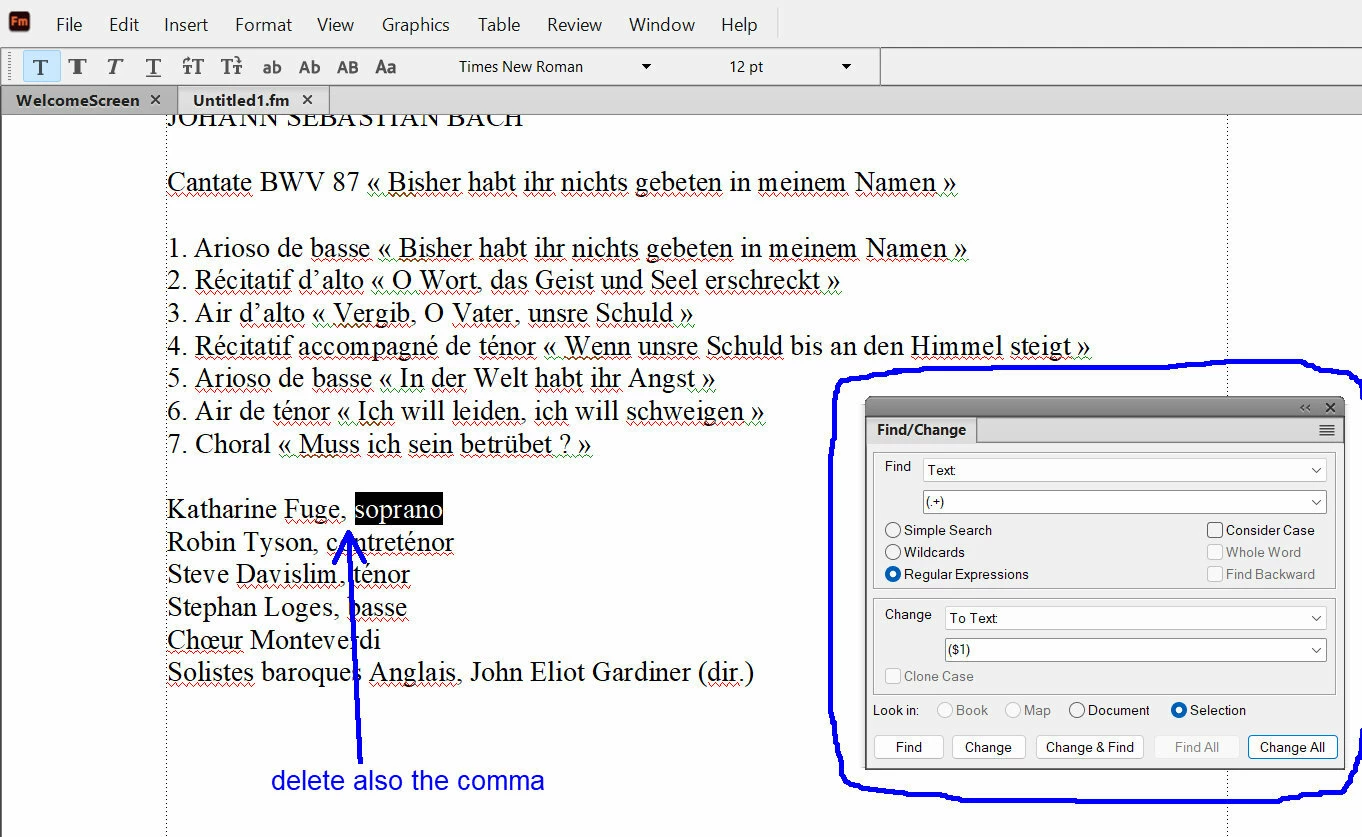
With the help of ​@Winfried Reng , for a text selection I could use the Find/change function with “regular expression” in order to add brackets around the text selection. 

But now, inside this “regular expression” I would like to delete also the comma before this text selection.

So, I would like to select from the comma to the text selection (by example here :  , soprano) and in a single regular expression, do  two things : delete the comma and add brackets around the text selection.

How to do it ?
 

    Correct answer frameexpert

    Find: , (\b.+\b)

    Change:  ($1)

    Make sure you remember the space at the beginning of the change.

    3 replies

    frameexpert
    Community Expert
    frameexpertCommunity ExpertCorrect answer
    Community Expert
    May 9, 2026

    Find: , (\b.+\b)

    Change:  ($1)

    Make sure you remember the space at the beginning of the change.

    www.frameexpert.com
    Inspiring
    May 9, 2026

    Hi ​@frameexpert 

    Your solution is working perfectly. In order to understand, why have you added “\b” inside the brackets ?

    frameexpert
    Community Expert
    Community Expert
    May 10, 2026

    \b indicates a word boundary. I want to just get a whole word. 

    .+ by itself could get any number of characters, including multiple words.

    www.frameexpert.com
    Inspiring
    May 9, 2026

    Finally, I have just found the solution. Here is the modified regular expression I have used :


    Inspiring
    May 9, 2026

    So, actually the regular expression is :

    Find :   (.+)

    Change : ($1)


    How to include also in the same regular expression the removing of the comma ?

    So if I select :    , soprano

    I will have :       (soprano)
