
Participant
May 6, 2025
Question

Remove auto chapter numbering globally?

  • May 6, 2025
  • 2 replies
  • 370 views

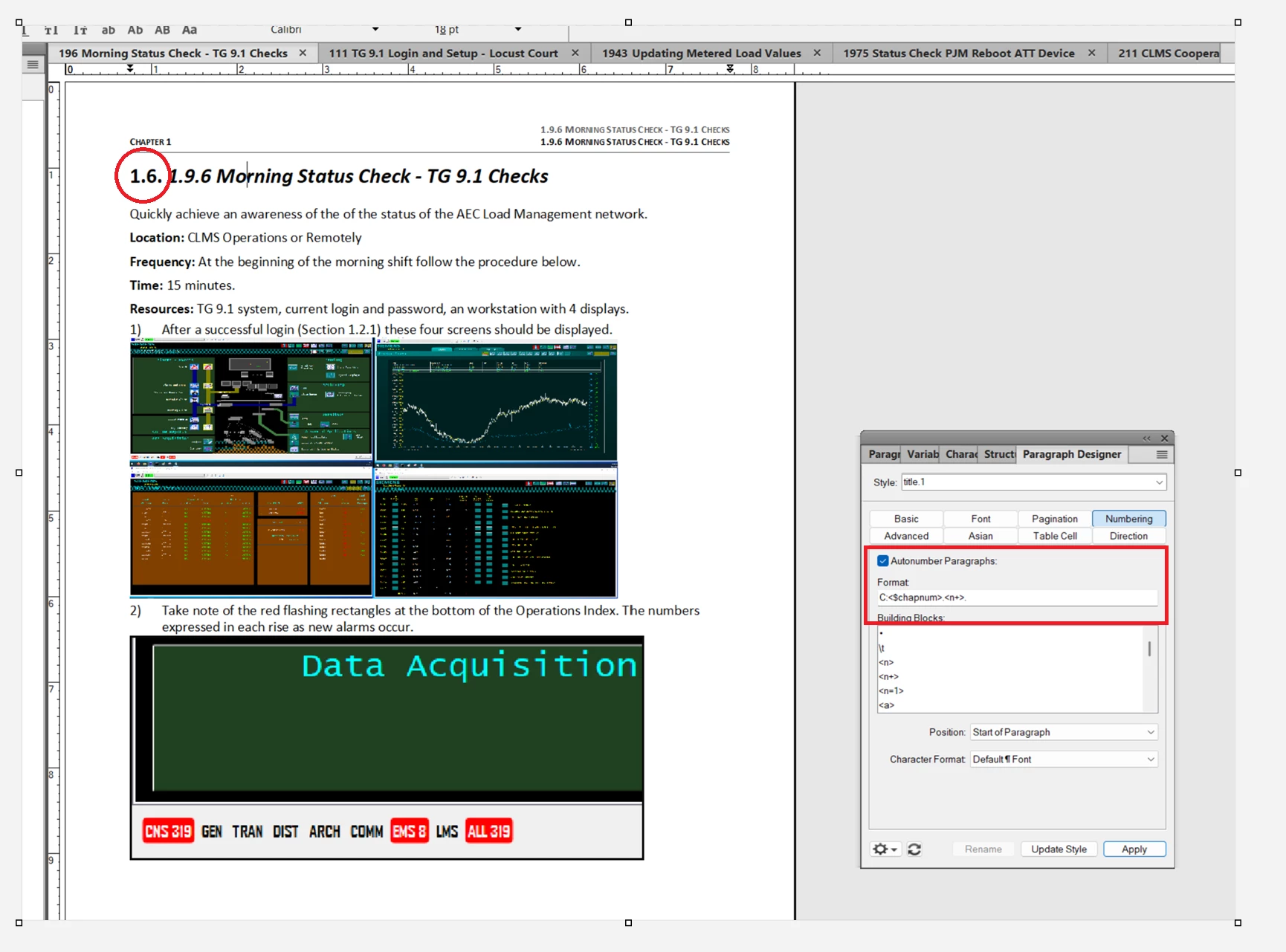
I am working in structured FrameMaker. I have created a ditabook. In the ditabook the concept titles include chapter numbering.  After saving the ditabook as "2022 Book with FrameMaker Components" I attempted unsuccessfully to add auto chapter numbering. As shown below the unsuccessful attempt at numbering added numbers I don't need at the start of each chapter.  I know the chapter numbering is configured in paragraph designer, and I can remove it chapter by chapter,  but how do I remove the auto chapter numbering for the entire document?


2 replies

Matt-Tech Comm Tools
Community Expert
Community Expert
May 7, 2025

You'll need to disable/remove autonumbering in the title.1 paragraph style in your template. Since you're working with a set of Book with Components files, you might want to save off a chapter of your book as Template.fm or similar, make the change, then import your paragraph styles back into the appropriate .fm files.

NOTE: Your 1.9.6 numbering appears to be typed into the doc, or is otherwise acting as content. This may cause issues if you are authoring in your Book with Components set of files.


-Matt Sullivan, FrameMaker Course Creator, Author, Trainer, Consultant
Jeff_Coatsworth
Community Expert
Community Expert
May 6, 2025

Wouldn't changing the style and then updating it fix all instances of it?

tlc4321Author
Participant
May 6, 2025

Jeff,
Its a structured document. Have tried that. It does not work.

Tim

Jeff_Coatsworth
Community Expert
Community Expert
May 6, 2025

Ah, right - does the DITA book control all that? (speaking as a totally unstructured guy)