Inspiring
January 18, 2019
Question

Rename NoName element in Structured Book

  • January 18, 2019
  • 1 reply
  • 1004 views

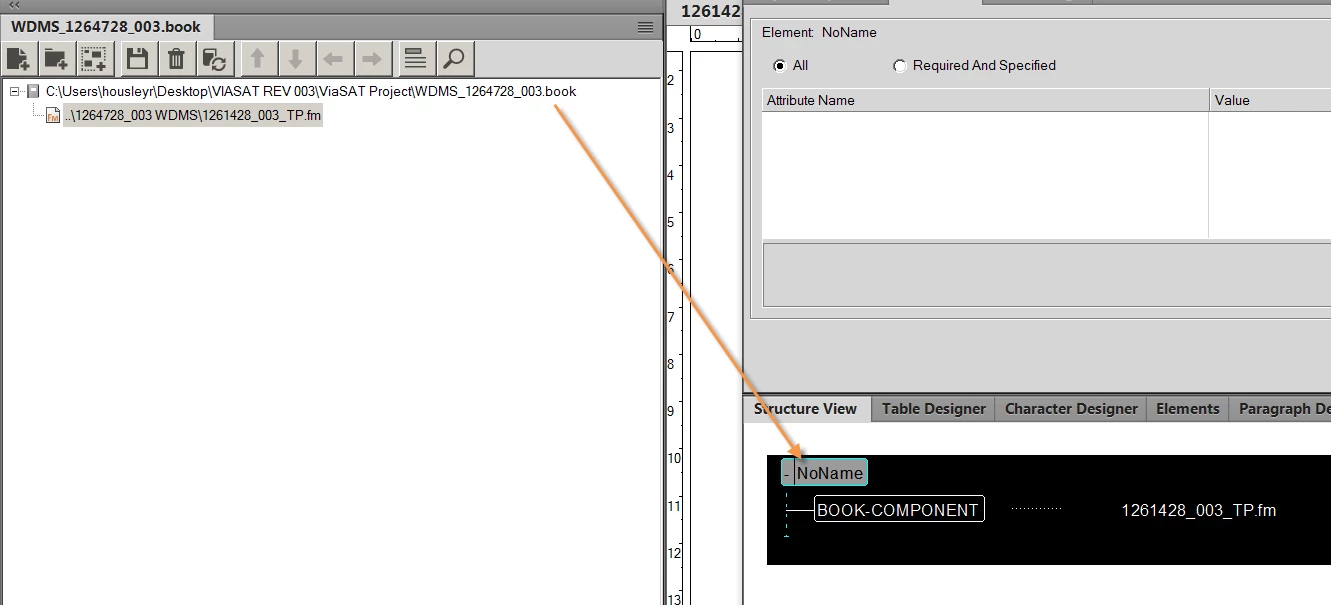
How do I modify NoName to make is WDMS_1261728_003?

It will not allow me to edit From the Structure View --

Can I modify it From the Elements Tab..?
This topic has been closed for replies.

1 reply

Inspiring
January 21, 2019

WHERE did I go wrong?

FrameMaker 2017

Step 1.  FILE--->New--> Book

Step 2.  STRUCTURE tab  --> Validate and click "StartValidating"

Element Validation Error  > Element: NoName. Element is undefined

HOW DO I FIX THAT???

please help

rhonda

Ian Proudfoot
Legend
January 21, 2019

Rhonda,

When you create a new book it does not automatically include an element catalog. If you already have an EDD or another structured book or document you can import the element catalog from there. Use File > Import > Element Definitions...

The element catalog will now include a list elements and if you select the NoName element you can then rename it using one of the available elements.

I hope this helps?

Ian

Legend
January 22, 2019

Hi Rhonda,

Along with what Ian said, it is difficult to understand where you are in this process. To change an element tag, you just use the change function in the Elements pod. But, that is typically the activity of an end user within a functioning architecture. I can't understand if you are in the middle of trying to build a structure definition or what. The simple answer to your question is "use the Elements pod." But if you are involved in something more complex, you may need to spend some time in study and/or training to get up to speed. Structure is not complicated but there are a number of moving parts.

Russ
