Inspiring
October 3, 2019
Answered

Responsive HTML5 Title Block

  • October 3, 2019
  • 2 replies
  • 700 views

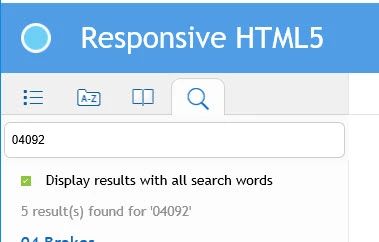
Is there a way to change the title block to the name of the document vs. showing "Responsive HTML5" as the title?
 

This topic has been closed for replies.
Correct answer katydid6080
Is it possible that your it people do not move the entire html5 folder, but cherrypicks only some of the files?
I think we may have figured it out. It was a setting adjustment. So far, so good.

2 replies

Jeff_Coatsworth
Community Expert
Community Expert
October 3, 2019

If you look at the output after you create it, does it have the correct title? If so, you need to find out what your IT people are doing that's not picking up the whole set of output files again.

Inspiring
October 3, 2019
Yes, it does. The only other place I can even think it could pick it up is under the Template folder, which shows a folder named "Azure_blueResponsive_HTML5" - I know that controls the header and visuals, but shouldn't have any effect otherwise.
Community Expert
October 7, 2019
Is it possible that your it people do not move the entire html5 folder, but cherrypicks only some of the files?
Bjørn Smalbro - FrameMaker.dk
Jeff_Coatsworth
Community Expert
Community Expert
October 3, 2019

It's in the Publish - Settings - on the Outputs tab at the top, there's a spot for "Title" and "Favicon", etc.

Inspiring
October 3, 2019
I did change it there. Somehow by the time my IT group moves the files for their purposes, it views as above.
