

RMViewLeftDocked in the user maker.ini has either x or y set to 0, the book pod/panel is not shown
Hi all,
This is a FYI, in case you come across this particular bug. A customer's user was opening books in FrameMaker but the book pod/panel was not shown. The book was shown in the Open Files pod/panel, however the Window->Composite Documents was enabled but no nothing was visible, as shown below.
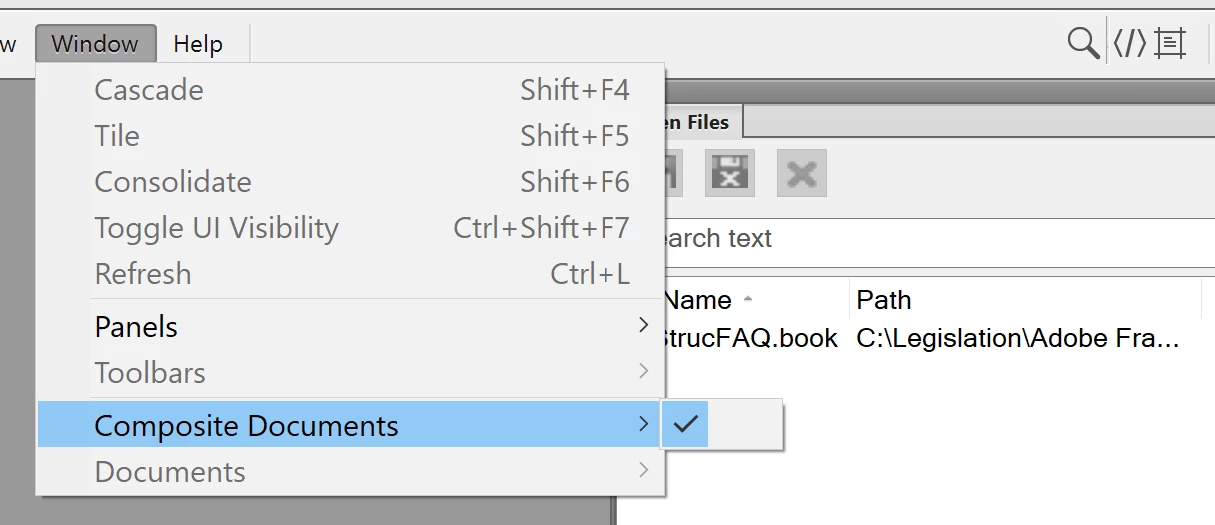
The cause was that both values for RMViewLeftDocked were zero. For FM2020 the first value seems to have to be 25 or more, and I have not worked out the y or second value as yet.
For FM2020 with update 4, File->Exit hangs and closing the book in the Open Files pod/panel crashes FM. For 2019 with update 8 File->Exit exits cleanly while closing the book in the Open Files pod/panel crashes FM.
In my view FrameMaker should not 'not show' the book pod/panel if the settings for RMViewLeftDocked are below the minimum for the display. I have created a bug report accordingly. 😁
FRMAKER-11499 | Tracker (adobe.com)
Jon


 AdChoices