Participant
April 2, 2020
Question

Rotated Text Issue in the SVG

  • April 2, 2020
  • 3 replies
  • 1204 views

Hi,

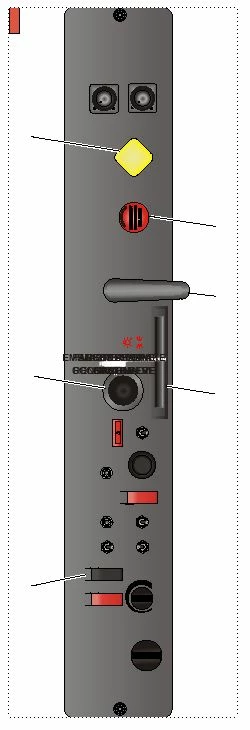
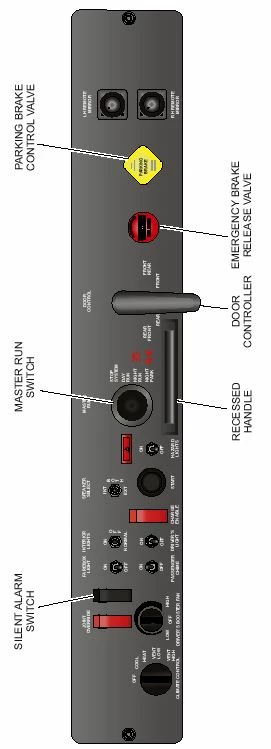
We have some SVGs with text rotated 90 degrees. When the SVG is imported into FrameMaker 2019 (we've downloaded the lateste version) all the text are rotated horizontally and positioned in the middle of the illustration. Has anyone else experienced this and if so, were you able to find a solution (other than converting the text to curves)?

We are using Corel Designer x5.


Second image is showing the SVG in FrameMaker.


Thanks

G

    This topic has been closed for replies.

    3 replies

    Community Expert
    April 3, 2020

    Hi Germaster1965,


    Can you send me two samples of your problem designer files?

    One with rotated vertical text and one where part of the graphics is cut off.

    Then I can test this with Designer 2019.

    I sent you a private message. Just check your Adobe inbox and respond to the message.


    Best regards


    Winfried

    Klaus Göbel
    Legend
    April 3, 2020

    Please open your SVG in notepad++ and try to find all values with E-10.

    Replace all these numbers with 0.

    What is the result?


    Bob_Niland
    Community Expert
    Community Expert
    April 3, 2020

    I'd tend to suspect either Corel or the font. I happen to have an SVG pie chart, with Arial text angled in each slice, and it's working fine in FM 2019 and as PDF. The SVG was last edited in Illustrator 24.0.2.