


Save As PDF bugs
Hi All,
In the past, I've always printed to PS via the Distiller instance, but now we have new branding with spot colors used in the FM templates, so now Save As PDF is a must.
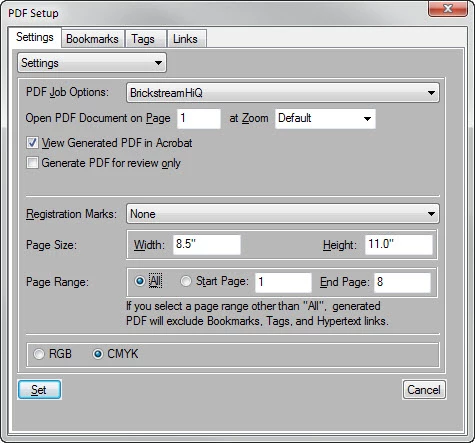
I am finding what I think to be a bug, because it is consistently reproducible. When I Save As PDF choosing Page Range: All, I can get all of the pages printed with spot colors and working hyperlinks, BUT the leftmost cell of the first row of every single table is empty, even though the FM screen itself displays the row's contents.
Here's the PDF outcome — please note the first body cell of the table is empty:
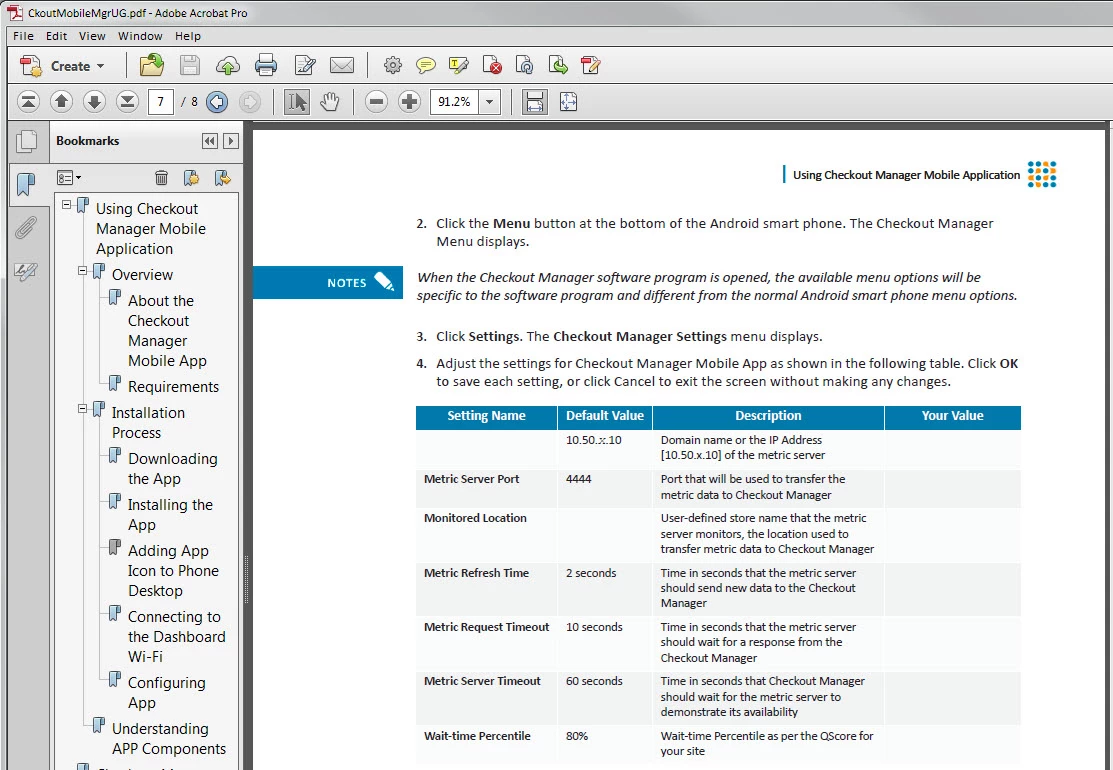
All tables in the document have the same issue. I tried opening other documents, they all have the same behavior. I tried importing formats from other tables, creating new table formats, etc., and the same issue persists, even when I copy-special the char formatting of a cell that does print and paste it to the non-printing cell.
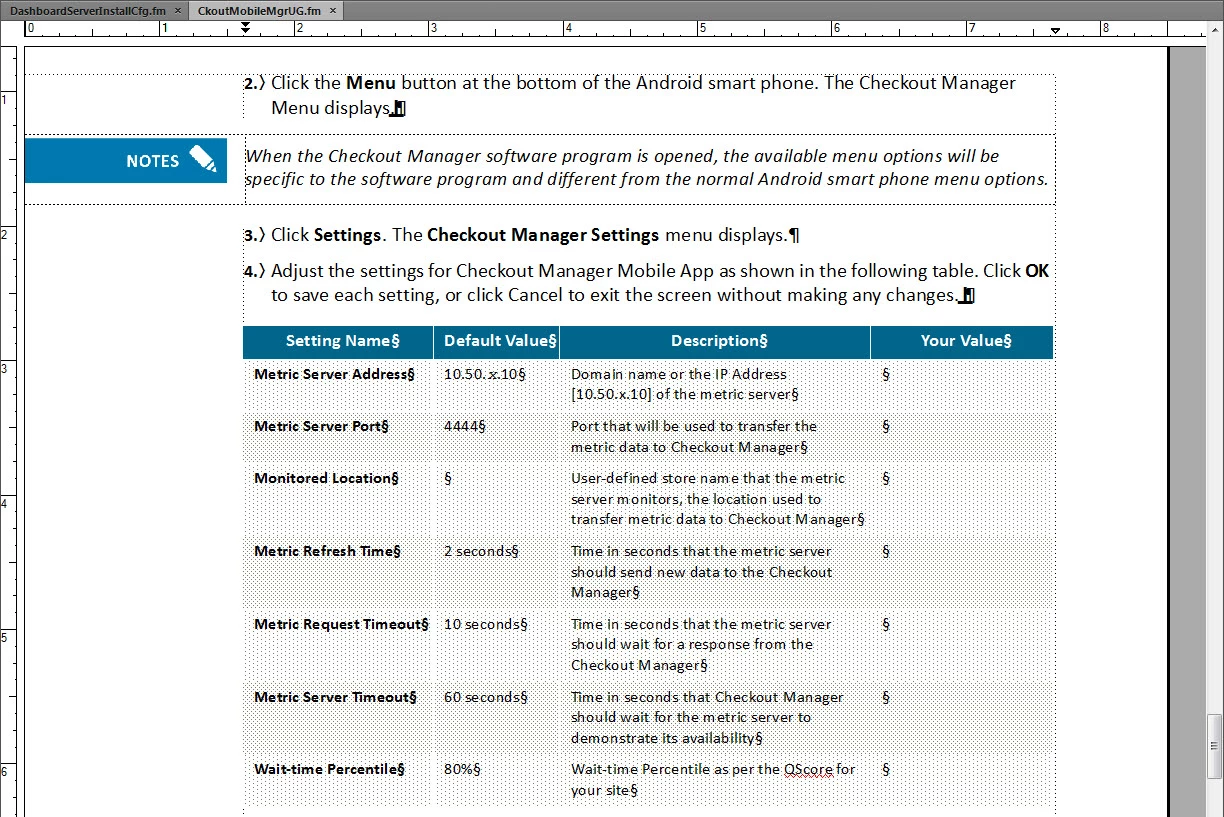
Here's what the same section looks like in the FM window:
However, when I Save As PDF choosing Page Range: 1 to [last number], the contents of the first cell in the first column of the first body row of the table displays perfectly fine, but of course none of the hyperlinks work. Here's that outcome:
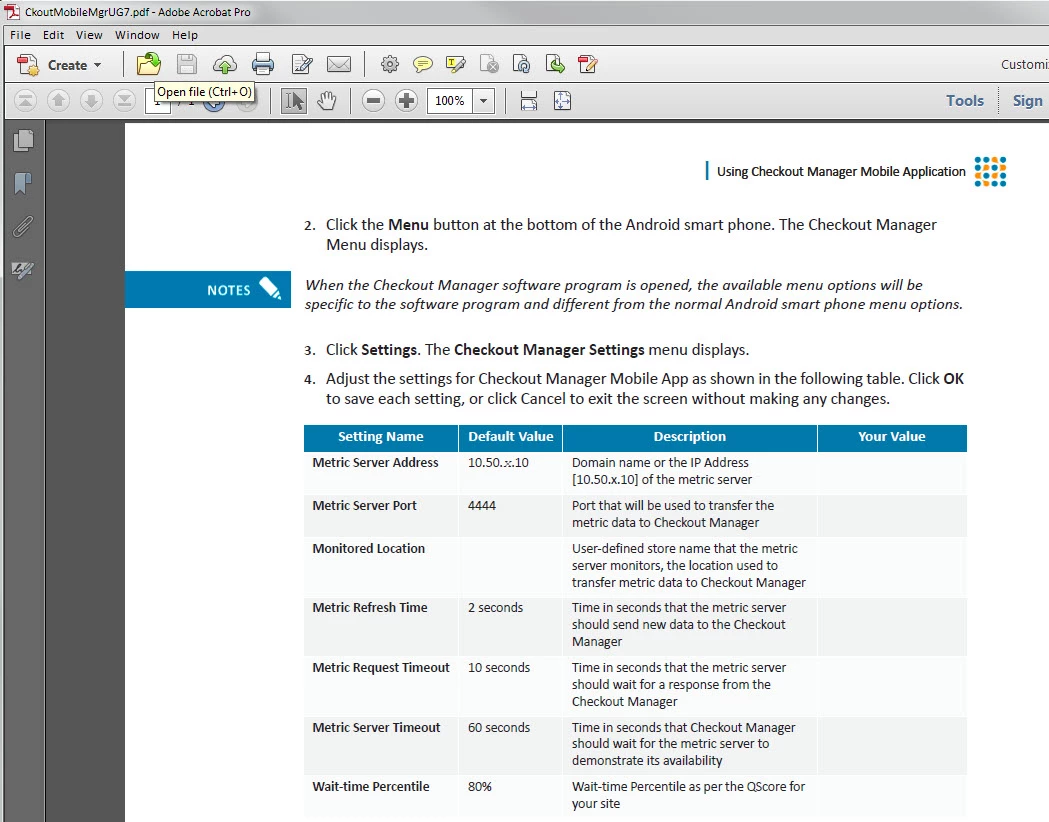
If that cell didn't print in any table of any output, it would likely be some kind of formatting issue, but that's not what's happening. The cell prints anytime that I do NOT Save As PDF for ALL pages (which leaves the less-than-satisfactory options of either no working hyperlinks, or pgf/char/tbl format colors generating RGB while the imported graphics on the ref pages retain a different color output that's nearer the spot color).
It's annoying to have to choose pages 1 through (whatever is last) to get all of the rows of all of the tables to properly display, but I would do that as a work around if the hyperlinks worked. However, having to choose between either getting all the tables' body rows complete, or having all the hyperlinks working, or getting both of those but no spot color (which is what happens when I print to PS, yielding inconsistent color issues) is making me choose between lose, lose, or lose.
Is there a patch or work around for this issue, or am I going to need to either convince Marketing that branding guidelines for color in their tech doc suite doesn't matter, or pay USD$2000 to get a PDF processor that links everything on the backend just to get all the content and colors right, and add the links post-PDF creation...? Perilous choices. (You can choose to lose your eye, lose your ear, or lose your arm, but you cannot keep all three. Choose. 'Tis but a flesh wound.  Monty Python must have written the script.) I'm sorry, I don't mean to sound exasperated (or exaggerated, as you wish); I have never had this kind of issue with FrameMaker before, and I did a lot of talking around here to convince them to buy the new TCS5 as the best solution for their PDF and online help deliverable needs.
Maybe I'm idealistic, but it doesn't seem too much to expect a program as mature as FM to create PDF output that supports hyperlinks, retains spot color, and actually displays all the text relatively WYSIWIG to the FM interface... Surely I'm missing something, or this is a bug with a work-around, right...?
Any insight would be greatly appreciated.
Rene
 AdChoices