
stevenh18048926
Participant
October 18, 2019
Question

Save as PDF settings window not displaying properly

  • October 18, 2019
  • 2 replies
  • 300 views

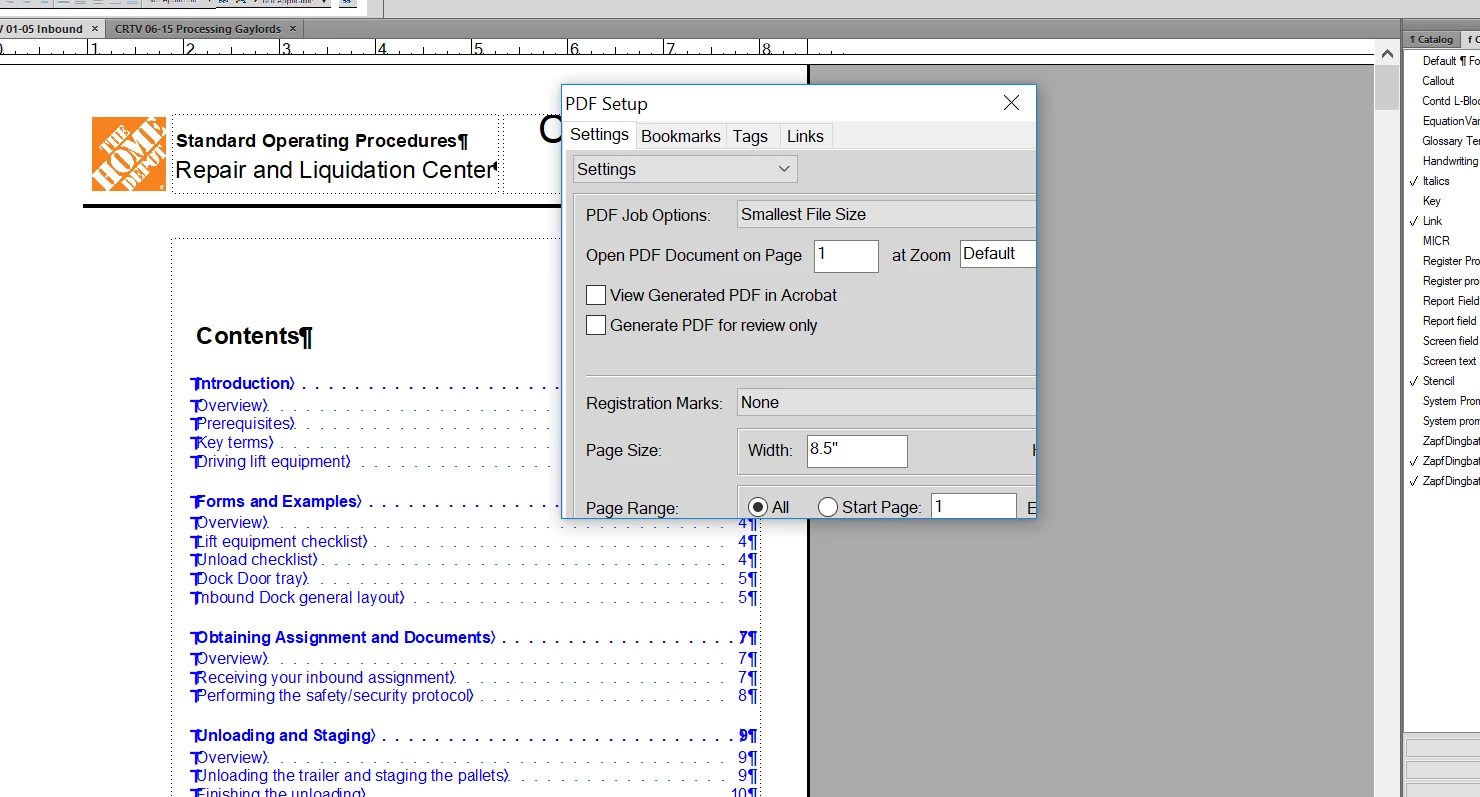
In FM 2015 unstructured (version 13.0.0.33) When I go to save a file as a PDF using the Save as PDF function, the PDF settings window is being cut-off.  I can't scroll on the window nor can I expand it, and I need to change settings that are outside of the visible area.  Anyone know any fix for this?  Here is a screenshot of what I'm seeing.


This topic has been closed for replies.

2 replies

Jeff_Coatsworth
Community Expert
Community Expert
December 31, 2020

There were known issues with screen size and dialogs that would wander off-screen when multiple monitors were used. Supposedly newer versions of FM now handle this better I've heard.

Jeff_Coatsworth
Community Expert
Community Expert
October 18, 2019

Was it working before? If so, what's changed? If not, I would check your Compatability Settings on the shortcut used to launch FM - there's a field in there for high-res monitors that can have an impact.

Participant
December 31, 2020

Hi Jeff,

   It seems to happen when I switch between using my docking station and external monitors to using the laptop alone.  It appearst that, for some reason, the display settings are not recognizing that the laptop has been removed from the docking station and is still trying to use the external monitor settings, even if I shut off before removing and start up after removal.  At least, that's what it seems to be - that's the only thing that changed - using a docking station with external monitors and using the laptop alone.  It's a dell, btw.  While it would be nice to know the cause and find a fix, I just now always use the docking station when using FM.