



mihail-cosminm61564092
Inspiring
March 30, 2016
Answered

Saving as PDF using RGB setting

  • March 30, 2016
  • 1 reply
  • 879 views

Hello,

I am using Framemaker 13.0.2.433 under Windows 7.

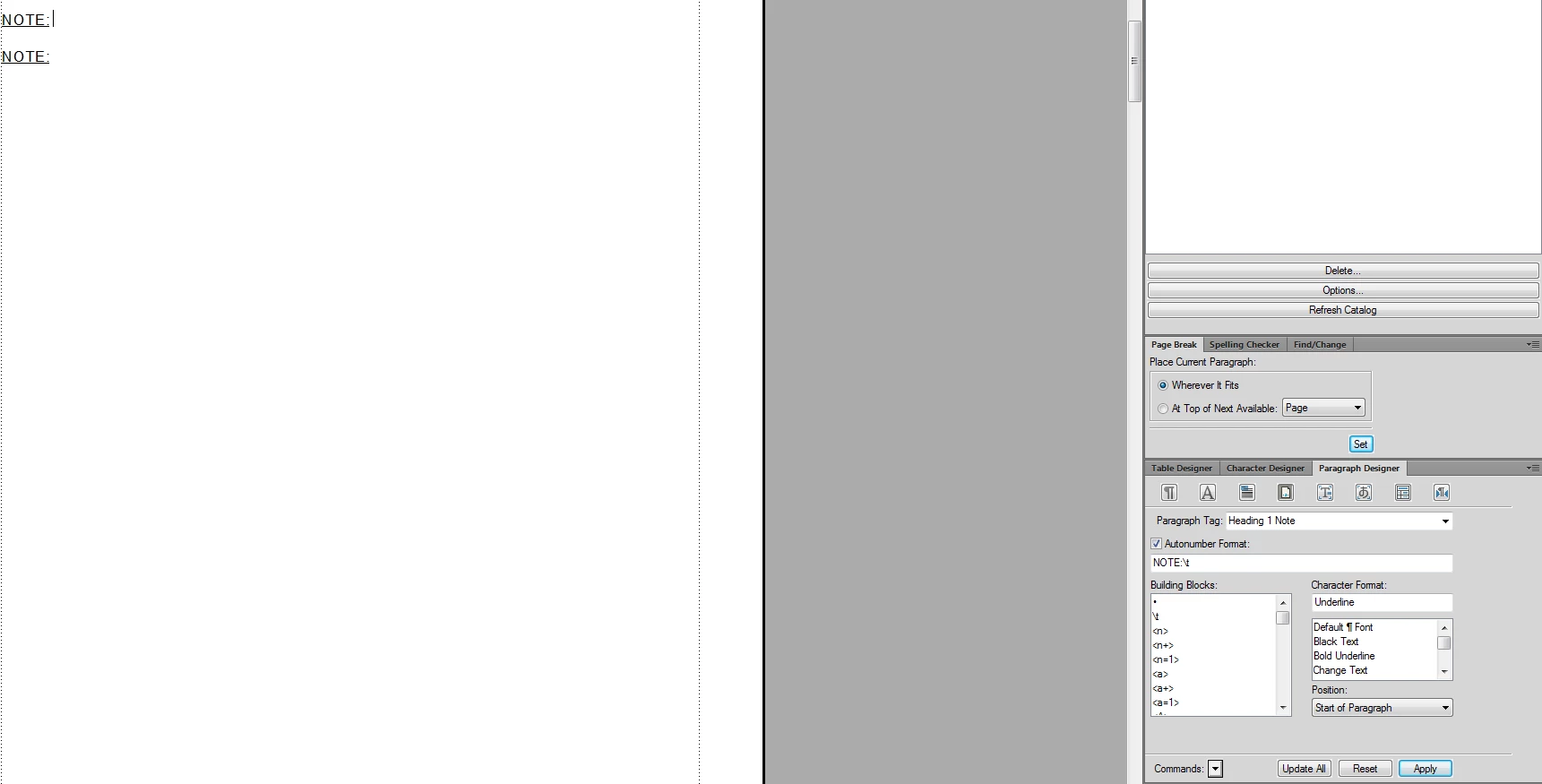
I have defined paragraphs for notes, warnings and cautions that use an autonumber at the beginning, so that I will have Note: and Warning: and Caution: in front of my paragraphs. And the content of the paragraph I wanted to not be underlined (so the rest of the paragraph does not have the underline setting), so I defined it like in the screenshot below:
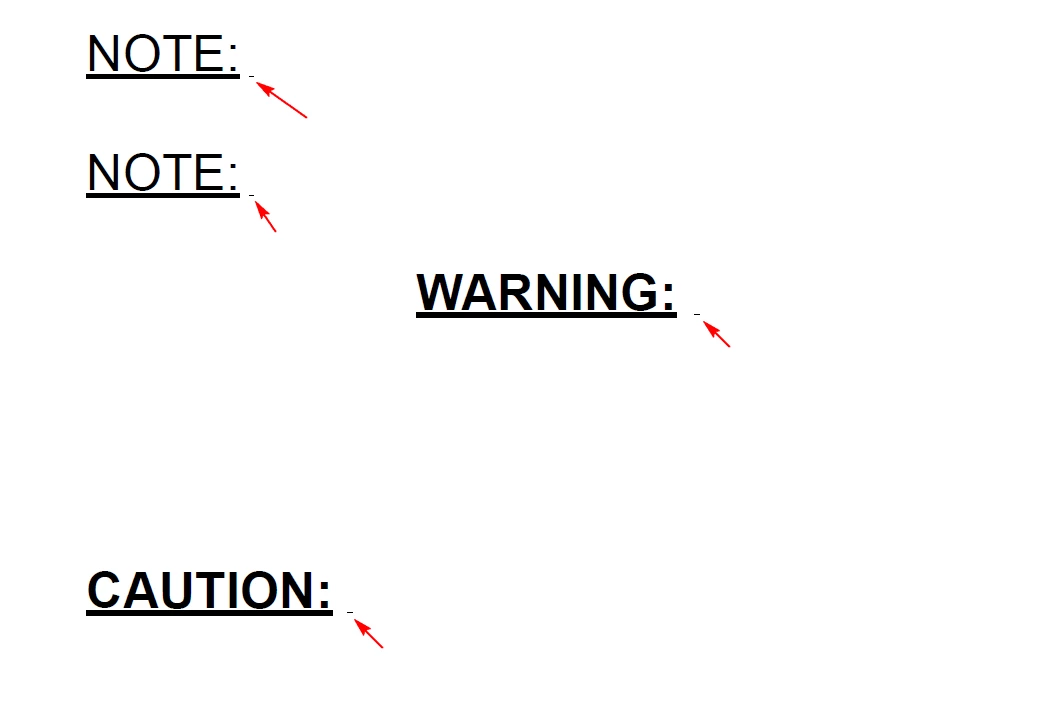
In framemaker it looks fine but if I save it to PDF using RGB setting it prints out a small underline in front of my paragraphs, see below:
But if I print using CMYK setting it doesn't print this line:

But I really need to print my files using RGB setting, so can you please tell me why if I use RGB setting it prints out that small underline?

    This topic has been closed for replies.
    Correct answer mihail-cosminm61564092

    Are you using the default underline? If so, try a numeric underline inthe Character designer instead. This just moves it a bit lower.

    You could also try putting a thin-space character between the colon and the tab. This might break the tendency for the underline to overshoot the characters.


    Tried the numeric underline, it doesn't work.

    Tried putting a thin space after the colon, but that also doesn't work. I have also tried other spaces or separation symbols (Nonbreaking space, En Space, Em space, Numeric space, End-of-flow symbol, End-of-paragraph symbol). Nothing works, as long as I have defined a tab stop, it will try to underline the "invisible tab stop symbol".

    The only solution I see for this case is to not define the tab stop, and enter the space manually.

    1 reply

    Arnis Gubins
    Inspiring
    March 30, 2016

    What font is being used and what character is placed after the colon?

    mihail-cosminm61564092
    Inspiring
    March 30, 2016

    The font used is Arial.
    In the above example I didn't put anything after the colon...but it doesn't matter...whatever I add after the colon it will have that small underline in front of it, but only in the pdf (if I print it with RGB).

    RGB printed PDF:

    CMYK printed PDF:

    Arnis Gubins
    Inspiring
    March 30, 2016

    This might be related to an already filed bug in FM2015. See the following thread unwanted characters coming in pdf and bug report Bug#4116896 - Zero-width FM characters (anchors, markers, etc.) print artifact when underline is set for paragraph

    Is there a marker (or anchored frame) at the beginning of these notes, warnings, etc. ? If so, try moving the marker to the end of the entry.

    If this (re)moves the spurious line, then add a vote to the bug and describe your situation.