

Barb Binder
Community Expert
Community Expert
November 7, 2022
Answered

Scaling issues

  • November 7, 2022
  • 2 replies
  • 365 views

Hi FrameMaker Friends:


I finally gave up on trying to run Fm on my M1 Mac, and now am working like a "normal" user, running FrameMaker on a Windows computer as the Adobe team intended.


What is wrong with my scaling? I'm on Windows 11 and the Fall 2022 release of FrameMaker (though I have seen this occasionally on student computers in the past on earlier versions of Windows and FrameMaker).


Note: small menu bar, giant menu items, smushed rulers, and my catalogs are illegible. 
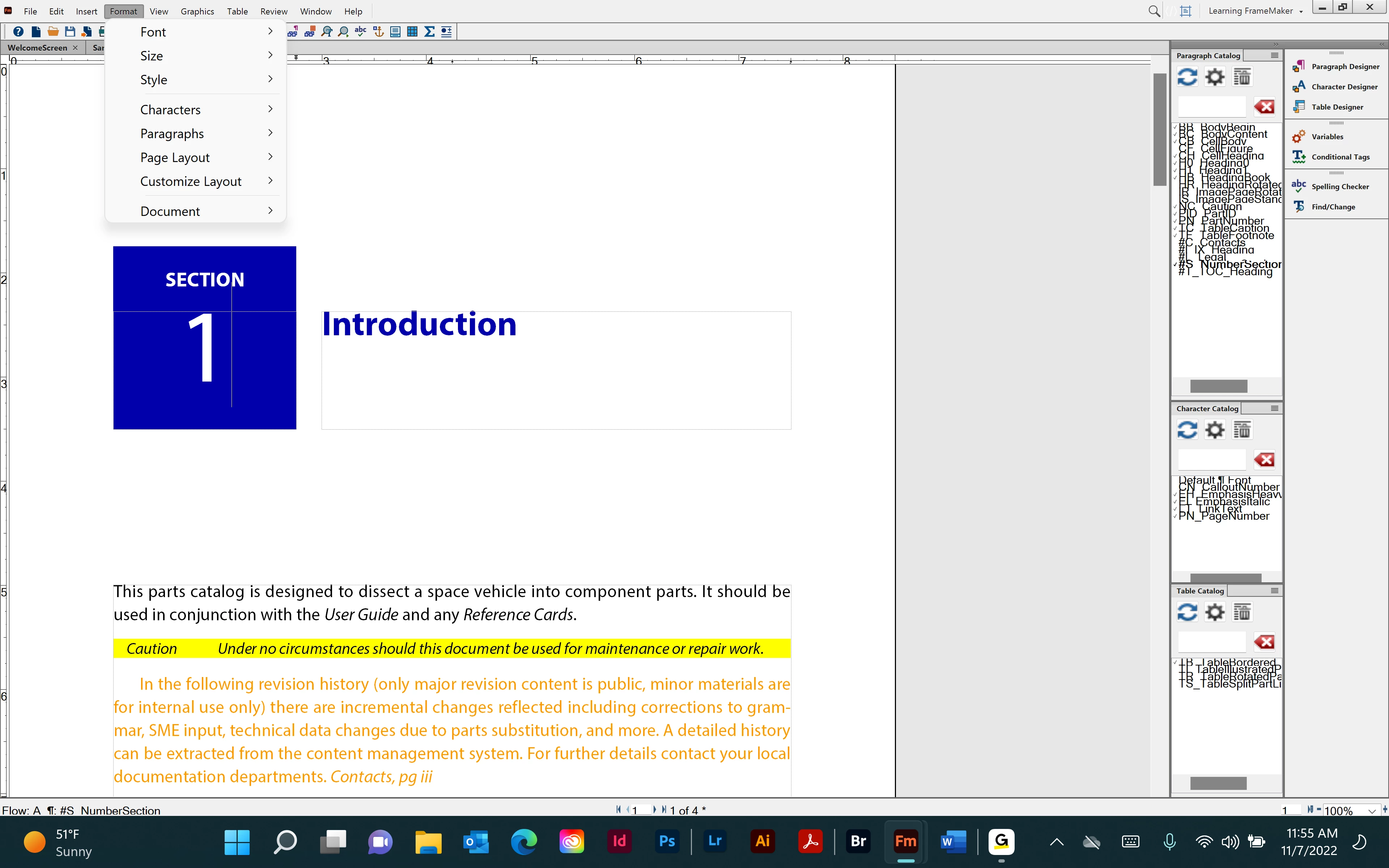
 

I have tried out multiple display and scale resolutions but I can't figure out how to make this work. 
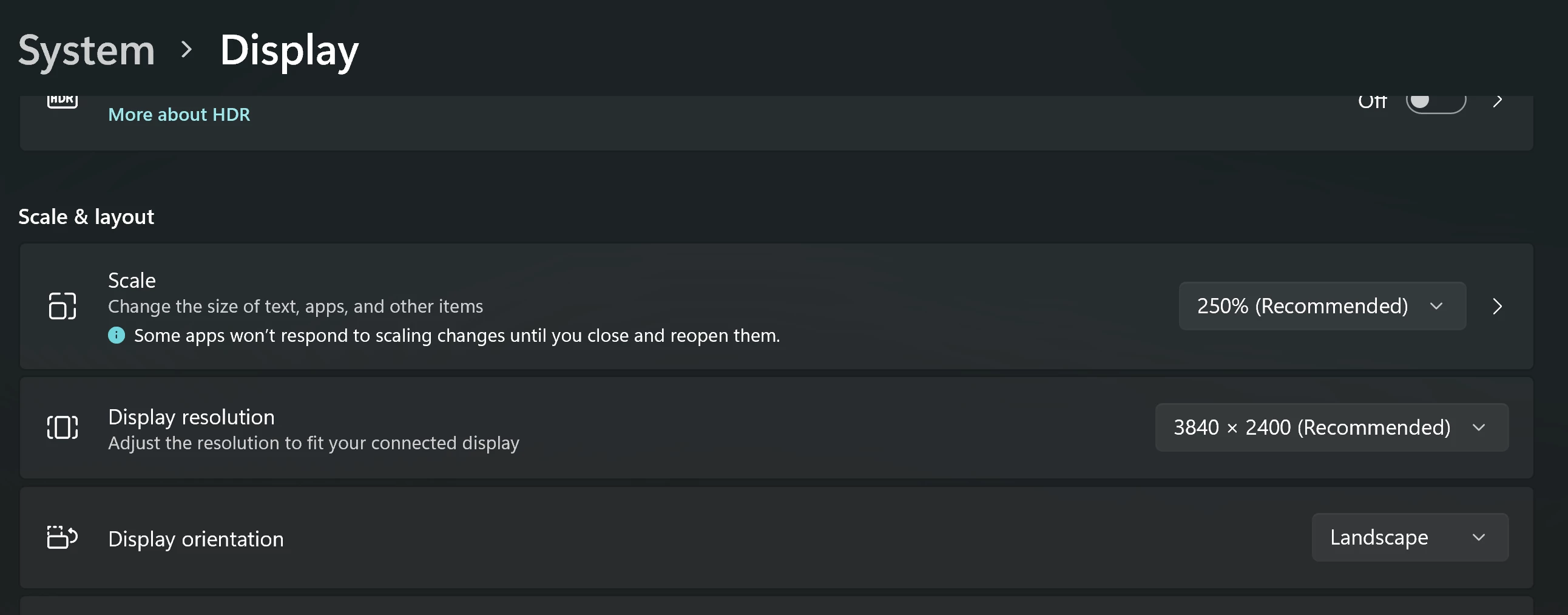
Any ideas?


Thanks in advance,

~Barb

This topic has been closed for replies.
Correct answer Bob_Niland

What monitor is that?
3840×2400 is a 16:10 A/R, which isn't unheard of, but is a minority these days.


More specifically, what is the diagonal size of the screen?

I'm running various FMs on a 32in 3840×2160 (16:9), and with Win10 scaling set to 150%, everything is at useful sizes.


If the above doesn't quickly lead to a resolution (so to speak), perhaps the next thing to look at is settings in system & personal maker.ini, such as:
MonitorSize
If that disagrees with what Windows is reading back via VESA EDID or DisplayID, I've no guesses on what happens. The legacy FM setting also likely assumes a 4:3 A/R.

2 replies

Barb Binder
Community Expert
Community Expert
November 8, 2022

Bob! You are my hero! And 100% correct. I changed the aspect ratio to 16:9 and it solved the problem. 


For anyone else with this issue down the road, I'm using a 16" laptop display, and changing the display resolution to 2560 x 1440 at 150% scaling did the trick. I am forever grateful.


~Barb


~Barb at Rocky Mountain Training
Bob_Niland
Community Expert
Bob_NilandCommunity ExpertCorrect answer
Community Expert
November 8, 2022

What monitor is that?
3840×2400 is a 16:10 A/R, which isn't unheard of, but is a minority these days.


More specifically, what is the diagonal size of the screen?

I'm running various FMs on a 32in 3840×2160 (16:9), and with Win10 scaling set to 150%, everything is at useful sizes.


If the above doesn't quickly lead to a resolution (so to speak), perhaps the next thing to look at is settings in system & personal maker.ini, such as:
MonitorSize
If that disagrees with what Windows is reading back via VESA EDID or DisplayID, I've no guesses on what happens. The legacy FM setting also likely assumes a 4:3 A/R.