
Inspiring
May 30, 2024
Question

Setting Window Display Properties

  • May 30, 2024
  • 4 replies
  • 509 views

Hello, everyone! 


I'm having trouble setting the zoom level in my new installation of FrameMaker.


Here's what the window looks like with content blurred:
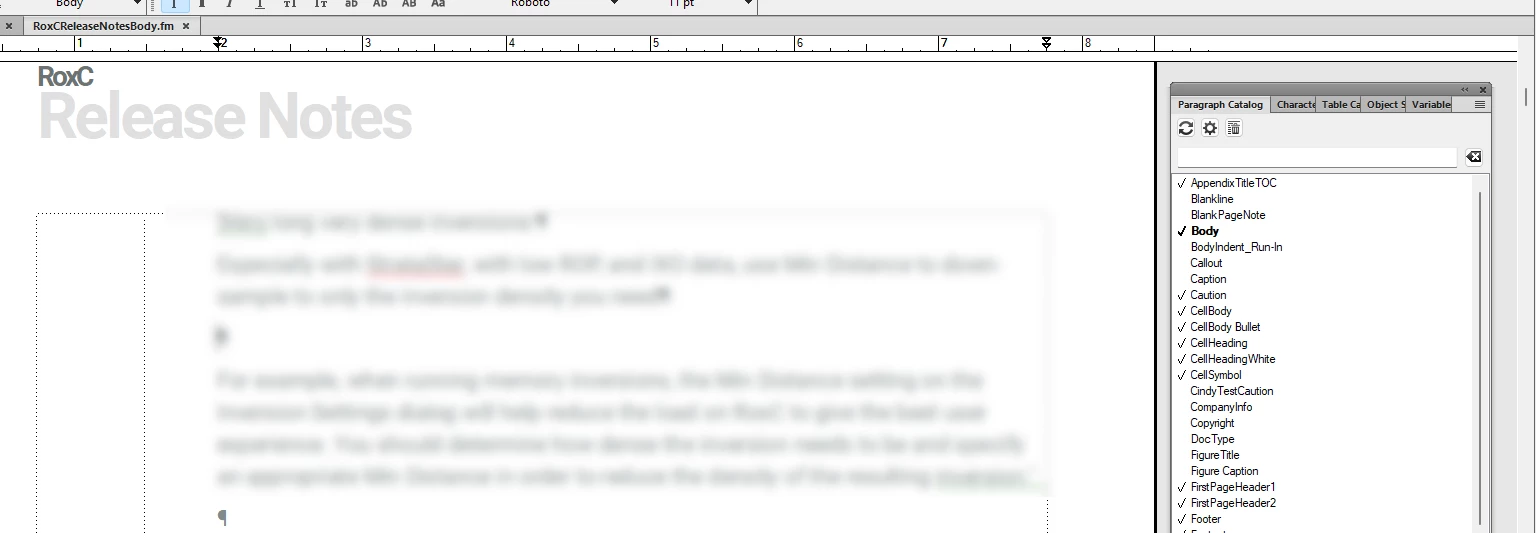
 

Hopefully you can see that the scroll bar is all the way over to the right, and I haven't been able to dock the tools widgets.


Can someone remind me how to change the window size so the scroll bar is with the content? And then how to dock the widgets to the right of the correctly-sized window? 


I have tried Fit Window to Page, but the document window is un-docked from the tabs at the top of the FM window.


I hope all this makes sense...


Thank you!

Cindy


    This topic has been closed for replies.

    4 replies

    Barb Binder
    Community Expert
    Community Expert
    May 30, 2024

    One more thing: Fit Window to Page and Fit Window to Text Frame both undock the document window. You can redock the window manually using the technique I described for docking the panels (but onto the Tab bar), or you can also just choose Window > Consolidate. Other Adobe applications make this slightly easier to figure out—they use Window > Consolidate All to Tabs to return to the tabbed interface. 


    Fit Page in Window and the numeric zoom sizes resize the content, but leave the document window docked. I always encourage my students to avoid Fit Window to Page and Fit Window to Text Frame because of the unexpected undocking.


    ~Barb

    ~Barb at Rocky Mountain Training
    Barb Binder
    Community Expert
    Community Expert
    May 30, 2024

    Hi @Cynthia Pao:


    The trick to docking the panels is to focus on the mouse cursor (the arrow). It doesn't matter which part of the panel touches the scoll bar, the mouse pointer needs to touch the scroll bar. Release when you see the blue line.


    ~Barb


    ~Barb at Rocky Mountain Training
    Inspiring
    May 30, 2024

    Here's a new screen shot with the scroll bar circled:

    Jeff_Coatsworth
    Community Expert
    Community Expert
    May 30, 2024

    Been awhile since I played with mine since I always keep backups of any customizations I make to workspaces & maker.ini files, but shouldn't you be able to drag and dock the floating panel to the toolbar to the extreme right (which should force the scroll bar to stay associated with the document? 

    Jeff_Coatsworth
    Community Expert
    Community Expert
    May 30, 2024

    Sorry, your screenshot just really shows a floating panel over on the right - I don't see any scroll bars. Did you update to a new version of FM? Can't you transfer your old Workspace to the new version?

    Inspiring
    May 30, 2024

    I think I'm up to date on FM updates, so I now have the super-skinny scroll bars. I think they are not showing up in my screen shot. 


    I can't transfer my old workspace because it was reimaged out of existence. That would have been great!