



Side effect of menu to UI-object colour
Dear all,
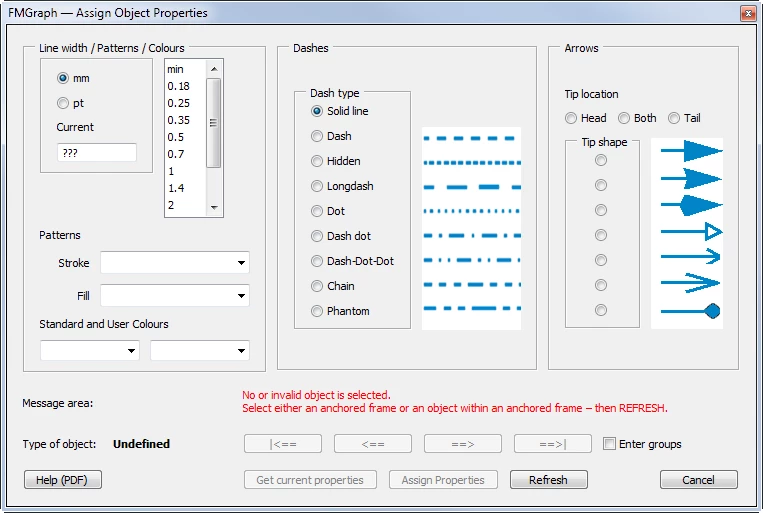
I have now tracked down a strange error/problem in my large script to the following. I can not see why this happens:
- (line 05 active) Running via menu selection the message in the palette is black
- (line 06 active) Running without this menu the message is presented in red as ecpected due to line 42.
Any 'enlighment' is welcome.
Klaus
// ColouredMessage.jsx --- 2019-06-01
// Why is the message in palette AssignProperties red only after some button activity?
// No "#target framemaker" required for this test
Fgr_DebugMenu ();
//Fgr_PalAssignProperties ();
function Fgr_DebugMenu () { //=== Bypassing the FM menu handler to be able to debug ===============
var aMenuItems, listIndex, Fgr_wDebug;
aMenuItems = [
"Fgr_PalAssignProperties()"]; // 0
Fgr_wDebug = new Window("dialog", "Menu broken down to the bare minimum",undefined);
Fgr_wDebug.location= [200,200];
Fgr_wDebug.t1 = Fgr_wDebug.add ("statictext", undefined, "Select by DOUBLE click", {multiline:true});
Fgr_wDebug.l1 = Fgr_wDebug.add ("listbox",undefined,undefined, aMenuItems);
Fgr_wDebug.l1.preferredSize.width = 250;
Fgr_wDebug.l1.preferredSize.height = 50;
Fgr_wDebug.l1.onDoubleClick = function () {
listIndex = Fgr_wDebug.l1.selection.valueOf();
Command (listIndex);
};
Fgr_FillItemList (Fgr_wDebug.l1, aMenuItems);
Fgr_wDebug.show();
} //--- end Fgr_DebugMenu
function Command (cmd) { //=== Assign functions to menu commands ==================================
switch (cmd) {
case 0:
Fgr_PalAssignProperties();
break;
}
} //--- end Command
function Fgr_PalAssignProperties() { // === Cut down to the bare minimum ====
var wPalP = new Window("palette", "FMGraph — Assign Object Properties", undefined);
wPalP.gMsg = wPalP.add('group',undefined); // --- message area -----------------------------
wPalP.gMsg.st1 = wPalP.gMsg.add('statictext',undefined,"Message area:");
wPalP.gMsg.st1.preferredSize.width ="210"; // position along the buttons
wPalP.gMsg.message = wPalP.gMsg.add('statictext',undefined," ",{multiline: true});
wPalP.gMsg.message.preferredSize = [480, 30]; // space for about 200 chars of message
wPalP.gMsg.message.graphics.foregroundColor = wPalP.gMsg.message.graphics.newPen (wPalP.gMsg.message.graphics.PenType.SOLID_COLOR, [1, 0, 0], 1);
wPalP.button = wPalP.add ("button", undefined, "Just an alert message");
wPalP.button.onClick = function () {
alert ("This all done here");
}
wPalP.gMsg.message.text = "This message should be presented in red. In the real script it will be presented only when at the start of this panel no object is selected.";
wPalP.show();
}
function Fgr_FillItemList (oList, aSource) { //=== Fill dialgoue list =============================
var j, nItems;
nItems = aSource.length;
oList.removeAll (); // clear the list
for (j = 0; j < nItems; j++) { // rebuild list
oList.add ("item", aSource
); }
} //--- end Fgr_FillItemList


 AdChoices