

Almtuna
Inspiring
April 21, 2020
Question

Skip heading numbering in chm TOC?

  • April 21, 2020
  • 1 reply
  • 795 views

Previously I generated chm files from FM using WWP and HTML Help workshop, and the toc had no heading numbers. Like:
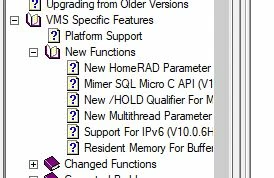
 

Recently I've switched to FM19 and generates the chm files directly from FrameMaker. The same toc now looks like:
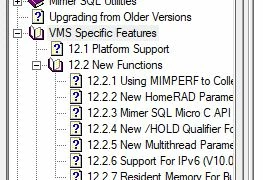
How can I skip the numbering here? 


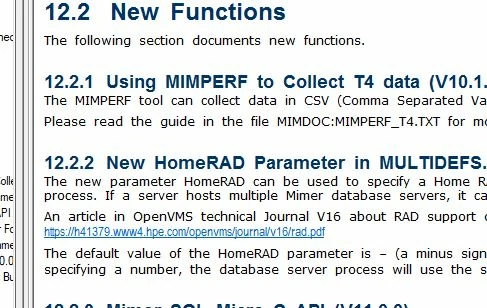
The headings are numbered in the body pages:
 

This topic has been closed for replies.

1 reply

Hezy A
Inspiring
April 22, 2020

Hi

Click Publish


Choose "Microsoft HTML Help"

Click the drop-down next to Settings and choose Edit


Click the Style Mapping tab

Choose the heading styles from which you want to remove the numbering and under Autonumbering select Ignore.

 You need to do this for all of the styles that use AutoNumbering.

Then Save the settings file


I also recomend that you back up the Settings file with any changes you may have made to it

Almtuna
AlmtunaAuthor
Inspiring
April 22, 2020

Hello,

Thank you for your answer!

I'm very sorry, but my question was a bit unclear. I want to keep the heading numbering in the "body pages" (picture 3), but remove them from the toc, so it looks like it used to be before my upgrade to FM19. (I.e. I want picture 1 again, but I get picture 2.)

Hezy A
Inspiring
April 22, 2020

Sorry for the misunderstanding.


I tried a few things, but did not find a solution for this.


Maybe this is set in the CSS?