Known Participant
July 22, 2023
Answered

Smart Quotes in Adobe Frame Maker

  • July 22, 2023
  • 2 replies
  • 907 views

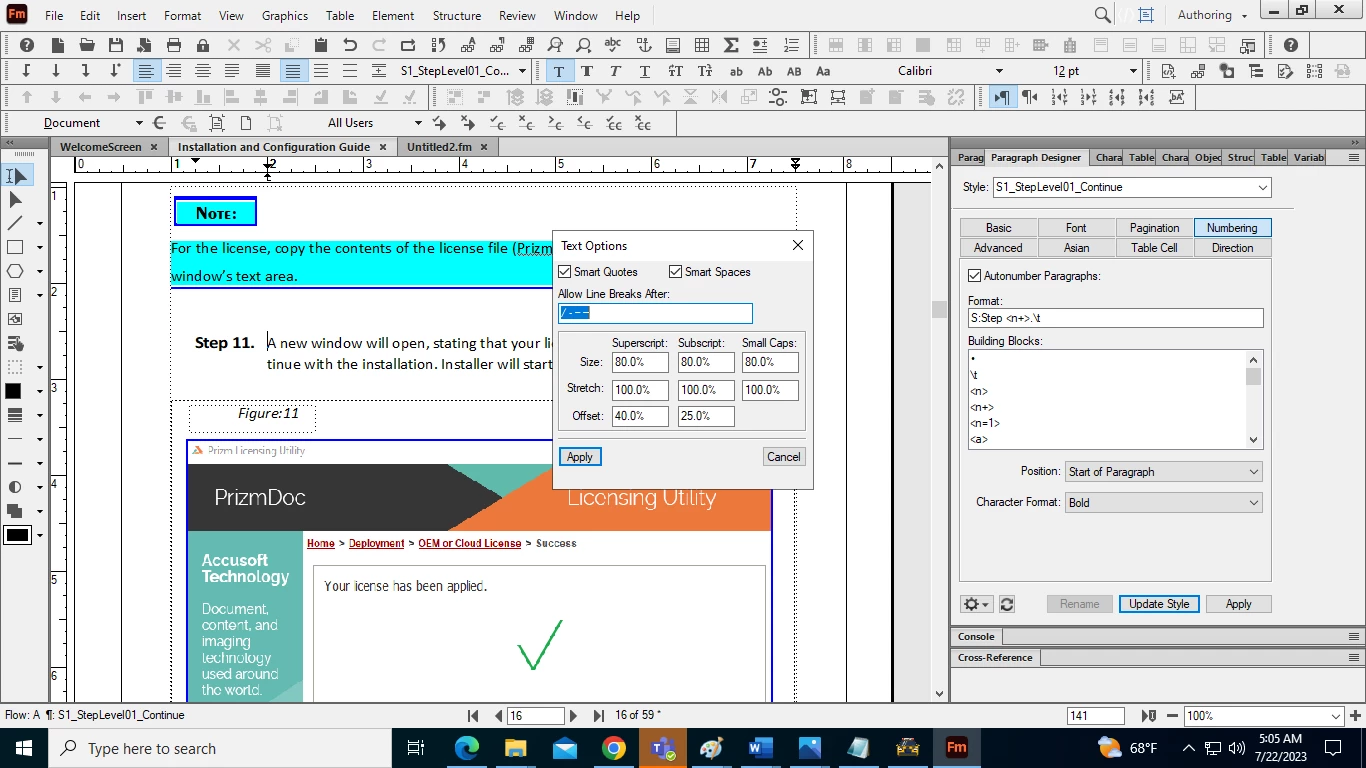
I am not able to use smart Quotes even when I have turned on Smart Quotes Option.


    This topic has been closed for replies.
    Correct answer Winfried Reng

    Then, how could I add smart quptes?


    Aren't these quotes typographic ones?

    In this font the typographic quotes are rather similar to the straight ones.

    When you You change the font to something like Times, you notice this more easily. But do not forget to change the font back!

    2 replies

    Barb Binder
    Community Expert
    Community Expert
    July 22, 2023

    Hi Amit:


    And I will add that enabling smart quotes after straight quotes have already been added to a document will not fix them. It only impacts future use of quotes and apostrophes. If that is the issue, you can locate and fix them either by running a spell check or with find/change queries. 


    ~Barb

    ~Barb at Rocky Mountain Training
    Known Participant
    July 23, 2023

    Hi Barb, I did that, but doesn't happen anything. I want like this symbol as u have inserted in your youtube Video Doc.


    Known Participant
    July 23, 2023

    I tried this, But nothing happen.


    K.Daube
    Community Expert
    Community Expert
    July 22, 2023

    I don't see what you want to achieve. Smart quotes become active if you type either a single or a double straight quote (' or "), either in front or after a word or sentence. The inserted symbol depends on the language of the paragraph (or string). It is defined in Preferences > Spelling > Smart Quotes. Unfortunately the Symbols shown in the dialaogue are very tiny... Seee https://www.daube.ch/docu/files/compendium.pdf#page39
