Inspiring
September 3, 2024
Answered

space after paragraph

  • September 3, 2024
  • 1 reply
  • 682 views

Hello,

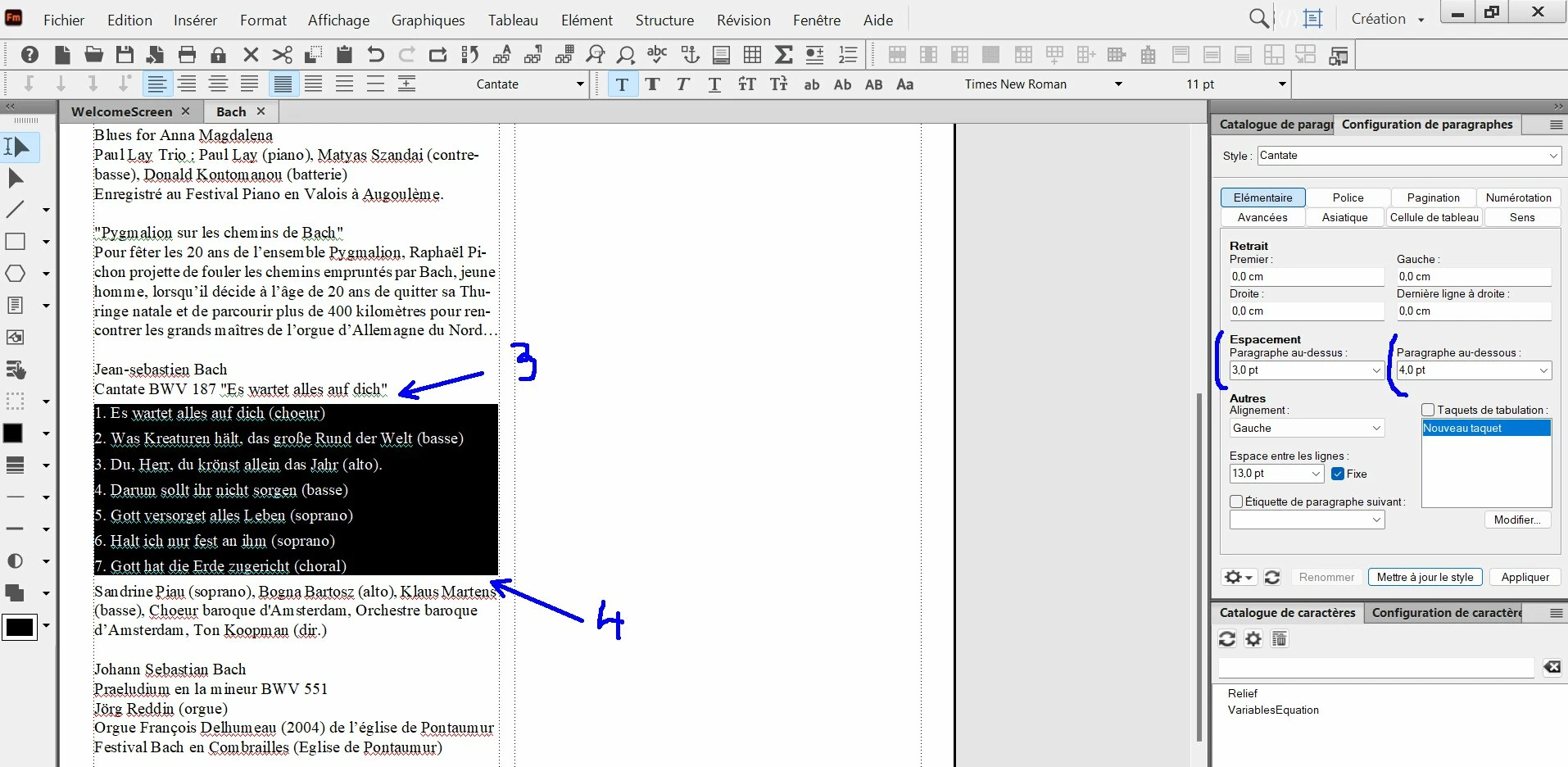
about the text in black :


I have set paragraph designer like this :

- space before paragraph : 3 pt

- space after paragraph : 4 pt


My goal would be to have 4 pt inside the paragraph only, and 3pt around the paragraph.


Problem : around the paragraph I have :

- at the top : 3pt (no problem)

- at the bottom : 4 pt (but I would like here to have 3 pt)


How to set my paragraph designer "Cantate" in that case ?

Correct answer Winfried Reng

Hi,

When the paragraphs inside of the list have a space below the paragraph 4 pt, then the last paragraph has also 4 pt.

When you want 3 pt for the last paragraph, then you have to create a new paragraph format for the last paragraph with 3 pt.

And you know that FrameMaker takes the higher number of space below and space before of the next paragraph. This means that when the paragraph after your list has 5 pt above, this will the space after the list.

Best regards, Winfried

1 reply

Winfried RengCommunity ExpertCorrect answer
Community Expert
September 3, 2024

Hi,

When the paragraphs inside of the list have a space below the paragraph 4 pt, then the last paragraph has also 4 pt.

When you want 3 pt for the last paragraph, then you have to create a new paragraph format for the last paragraph with 3 pt.

And you know that FrameMaker takes the higher number of space below and space before of the next paragraph. This means that when the paragraph after your list has 5 pt above, this will the space after the list.

Best regards, Winfried

Inspiring
September 3, 2024

Hi Winfried,

Here is what I have done now : I have created 3 paragraphs designers :


1) I have selected the first line into the list with these settings :

- paragraph before : 3 pt

- paragraph after : 4 pt


2) I have selected all the lines of the list (except the begining and the end), with these settings :

- paragraph after : 4 pt


3)  I have selected the last line of the list with these settings :

- paragraph after : 3 pt


Is there another way to do the same more simple, or do you think all is good ?

Community Expert
September 3, 2024

Yes. That's how you do it.

However, you should not manually change paragraph formats. This will create local overrides. When you copy/paste something or update formats, this can have unexptected effects.

Instead create new paragraph formats CantateStart and CantateEnd with the desired settings. Then you can apply this also elsewhere.

What is the space below of the paragraph before Cantate? And the space above of the paragraph after Cantate? If they have 4 pt, then this will be the space which will be used and not 3 pt.