


Stripped or broken up graphics in saved PDF
Hi,
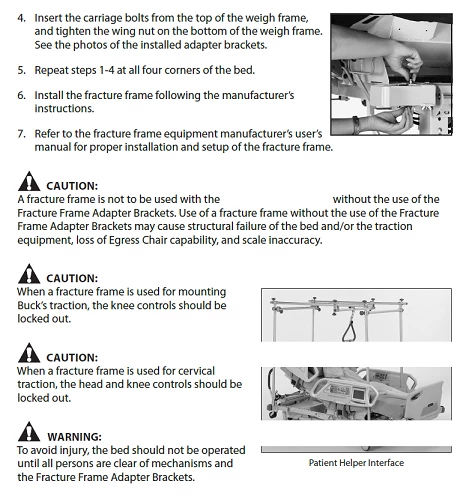
When I save a document as a PDF using the "Save As" and selecting PDF doc type (Not using the "Save as PDF" menu item. I haven't tried this yet), I get some photos that are cut up with white strips as if several small white boxes were placed across the graphic. The graphics print fine from the Frame Maker doc and appear fine on screen. Another company we are working with is having the same problem.
See the second graphic in the illustration Below - The stripped graphic is anchored to the second Caution. This is a screen shot of a PDF saved from a Frame Maker Doc.
It almost appears as if the "Caution" or "Warning" frame from the reference page is covering the graphic, but I checked and the frames are only about 1/3 to 1/2 the width of the text column.
I tried to "bring" the graphic to the front but it had no affect.
Has anyone seen this before?

 AdChoices