
Participant
February 21, 2018
Question

Structured FM 15 Tables losing last row separator

  • February 21, 2018
  • 1 reply
  • 647 views

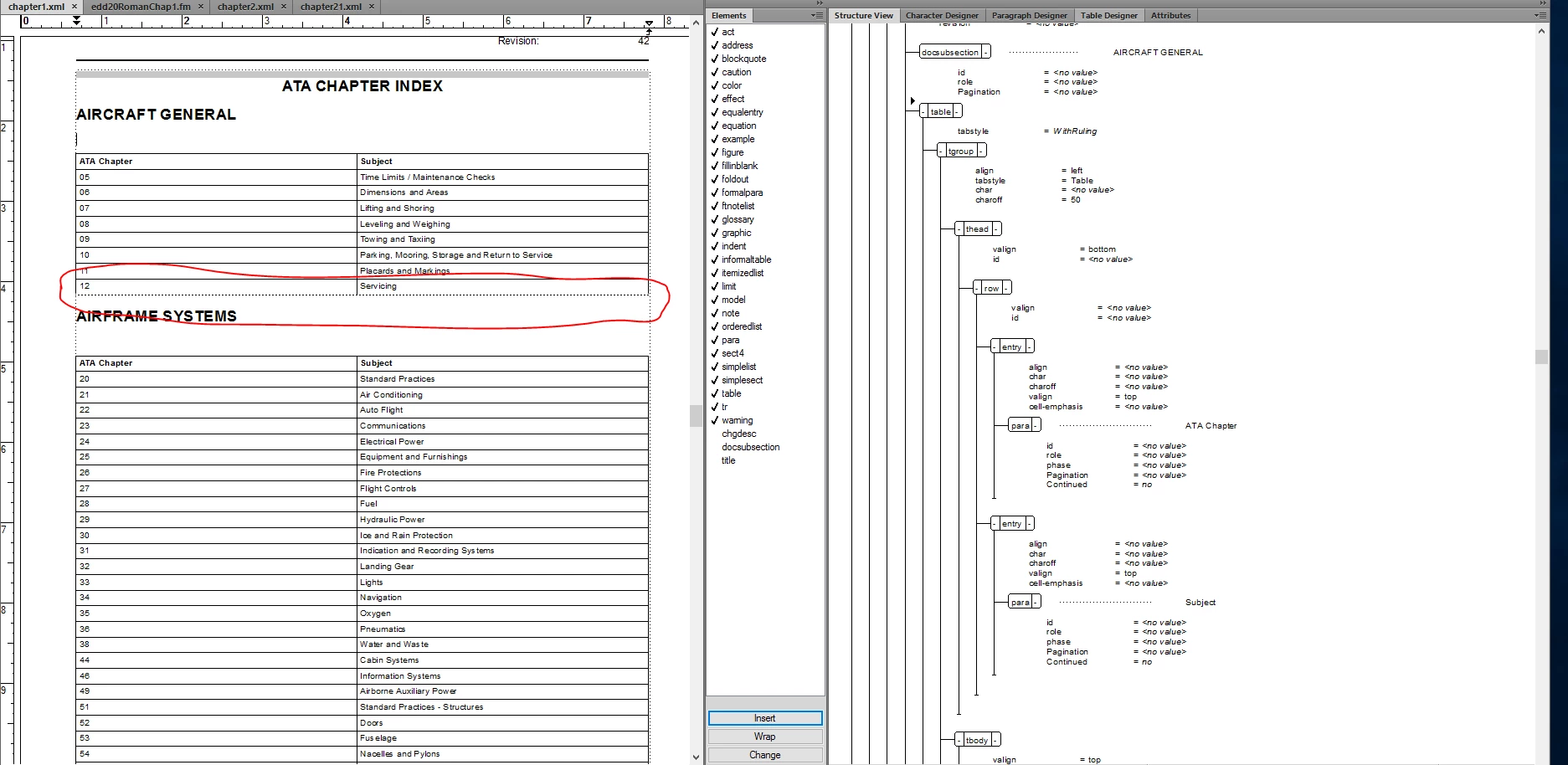
I am currently working a manual in structured FM 15 and have a table style formatted through my template. Every table loses its last row separator upon save. I can manually go into the XML view and change the last row separator value to 1 from zero but upon save it goes back to zero. Any idea where this would be coming from? I converted my template into a mif file to see if there were any outliers in the table formats and I can't find anything. Attached is a screenshot of my structure view as well as where my table is losing its ruling.
This topic has been closed for replies.

1 reply

Ian Proudfoot
Legend
February 21, 2018

My first thoughts are the table element's frame attribute may be the source of the problem. You won't find that attribute in the FrameMaker structured document as it is created on export by the built-in read/write rules for CALS tables. Does the ATA structured application that you are using have its own Read/Write rules for CALS tables?

The first step in resolving the problem is to have a look at the XML view for the table. Could you post that on here please?

What I believe is happening is that the Table's outer border settings are overwriting the cell borders. I've seen this before and sometimes it can be fixed by small changes to the read/write rules.

One other strong possibility is that an XSLT stylesheet is doing something wrong with the separator value. Is XSLT used for this application?

Ian

jmgonet45Author
Participant
February 21, 2018

Ian,

Yes, there is a cals table dtd for this application, as far as RW rules, I believe I only have one rules file.

I am running XSLT but for a different tabstyle that affects other files, the XSLT removes tables that were created previously on save and then on open replaces the removed tables with a new table that looks to specific attributes inside of the element I have targeted. Sorry for the lack of zoom.

Ian Proudfoot
Legend
February 21, 2018

Thanks for the screenshot. That rules out the table/@frame attribute. I looked at the CALS table attributes in the FrameMaker S1000D application and the rowsep attributes are not set unless they have an override from the current table style. Do you set the table style directly or apply cell ruling using the Custom Ruling and Shading pod?

What happens if you delete the problem rowsep attribute in XML view?

Ian