

Structured FM: A table's width of 125 mm not saved after reopening xml file and publishing to pdf
Hi there,
we got a new standard to comply with. The layout looks like 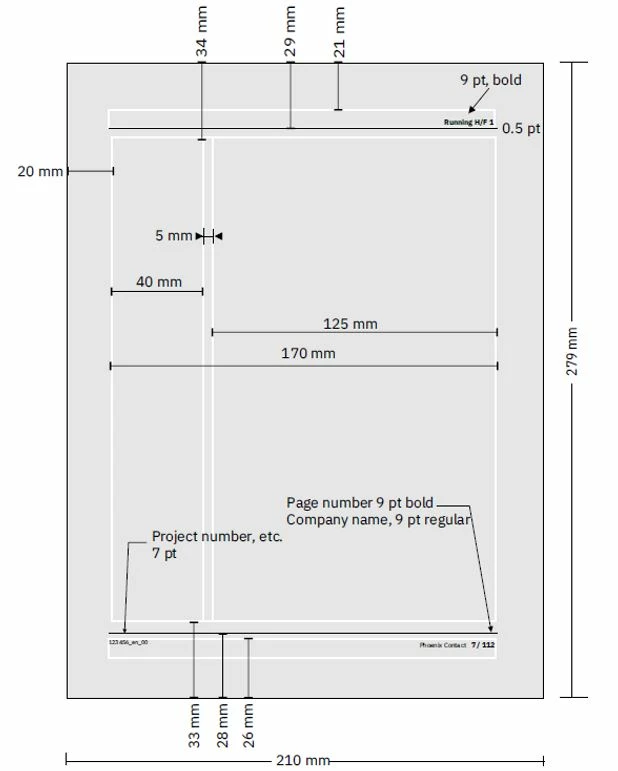
I achieved that with a change in the Structured FM template, in Column Layout with Room for Side Heads checked and width of 40 mm. I also managed to have the images fit in the 125 mm working area of the layout.
I have problem adjusting the tables, and this is a problem because one of my documents have a lot of tables. It looks as shown below.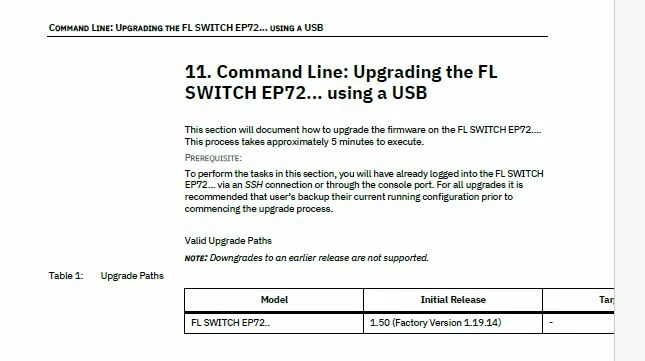
I tried a lot of changes:
1. in my structural FM template ChapterOutputTpl, I used Resize Table and the Table Designer (as per https://community.adobe.com/t5/framemaker-discussions/framemaker-dita-tables/m-p/10953831 ), and the table looks correct. 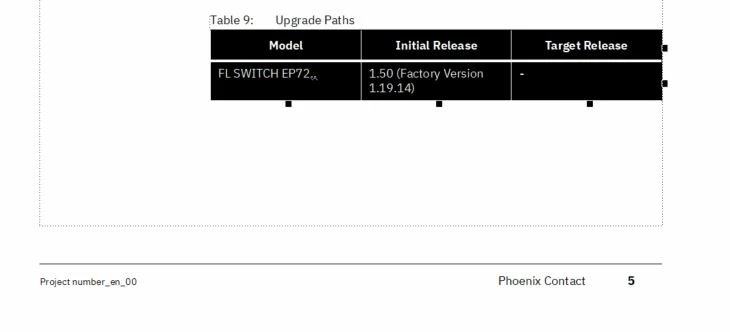
I made sure that the updated template is imported in the DITA Template, in Publish Settings and saved before publishing.
2. To avoid the width not getting stored on saving and reopening, as per https://community.adobe.com/t5/framemaker-discussions/framemaker-dita-tables/m-p/10953831,
I also made change to ForceTGroupAlignmentToLeft=0 in my in my ditafm.ini at location <FMInstallationPath>\fminit\ditafm. I looks as shown
;Aligns table to the left
ForceTGroupAlignmentToLeft=0
3. In the xml file, I made changes in colwidth to be fixed:
</tgroup></table><table frame="all" colsep="1" rowsep="1"
product="EP7200"><title>Upgrade Paths</title>
<tgroup cols="3" colsep="1" rowsep="1" outputclass="FormatA">
<colspec colnum="1" colname="1" colwidth="1.64in"/>
<colspec colnum="2" colname="2" colwidth="1.64in"/>
<colspec colnum="3" colname="3" colwidth="1.64in"/>
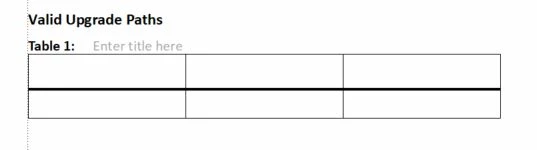
The width is as needed: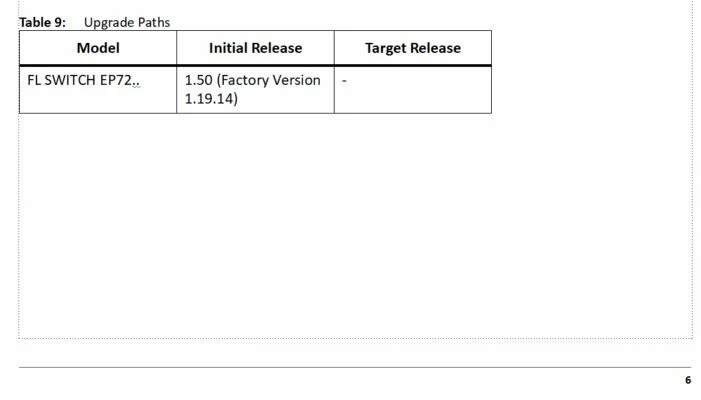
However, after saving and reopening, the width still fits to the page (see below).
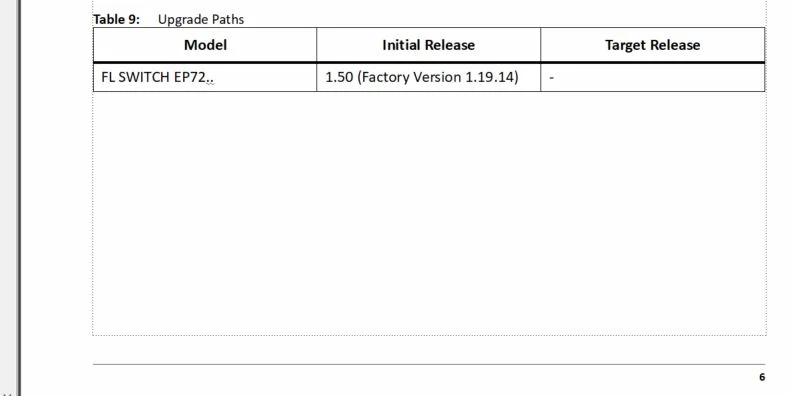
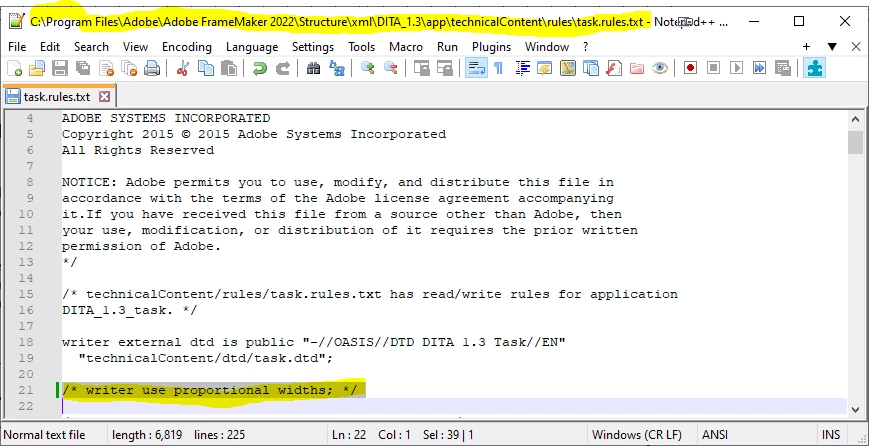
<table frame="all" colsep="1" rowsep="1"
product="EP7200"><title>Upgrade Paths</title>
<tgroup cols="3" colsep="1" rowsep="1" outputclass="FormatA">
<colspec colnum="1" colname="1" colwidth="33*"/>
<colspec colnum="2" colname="2" colwidth="33*"/>
<colspec colnum="3" colname="3" colwidth="33*"/>
<thead>
I am using <table> </table> not <simple table>.
My Structural FM version is 17.04.628.
Have you experienced not able to change the width of a table in Structural FM?
Any ideas are welcome!
Thanks a lot!
Zornitza Doneva



 AdChoices