
Structured FrameMaker 2022 - line breaks embedding in FM file after xml imported
The team I am on is upgrading from Structured FrameMaker 11 to Structured FrameMaker 2022. There is an issue with line breaks being inserted after importing an xml file via FM 2022. I think that this may have something to do with the new ‘Last Line Right’ feature that has been added to FM2022, but have not been able to resolve it:
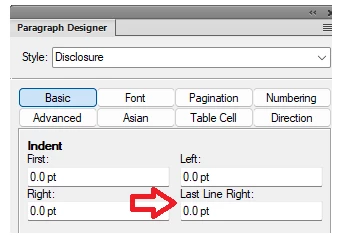
In the following example, line breaks are embedded above paragraphs, which should not be there, and are not there when importing into FM 11:
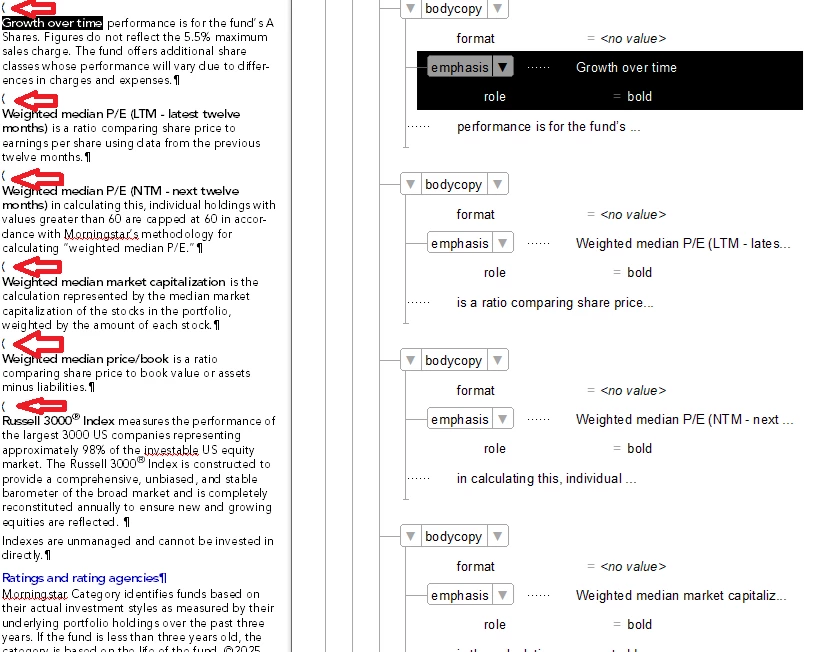
It appears to be occurring in the XML when a tag that is embedded in another tag have no data between them. For example, for Growth over time:

The <bodycopy> tag and the embedded <emphasis> tag do not have text between them:
Ex: <bodycopy><emphasis role="bold">Growth over time</emphasis> performance is for
This formatting issue does not occur when text separates the embedded tag and the parent tag. For example the following tag that superscripts the trademark:
<emphasis role="super">®</emphasis>
has text on both sides of the <emphasis> tags:
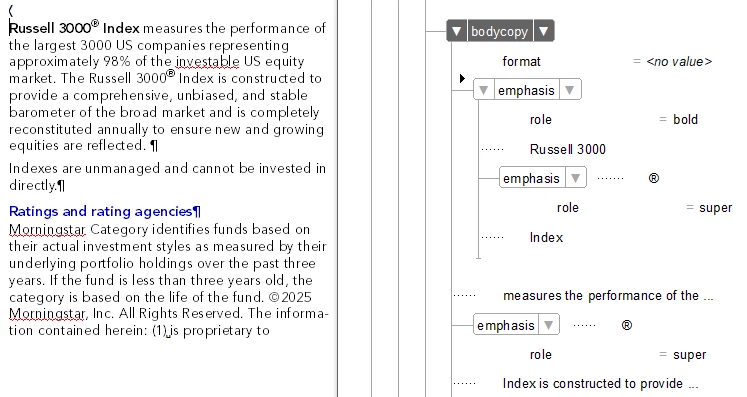
Ex: <bodycopy><emphasis role="bold">Russell 3000<emphasis role="super">®</emphasis> Index</emphasis> measures the performance
It is correctly formatting, but the soft return is inserted above the paragraph:
To test this, I inserted placeholder text in the xml between the parent tags and the embedded tag. In the following example, I inserted ‘ZZZ’ between the <bodycopy> and the <emphasis role="bold"> tags:
<bodycopy>ZZZ<emphasis role="bold">
Ex: <bodycopy>ZZZ<emphasis role="bold">Growth over time</emphasis> performance is for
It formats correctly when imported:

In researching this, a suggested solution was to add the following to the maker.ini file under Preferences:
DoJustifyOnEOL=Off
We did this and it did not resolve the issue.
A co-worker suggested I removing " xml:space="preserve" from the root element in the xml:
<factsheetblend sectortype="Blend" xml:space="preserve">
While this does solve the problem for those line breaks, it introduced a new problem – tabs are no longer being formatted in the imported file.
For example, this heading includes a tab that sets the subhead so that it is right-justified:

After removing the xml:space="preserve" from the xml, in addition to resolving the line break, when the xml is imported it ignores the tabs, so the subhead is no longer right-justified:

By adding the xml:space="preserve" only to the child element associated with this heading, the tab is formatting, but the line break is embedded, as well, so this doesn’t resolve the issue with the line break occurring where it shouldn’t:

Any suggestions for resolving this issue will be appreciated. Thanks.


 AdChoices