Participating Frequently
June 20, 2023
Question

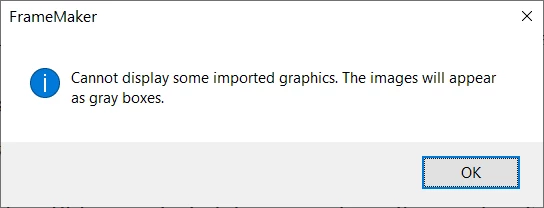
Suppress alert about showing missing graphics in gray boxes

  • June 20, 2023
  • 2 replies
  • 226 views

Hi community,

Does anybody know a way to suppress warning that missing graphics will be shown in gray boxes?
Thanks.

    This topic has been closed for replies.

    2 replies

    Jeff_Coatsworth
    Community Expert
    Community Expert
    June 21, 2023

    Ah, I was thinking that there was some way to obscure all graphics to speed up the display; but according to this wish list item - https://tracker.adobe.com/#/view/FRMAKER-11372 - that's not there. Go ahead & add your vote.

    frameexpert
    Community Expert
    Community Expert
    June 21, 2023

    Choose View > Options and uncheck Graphics. This is a document-level setting so I am not sure if it will suppress that annoying dialog box.


    Jeff_Coatsworth
    Community Expert
    Community Expert
    June 21, 2023

    Ah, so I wasn't hallucinating! There was something there about graphics.

    Jeff_Coatsworth
    Community Expert
    Community Expert
    June 20, 2023

    What version of FM? Have you checked the Preferences?

    Plutto313Author
    Participating Frequently
    June 20, 2023

    FrameMaker 2019  Version 15.0.8.979
    I have all Alerts unchecked in Preferences: