

LinSims
Community Expert
Community Expert
July 20, 2020
질문

SVG images still not importing correctly

  • July 20, 2020
  • 1 답변
  • 2631 조회

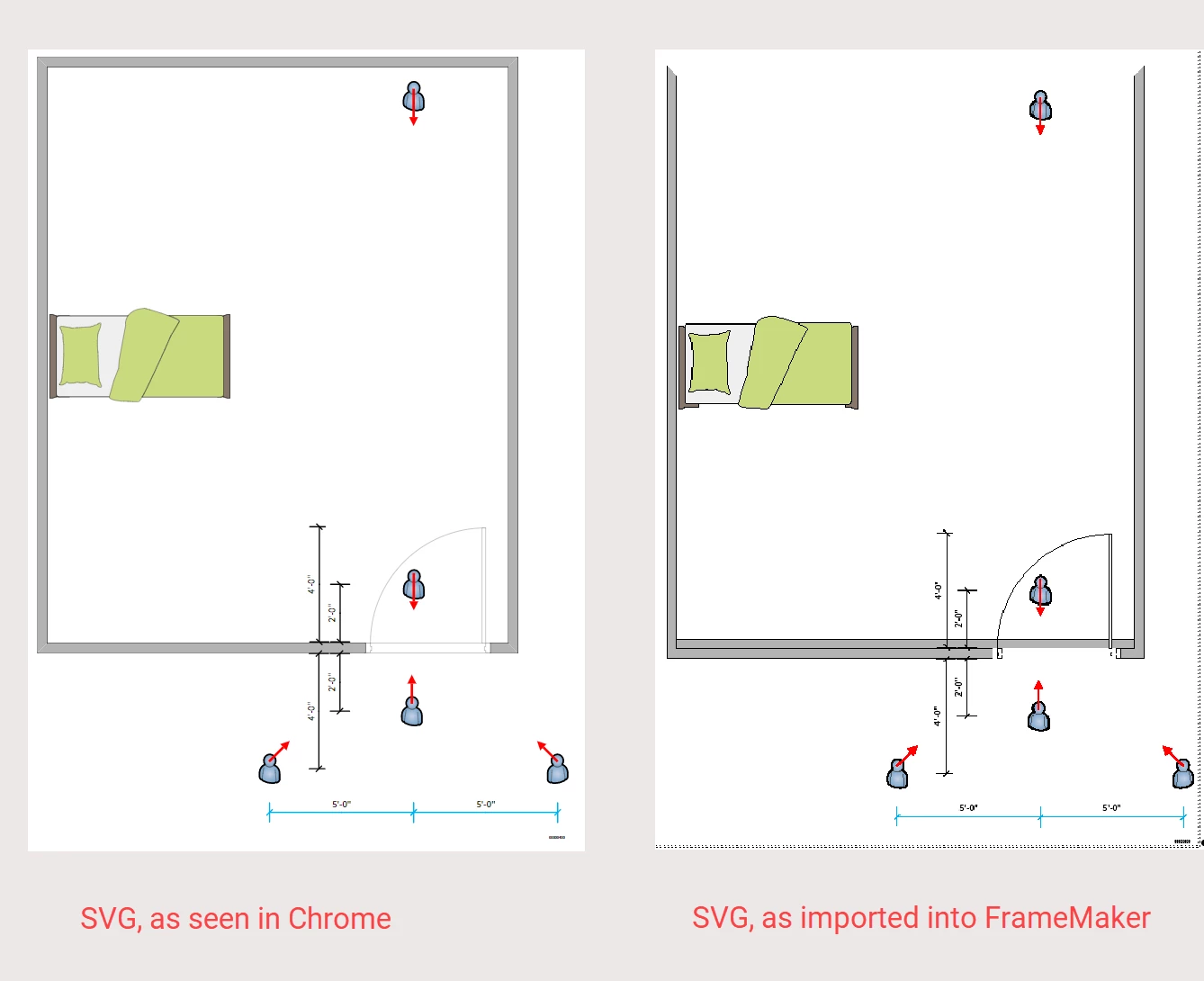
If you create a graphic in Visio and export it to SVG and then import the SVG image into FrameMaker, you are still getting displaced objects in the graphic if you use either Visio stencils or group the image. I thought they'd fixed this, but apparently not.


Edited to add: In the attached images, the "room" is a Visio stencil. As you can see, the back wall is displaced in the image as imported into FrameMaker. None of the other components are grouped.


New bug is here: https://tracker.adobe.com/#/view/FRMAKER-9089
 

이 주제는 답변이 닫혔습니다.

1 답변

Community Manager
July 20, 2020

How does it look like in the PDF output? What you see in FM is a rendered "preview" of the SVG as a pixel image. When published to PDF, the actual SVG is used. How does it look like there?

LinSims
Community Expert
LinSimsCommunity Expert작성자
Community Expert
July 20, 2020

Drat, I thought I said. It looks the same in the PDF file as it does in FrameMaker.


I'm actually surprised the bed didn't get messed up, also


Community Manager
July 20, 2020

Do you have Adobe Illustrator? If so, try to open the SVG from Visio there. How does it look like in Adobe Illustrator? If it is okay there, save it as a new SVG (under a new file name). This should clean up the SVG from Visio a little bit. Then try to import it again into FM.


Also, feel invited to send the SVG to Adobe Technical Communication Support Team for some testing. (You can put me on CC - would love to have a look as well!)