

LinSims
Community Expert
Community Expert
July 20, 2020
Question

SVG images still not importing correctly

  • July 20, 2020
  • 1 reply
  • 2642 views

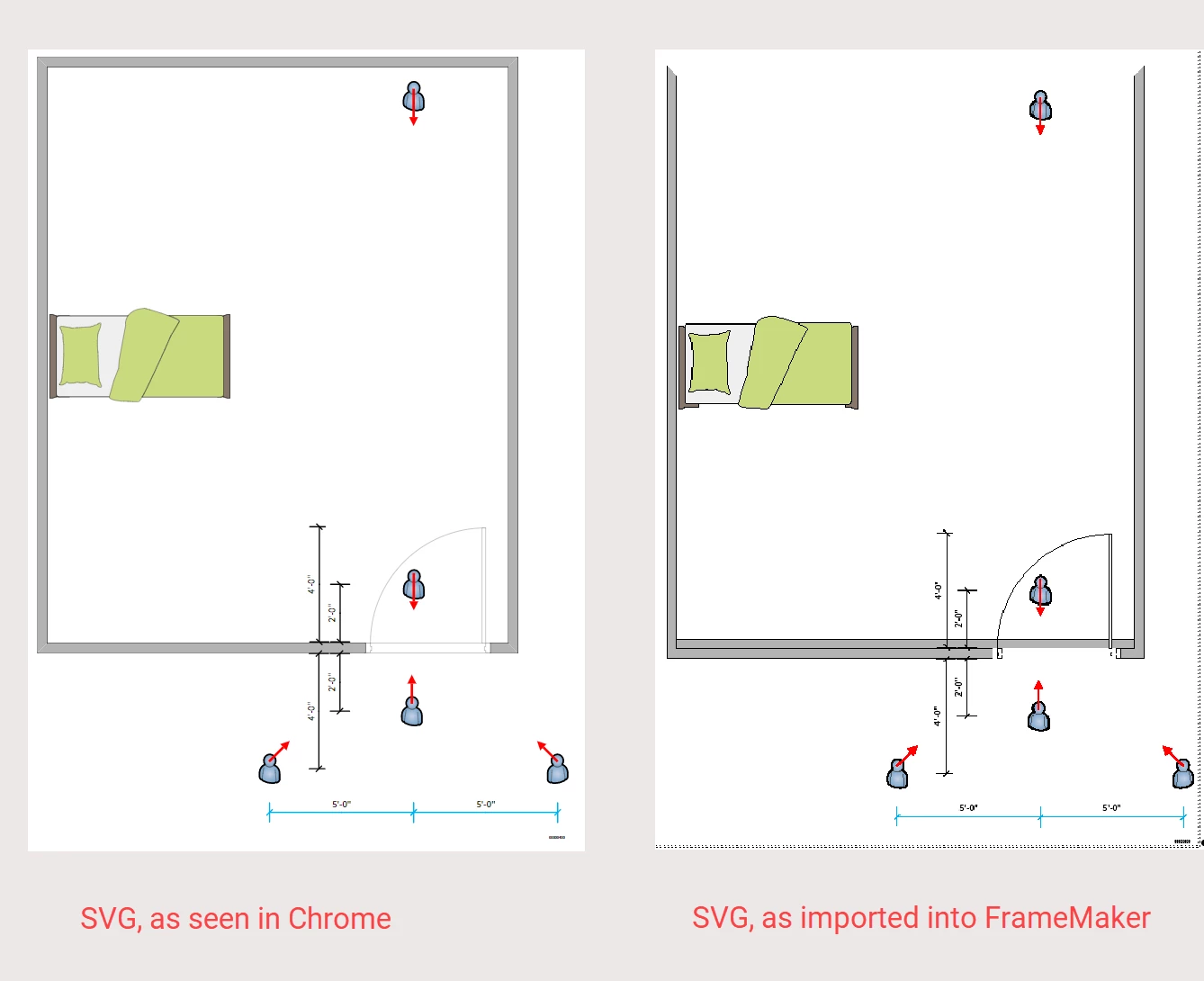
If you create a graphic in Visio and export it to SVG and then import the SVG image into FrameMaker, you are still getting displaced objects in the graphic if you use either Visio stencils or group the image. I thought they'd fixed this, but apparently not.


Edited to add: In the attached images, the "room" is a Visio stencil. As you can see, the back wall is displaced in the image as imported into FrameMaker. None of the other components are grouped.


New bug is here: https://tracker.adobe.com/#/view/FRMAKER-9089
 

This topic has been closed for replies.

1 reply

Legend
July 20, 2020

How does it look like in the PDF output? What you see in FM is a rendered "preview" of the SVG as a pixel image. When published to PDF, the actual SVG is used. How does it look like there?

LinSims
Community Expert
LinSimsCommunity ExpertAuthor
Community Expert
July 20, 2020

Drat, I thought I said. It looks the same in the PDF file as it does in FrameMaker.


I'm actually surprised the bed didn't get messed up, also


LinSims
Community Expert
LinSimsCommunity ExpertAuthor
Community Expert
July 21, 2020

Lin, can you attach the SVG as well to the JIRA ticket.


thanks

Amitoj Singh


Done. I tried to attach the Visio file also, but it wouldn't let me do that.