
Inspiring
May 27, 2024
Question

Table cells not resizing for Responsive HTML5 output
  • May 27, 2024
  • 3 replies
  • 1076 views

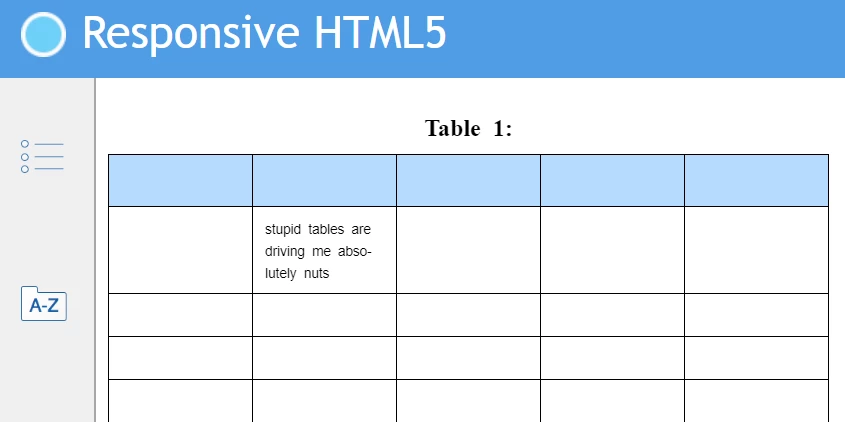
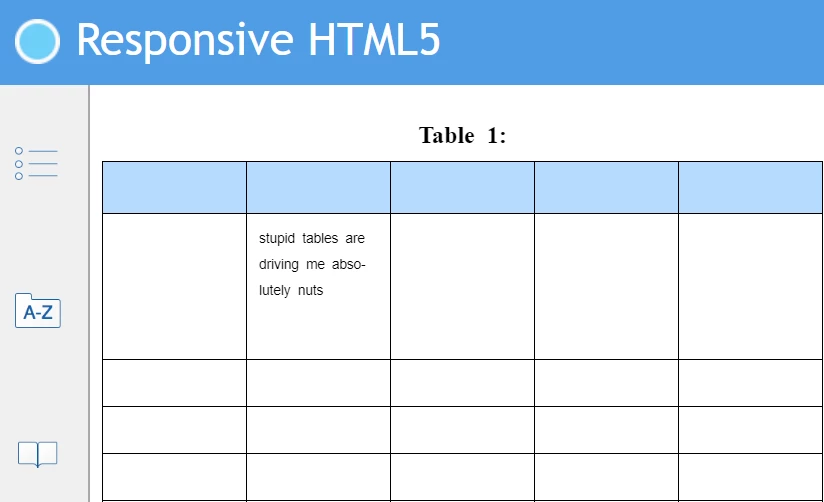
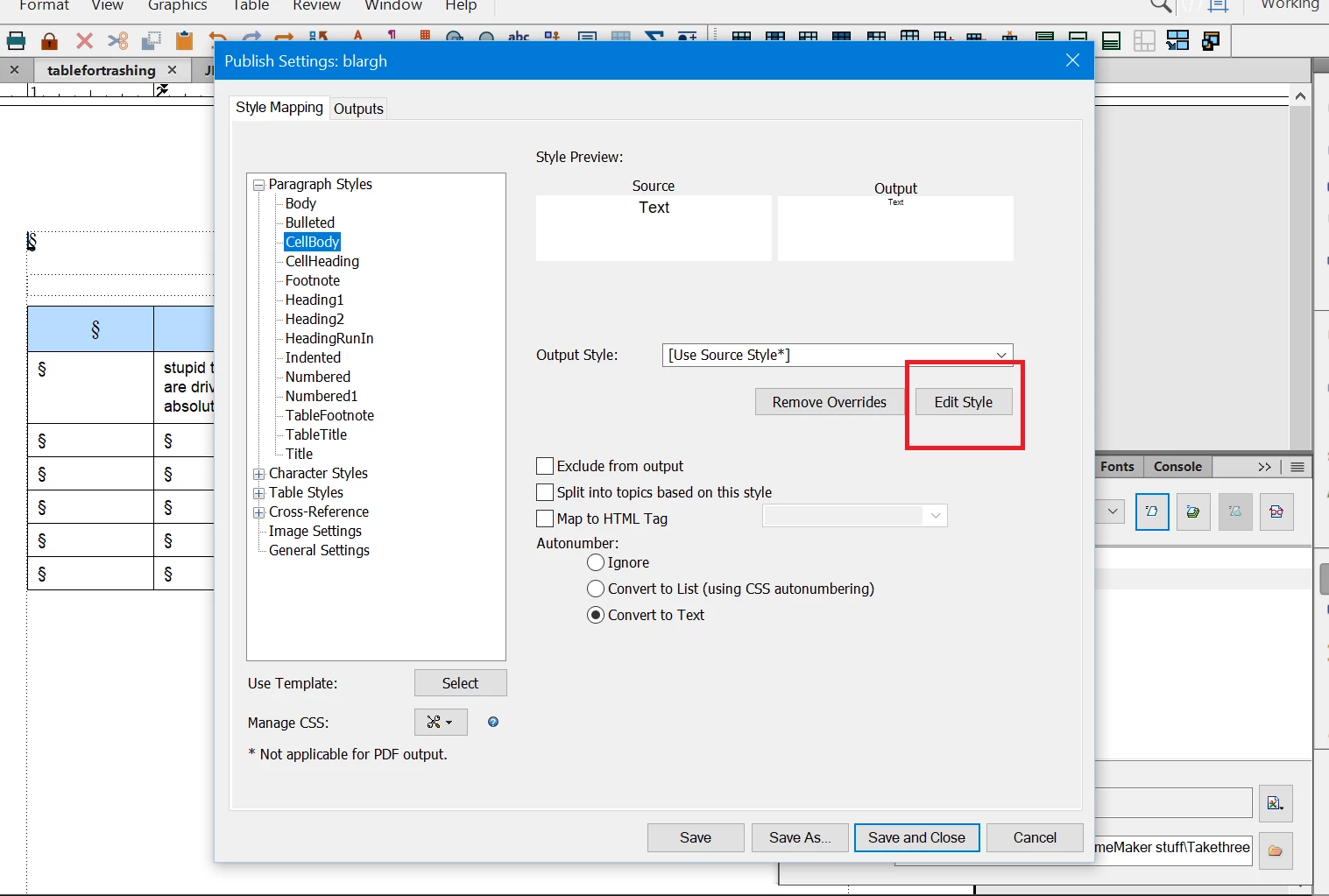
 The attached images show the different results I get in the Responsive HTML5 output when (all other things remaining the same) I set the cellbody size to 9 pts via either the FM paragraph designer (correct looking image on the left), or via editing the cellbody font size to 9 pts (down from 12 pts) when in the Publish Settings window and selecting Edit Style to decrease the cellbody font size. . Ideally I'd like to decrease the assigned font size in the HTML output (compared to the PDF output), but this issue in the cells is causing me grief. The table has the default cell padding values assigned in the Table Designer (6pt, 6pt, 4pt, 6pt) and I can't decrease these as it messes up the look of the tables in the PDF output. Can anyone shed any light on why this is happening and whether there's a fix or a work around? Thanks!
    This topic has been closed for replies.

    3 replies

    Matt-Tech Comm Tools
    Community Expert
    Community Expert
    May 28, 2024

    The formatting in the HTML output is best handled by creating CSS to address your issues. 

    Relying on Fm's built-in interpretation of "print" formatting for your web delivery will be difficult.

    You may need to create specific paragraph and character tags to convert to CSS classes, and you may need to create various CSS for the table parts as well.

    -Matt

    -Matt Sullivan, FrameMaker Course Creator, Author, Trainer, Consultant
    Inspiring
    May 28, 2024

    Hi Matt, I think you're probably right. I'm seeing some weird and wonderful things in the HTML output. I was hoping that FM had a more suitable out of the box solution.

    Matt-Tech Comm Tools
    Community Expert
    Community Expert
    May 28, 2024

    There are some truly great things about the HTML output.

    But at its core, if you don't identify your FrameMaker styles (character, para, and others) and take the time to describe the correct HTML formatting via CSS, it's like almost all other plain vanilla outputs; it's great for a first pass.

    -Matt Sullivan, FrameMaker Course Creator, Author, Trainer, Consultant
    Community Expert
    May 27, 2024

    Hi Janette,

    When I see your screenshots, I think that there must be an addional setting that is changed, when you select "Edit Style".

    Can you compare the CSS file with the default cellbody setting with the CSS file after you selected Edit Style and changed the font size to 9 pt?

    Best regards, Winfried

    Inspiring
    May 27, 2024

    Hi Winfried, I don't know where to see the .css that shows the default settings. If i'm on the Publish Settings screen and select Manage CSS to export the .css, then i think that shows the default HTML styles but not the default FM styles. Is there a .css showing the default FM styles?

    Community Expert
    May 27, 2024

    I meant the CSS with the paragraph style not changed in the Publish pod but in the FrameMaker cell paragraph and the paragraph style after you edited it to 9 pt in the Publish pod.

    Community Expert
    May 27, 2024

    Are you using the options for working with the HTML5 output of the table styles? I believe you can assign percentages to the tables rather than fixed space values.


    Bjørn Smalbro - FrameMaker.dk
    Inspiring
    May 27, 2024

    Hi Bjorn, I tried adjusting the cell padding in various places but I couldn't find anything that made any difference except adjusting it via the FM table designer. I added zero cell padding in various .css but nothing took effect and my brain turned to mush trying to work it all out. I'm taking up FM after a 20 year hiatus from it and unfortunately our focus is on creating HTML5 output  - which FM isn't fabulous at. Not the tool I'd choose for the job if I had a viable alternative, but FM it is.

    Community Expert
    May 27, 2024

    Actually the built-in editor isn't too bad. It may take a little time fiddling aroud with settings, but the do mostly work predictably.

    I develop FrameMaker templates, and this i a sample table from the Extra Anejo Template:

    These are the HTML5 table settings for publish:


    ... and this is the resulting published html5:


    Bjørn Smalbro - FrameMaker.dk