March 25, 2010
Question

Table style leaves 10% empty space

  • March 25, 2010
  • 1 reply
  • 551 views

Hello all,

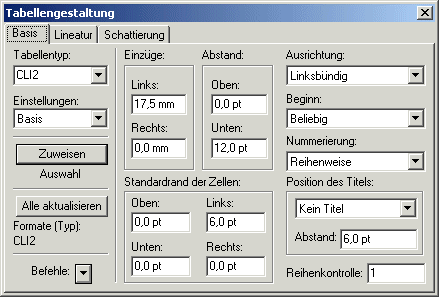
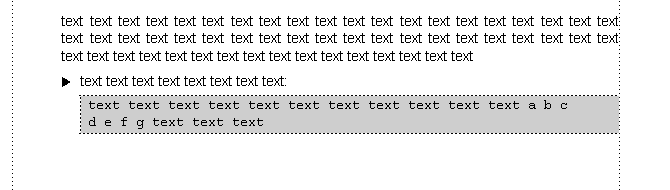
I am having problems with a table format that is filling only about 90% of the available space. In the image below, you can seen that the first line breaks after the letter "c", leaving about 10% empty space. The table style is set to an inside space of 0pt and the paragraph style "table.cell.body" has no tabs etc. either. The text is wrapped into an additional character style which applies courier font. Strangely, if I use the same paragraph style inside a table without applying the additional character style, then all is well. Also, if I change the paragraph style to right alignment, then it moves the table content to the right borderline. Only with left alignment the 10% empty space remains.

Do you have any suggestions/ideas?
    This topic has been closed for replies.

    1 reply

    Michael_Müller-Hillebrand
    Legend
    March 25, 2010

    Robert,

    Your problem may be connected to the font you use. Courier and other monospaced fonts do not always display correctly on screen. In the maker.ini there is a setting similar to

    UsePrinterFontMetrics = No

    which restricts calculation of character widths to integer values. If this is set to Yes it uses more precise calculation.

    Or, try to create a PDF and check this, does it also have the problem you see?

    - Michael Müller-Hillebrand

    March 26, 2010

    Hi Michael,

    that was the solution - thank you for your help! Adjusting this setting (which by the way is named "DisplayUsingPrinterMetrics=On" in my case) resolved the correct line breaking. The maker.ini is full of miracles.

    Robert

    Michael_Müller-Hillebrand
    Legend
    March 26, 2010

    Am 26.03.2010 um 09:08 schrieb robert-sfl:

    that was the solution - thank you for your help! Adjusting this setting (which by the way is named "DisplayUsingPrinterMetrics=On" in my case) resolved the correct line breaking. The maker.ini is full of miracles.

    I am glad my assumption was correct.

    Only to be precise: The setting does not adjust the line-breaking, it just gives you a better on-screen preview because character widths are calculated with higher precision.

    BTW, FrameMaker 9 comes with DisplayUsingPrinterMetrics=On as the default setting. The Off setting was historically important because computers would save some processor steps with the easier integer calculations...

    - Michael