Answered
Text frame cutting text
Hi folks,
I've a text frame that is cutting the text. How to resolve it?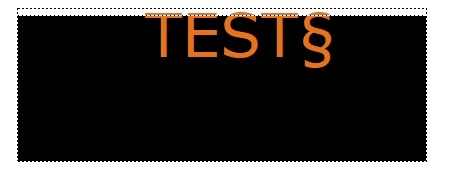

Hi folks,
I've a text frame that is cutting the text. How to resolve it?
Yes, this text clipping does happen and it is depending on the font metrics. There are a few fonts with which it doesn't happen (or to a lesser degree), but there is no distinct parameter in the paragraph or character formats with which it could be avoided.
However, I found an easy solution which allows you to precisely control the distance to the upper frame border. I suppose you're using a special paragraph format for these callouts. You'll need to modify this format as follows:
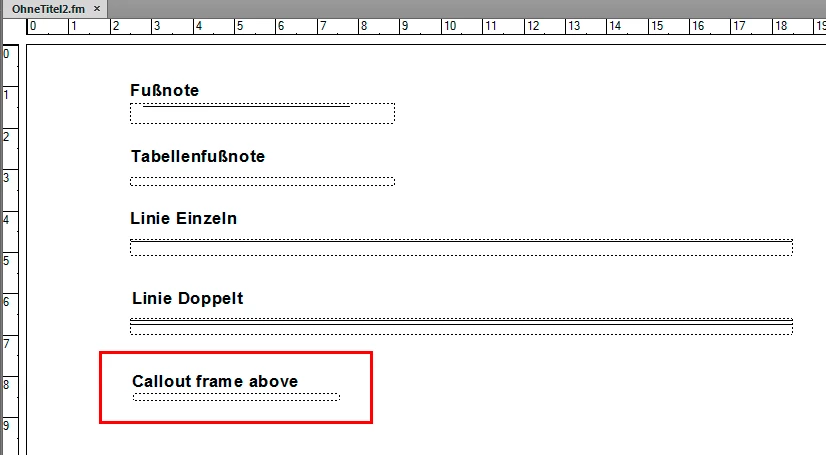
1. On the Reference page, create a new empty graphic frame with a useful name (I've named it "Callout frame above" in the example shown below). Note: The name is given when creating the frame and cannot be modified afterwards! The title above is just text which does not control the frame's name. Make sure the frame is transparent and does not contain any color fill:
2. Next: In the paragraph format, enable this frame to be used as "frame above".
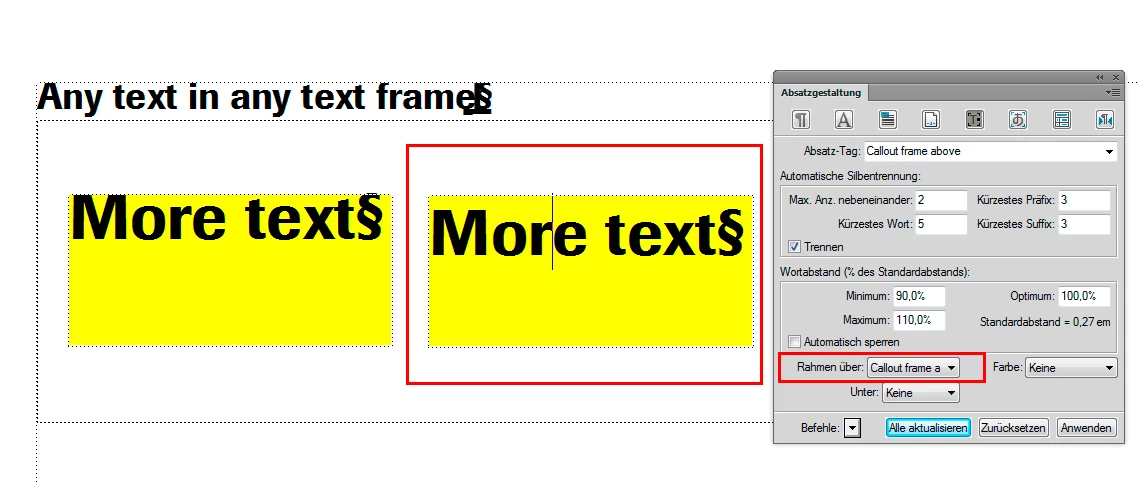
Now you can use the height of this frame to control the distance of the paragraph to the upper text frame border.
Bernd
Already have an account? Login
Enter your E-mail address. We'll send you an e-mail with instructions to reset your password.


 AdChoices