

Text insets display incorrectly in HTML5
FrameMaker 2017 here, on Windows 10.
My entire document displays correctly in Frame, and it displays correctly when saved to PDF format. But a text inset displays incorrectly when I publish to HTML5. I've tracked the culprit down to text and/or graphic objects placed on top of an image inserted by reference.
To duplicate this, follow these steps:
- Place a paragraph or two of text at the top of an empty FM document.
- Insert by reference an image below the text.
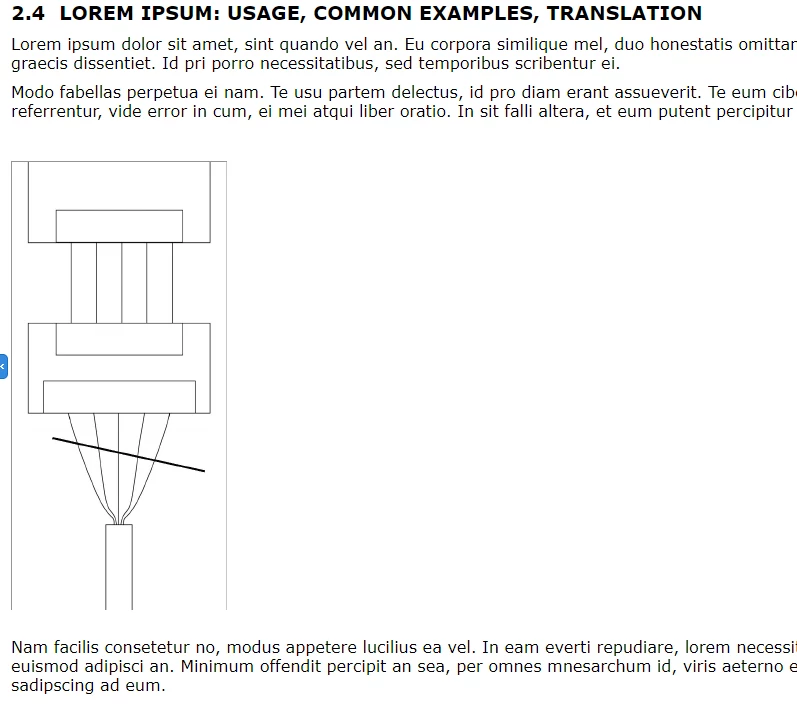
- Click Graphics > Tools and use the Draw a Line or Place a Text Frame buttons to place a graphic object on top of the image.
- Save the FM document.
- Insert that FM document as a text inset into a different FM document.
- Publish the parent FM document to HTML5.
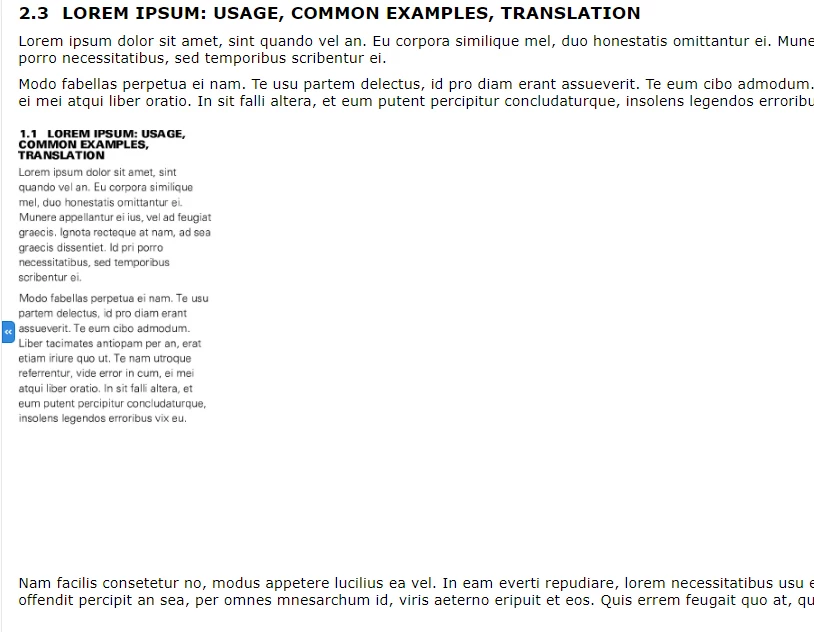
When I do this, the image I inserted in step 2 is replaced by an image of the text that was above it. Not only this, but the font size and margins are smaller/narrower in the image. If the image I inserted is taller than the paragraph of text, then the bottom half of the text image will be white space.
For reference, see these before/after images. In the before image, the thick diagonal line is what I added using Graphics > Tools. The other lines were made in Photoshop. If I delete the line I made using FrameMaker, the text inset displays properly in HTML5 (when published as part of the overall document).
Of course, if I publish only the text inset to HTML5, it displays fine, as you can see.



 AdChoices