


New Member
January 23, 2026
Question

Text that becomes an image when published in PDF format

  • January 23, 2026
  • 4 replies
  • 106 views

Hello.

I am experiencing an issue with a PDF generated from Adobe Framemaker that I cannot explain.

I have a text that is accompanied by a small image:

 

Ibon28385419c8yp_0-1769183146511.png


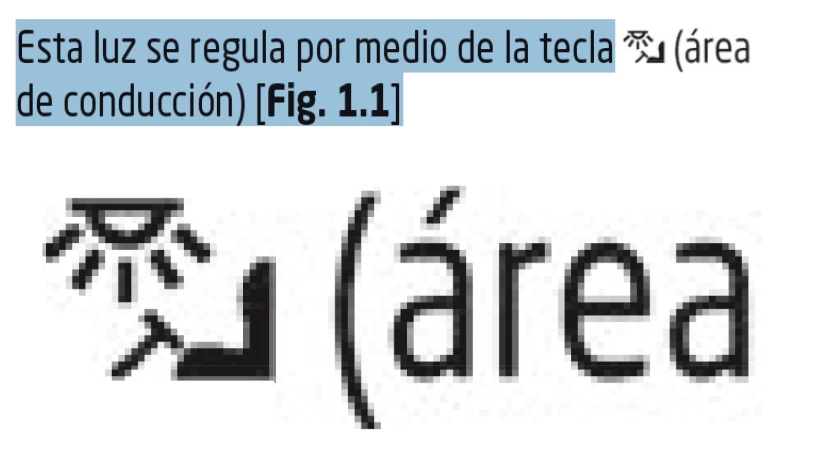
When I publish it as a PDF, the text accompanying the image also becomes an image, which causes it to become pixelated:


Captura de pantalla 2026-01-23 171810.png


Do you know why this might be happening?


4 replies

Barb Binder
Community Expert
Community Expert
January 23, 2026

I've never seen this, have the rest of you?


@Ibon28385419c8yp Can you let us know what version of FrameMaker you are using, and the steps you are following to create the PDF in FrameMaker?


~Barb

~Barb at Rocky Mountain Training
Bob_Niland
Community Expert
Community Expert
January 24, 2026

I have not seen this (to PDF, HTML is another matter).
If the rasterized text is the same font as other selectable text in the document, that would likely rule out embed permissions issues.

frameexpert
Community Expert
Community Expert
January 23, 2026

If you have Acrobat Pro, try choosing the Edit tool and see if the text shows as text or an image.

www.frameexpert.com
New Member
January 23, 2026

I have set the PDF to edit mode and the text is displayed as an image:

Ibon28385419c8yp_0-1769191247969.png


frameexpert
Community Expert
Community Expert
January 23, 2026

Yes, it looks like the PDF engine turned it into an image when the PDF was created. Try putting a non-breaking space in between "(area and de" to force a line break after the image to see if that helps.

www.frameexpert.com
Jeff_Coatsworth
Community Expert
Community Expert
January 23, 2026

Now - have a look at the source FM doc - what do you see there around that image?

New Member
January 23, 2026

This would be the view of the original FM document:

Ibon28385419c8yp_0-1769189617742.png


Jeff_Coatsworth
Community Expert
Community Expert
January 23, 2026

Hard to tell without the Text Symbols turned on - how is the icon put in that table cell?

Barb Binder
Community Expert
Community Expert
January 23, 2026

HI @Ibon28385419c8yp and welcome to the Community Forums. 


Is it really an image or does it look that way because you zoomed in so much? The test is to see if you can select/edit the text in the PDF. If it's an image, you won't be able to. 


2026-01-23_08-29-08 (1).gif


~Barb

~Barb at Rocky Mountain Training
New Member
January 23, 2026

As you can see in the image I have attached, once published, it does not allow me to select the text.

Ibon28385419c8yp_0-1769185929602.png


Jeff_Coatsworth
Community Expert
Community Expert
January 23, 2026

Ah, you see that the icon & the "(area" text are both not selected - so somehow that little bit of text has been included in the image.