


Participant
May 20, 2014
Question

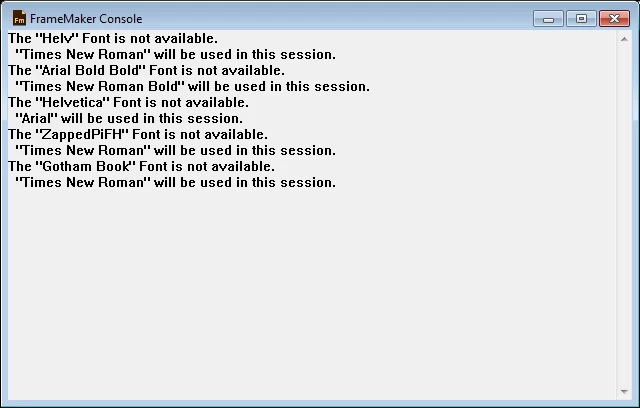
The "<FONT NAME>" Font is not available.

  • May 20, 2014
  • 1 reply
  • 218 views

Hi,

New here but this issue is grinding my gears.

Is there an easy way to finding out which Paragraph Tags are missing these fonts?

Plan is to update the tags and import tags to other document to resolve the same issue. Any help is appreciated Greatly

Thank You.
This topic has been closed for replies.

1 reply

Arnis Gubins
Inspiring
May 21, 2014

You can use the Find and look for the Character formatting (set everything to AsIs using Shift+F8 and then set just the Font Family Name). This will find where the font is used on the Body pages.

However, the font also may be in use on Master and Reference pages as well as in Table format definitions. You could try using the Font pod to replace the missing fonts.